Free downloadable expense report template and how to use it.
Download and easily customise our expense tracker template with these helpful tips.
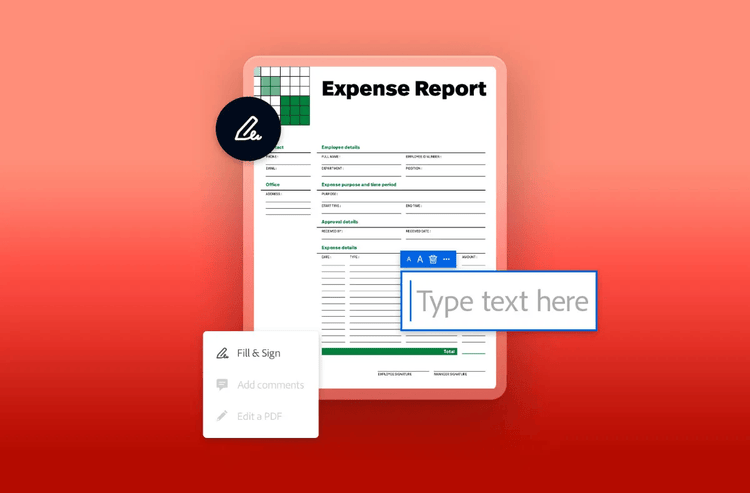
Expense reports and trackers help businesses manage where their money is going. They also provide an efficient way for employees to submit qualified business expenses – like travel, meals, office supplies, tools, and professional dues – for reimbursement.
Accurate expense tracking is essential for effective budgeting, reliable forecasting, and maintaining compliance with financial regulations. Using a standardised expense tracker template helps streamline the process, ensuring consistency and reducing errors. These records also offer valuable financial insights, supporting smarter budget decisions in the future.
What is an expense report?
An expense report serves two main purposes. It helps a business monitor their costs and provides an accurate view of profit versus revenue. It also enables employees to submit expenses they’ve incurred on behalf of the company for reimbursement.
You might use the report as an expense tracker too. That way, you can keep track of any employee expense submissions alongside your own costs. This could be in the form of a spreadsheet, tool or app depending on the context.
A clear financial overview helps you plan your future finances better. Using a standard process means everyone works the same way, which reduces mistakes. It also makes it easier for everyone to understand and handle expense receipts, creating consistency across the organisation.
What should an expense report include.
The details in expense reports are vital for your company's accounting, even though completing them can be dull. Accurate reporting provides a clear audit trail. And lets you control where the money is going.
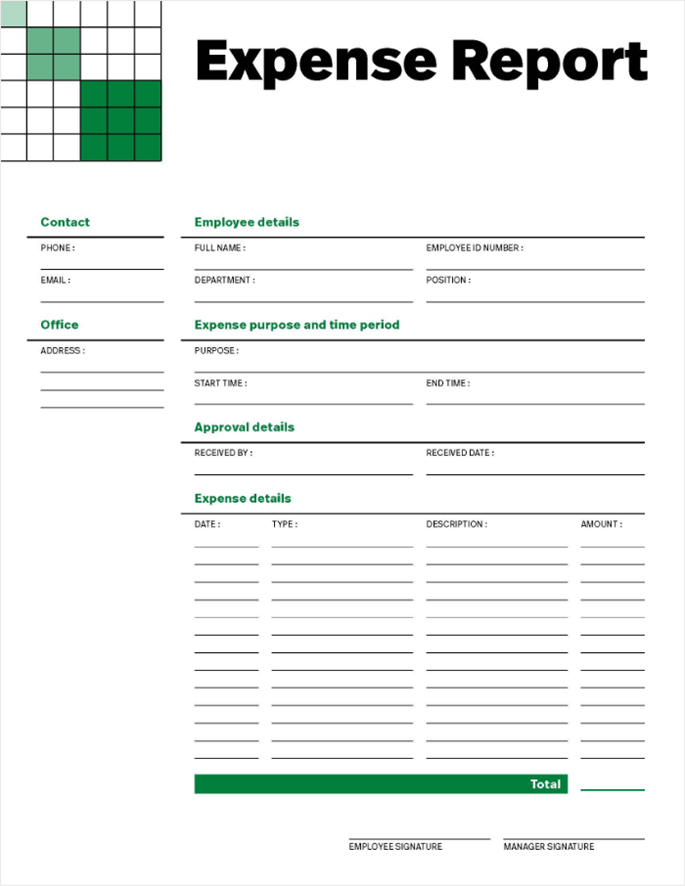
Some things to include in an expense report or spreadsheet are:
- Exact costs for expenses. These must be input accurately, down to the penny. These determine your reimbursements as an employee or your tax deductions as a business.
- Dates of expenses. This is important for accounting and bookkeeping purposes, especially in case of any scrutiny of expenses.
- Purpose or type of expense. This can help your business understand where the money is going at a glance. It can be a crucial detail in case of budgeting updates or concerns.
- Vendors paid. Vendors include anything from landlords to restaurants to printing companies. Including vendors shows not only where your money is going but who you are paying.
- Totals or subtotals of different cost categories. This helps streamline processing, and it’s simple when you have an expense report template in a spreadsheet.
- Documentation to support the listed expenses. This is usually the documentation required for tax and accounting purposes. This documentation tends to be in the form of receipts for business purchases.
As a business, providing workers with an expense report template is more efficient. Workers can then complete and submit a consistent report each time they’re reimbursed. Providing a template is more orderly and can make things much easier for those that process expense reports and track costs. A template can also guide employees and ensure they list charges correctly.
Wondering “How do I create an expense template?”. Downloading the template below is the first step, then customising it is easy.
Why do you need an expense report?
When seeking reimbursement, employees are usually responsible for producing an expense sheet. If you work for a small business, you may be expected to submit an expense report with little instruction on what it should look like. If everyone does expense reports their own way, others might not be able to understand, and that could cause problems.
Benefits for businesses:
- Balance the books. Understand the true profit of your company.
- Accounting and investors. Help with accounting and answering investors.
- Tax season. Makes documentation easy during this period.
- Monthly report. Track overall monthly reports.
- Long term reports. Get a bigger picture of where your money is going.
- Recurring expenses. Spot routine expenses.
- Department specific reports. Monitors each department’s spend.
Benefits for employees
- Reimbursement. Get reimbursed for money spent on behalf of the business.
- Accountability. Provides detail to keep you accountable.
- Company accounting. Helps the company with finances.
- Audit preparation. Prepares the company for financial audits.
- Occasional expenses. For business trips or client dinners.
- Mileage reimbursement. Receive fuel money back for personal car.
- Customisation. Edit the template to your preferences and needs.
Adobe Acrobat can help you create neat expense trackers and keep them in a secure PDF format. Use Acrobat to fill out and sign reports and keep your accounting simple.
How to create an expense report.
An expense report template gives your business a standardised way to track expenses and gives employees an easy way to submit their expenses with all of the necessary details.
Adobe’s free online tools can help. Start by following these five steps:
1. Prepare in advance.
First, establish expectations with the authorities you’re financially accountable to.
For Businesses:
- Understand tax laws, deductions, audits, and accounting best practices.
- Expense reports are crucial for understanding financial success.
For Employees:
Make sure you understand your company’s reimbursement policies. If not already clarified, find out:
- Clarify which expenses are covered and which are not.
- Understand per diem, company card policies, or reimbursement processes.
- Know how mileage reimbursement works.
- Identify required documentation (proof of purchase).
- Keep documents and receipts organized.
Stay organised:
Create a system that helps you track and store all expense-related information:
- Use one card for business expenses only, to easily track transactions
- Take a photo of each receipt as soon as you receive it
- Store receipts in an envelope or digital folder, organised chronologically for easy scanning and reporting
- Keep backup documentation in case anything gets lost
Preparing in advance sets the foundation for accurate, stress-free expense tracking and reporting.
2. Download and customize a template.
Download an expense spreadsheet template and avoid starting from scratch. Ensure consistency and accuracy with templated expense reporting.
For Businesses:
- Create templates for different timeframes: monthly, recurring, or long-term tracking
- Include automatic calculations for totals or recurring costs
- Tailor templates to commonly reimbursed categories (e.g. travel, supplies, meals)
- Add brief instructions for employees on how to use or adapt the template
- Include a reminder to attach required documentation (e.g. receipts, proof of purchase)
For Employees:
- Break down expenses by category (e.g. travel, accommodation, meals) with subtotals
- Add custom fields like mileage, miles driven, or cost per km for vehicle-related travel
- Keep it simple if you have just a few expenses—no need to overcomplicate the form
3. Fill in the template with your transactions.
Once you have your template ready, it’s time to enter your expenses. You can do this in one of two ways:
- As you go – This turns your template into a live tracker, helping you stay on top of expenses in real time.
- At the end of the billing period – This works well if you’ve been storing receipts neatly, such as in an envelope or folder.
Best practices for entering expenses:
- Log entries in chronological order using receipts or transaction history.
- Include key details for each item:
- Date of transaction
- Vendor or merchant name (e.g. restaurant, hotel)
- Amount spent
- Category (e.g. travel, meals, mileage)
- Double-check your entries for accuracy—this is essential for both internal tracking and tax compliance
For Employees:
- Only include expenses that align with your company’s reimbursement policy.
- If an exception has been approved, make sure it's clearly documented.
- Use discretion for small expenses—some company cultures may not expect you to report every minor cost (e.g. a morning coffee before a local meeting).
Accurate and well-organised entries help ensure your report is approved quickly and reduce the risk of errors—especially when it comes to tax or audit requirements.
Once your template is filled out, convert the spreadsheet to a PDF for easier submission and storage.
4. Use a scanner to upload your receipts.
We recommend using a scanner to upload your receipts as it’s the most professional and efficient method. Try to consider the following:
Photographing (Alternative):
- Use bright, even lighting.
- Shoot from a straight angle on a flat surface.
- Crop out the background.
- Ensure the receipt is right-side up and centred.
- Enlarge for readability but keep the entire receipt visible.
Online Receipts:
- Check that all necessary information is present.
- Use a smartly cropped screenshot.
File Preparation (PDF):
- Put each receipt on its own page.
- Use chronological order, matching the expense report.
Creating your final document:
- Save your scanned receipts as a PDF, with one receipt per page
- Arrange them in chronological order, matching the order in your expense report
- Ensure the file is clean, legible, and easy to process
5. Consolidate it into one document and review.
Once everything is filled out and your receipts are ready, bring it all together into one complete document for submission.
The photos or scans of your receipts or other documentation should all be included in the same document. Do not attach them separately but rather convert all your images to PDF – you can then combine your PDFs into one document.
Your company’s accountant needs to be meticulous, so as an employee, you might get an email and delayed reimbursement if anything is off. Review your expense reports before finalizing them. If anything is incorrect or if you forget to include an expense, you can convert your PDF back into an Excel spreadsheet to edit, or you can simply edit your PDF.
Neat expense tracking is a crucial part of bookkeeping in your business. And the more professional your expense report, the better it will reflect on you as an employee. Making your expense reports simple, clean, and professional could even help you get reimbursed faster.
3 expense report template examples.
There are several types of expense reports, each designed for different purposes—such as tracking purchases, recurring expenses, or travel-related costs. A good expense template should be tailored to suit the specific needs of each situation.
Let’s take a closer look at some of the most common types:
1. One-time expense report.
A one-time expense report is used for ad-hoc or occasional business purchases. These might include equipment (like office chairs), client lunches, or supplies for a specific project. The report is usually simple, with fields for the date, vendor, purpose of the purchase, and the total amount.
This type of report is ideal for freelancers, contractors, or employees who don’t regularly submit expenses but occasionally need reimbursement. It’s a quick and efficient way to process one-off payments while maintaining a clear, documented paper trail for financial tracking.
2. Recurring expense reports.
Recurring expense reports are used for routine business costs that occur on a regular basis. Common examples include monthly software subscriptions, mileage claims for travelling employees or regularly purchased supplies. These reports are typically submitted weekly, fortnightly, or monthly, depending on company policy.
The expense report template for this type of report often uses a running log format, with columns for dates, descriptions, costs, and approval status. This structured approach promotes consistency and simplifies the reimbursement process—for both employees and finance teams. The more streamlined the process, the less of a burden it becomes for everyone involved.
3. Travel expense report.
Travel expense reports are used to track all costs incurred during business trips. This may include transportation, accommodation, meals, and other travel-related expenses covered by the company. These reports help businesses manage and control spending on work-related travel.
A typical travel expense sheet includes standard fields like date, amount, and vendor, but may also capture additional details such as the destination and purpose of the trip. Some organisations allow employees to attach receipts and use built-in formulas to automatically calculate totals.
Travel expense reports are especially useful for group travel or frequent travellers, ensuring that all costs are tracked accurately and that employees are reimbursed fairly.
Frequently asked questions.
What should be included in an expense report template?
Key elements to include in an expense report template are:
- Date
- Vendor or place purchased from
- Category (e.g., one-time, recurring, or travel expense)
- Amount
These basics provide a solid foundation, which you can customize by adding any additional fields that suit your specific needs.
How often should employees submit expense reports?
Can expense report templates be customised?
Related Acrobat content.
- Free inventory templates
- Timesheet templates
- Free budget templates