
Convert Excel to PDF file online
Easily turn any Microsoft Excel spreadsheet file into a shareable PDF document with Adobe Acrobat. Try our Acrobat Excel to PDF converter online tool for free today and explore other PDF tools at your fingertips.
It couldn’t be easier to convert Excel files to PDFs online with Adobe’s Excel to PDF converter tool:
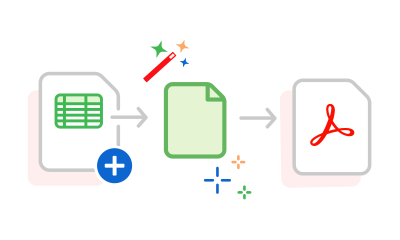
Learn how to convert Excel XLS spreadsheets to PDF files with ease using our online tool. It’s free, straightforward, and compatible with any device – allowing you to create PDFs from Excel files at any time.
Easily turn any Microsoft Excel spreadsheet file into a shareable PDF document with Adobe Acrobat. Try our Acrobat Excel to PDF converter online tool for free today and explore other PDF tools at your fingertips.

Converting an Excel file to a PDF is quick and easy. Simply drag and drop or upload an Excel file to get started. Depending on the size of your file, it takes seconds to convert XLS to PDF.

After converting the XLX file to a PDF, sign into Acrobat and share the file with collaborators for review. You can comment, reply, and tag people in the same PDF for transparency.

Sign in to Adobe Acrobat to edit your Microsoft Excel spreadsheets online for free. Just choose your workbook and allow Adobe Acrobat to open it in Microsoft Excel for the web. It’s just as easy to edit your PDF after conversion.

Enjoy peace of mind when you use Acrobat. We’re committed to data protection through our Adobe Common Controls Framework, and our data processing agreement is in line with GDPR requirements.

Use our Excel to PDF online tool to convert XLS and XLSX files to PDFs quickly and confidently – designed by the company that pioneered the PDF. Get unrivalled protection and editability the moment you convert.
You can save an Excel as a PDF without using a converter. Simply:
No, our Adobe Excel to PDF converter preserves the original formatting of your Excel file. Your files can be viewed as they were, without any formatting issues.
However, if you download your workbook as a PDF directly from Excel, some formatting issues can arise, such as shifted margins or cut-off text. To avoid this, adjust margins, size, and orientation in the Page Layout tab and Page Setup section.
Yes, you can stop any text or parts of pages from getting cut off before you save your file as a PDF. Use Excel tools, including orientation, page breaks, sheet margins and print area, to format your page.
Excel spreadsheets usually work better in landscape view. While you’re there, use the options in the Scale to Fit group to adjust the width, height, and scale to prevent cutting off pages. You can also extract or insert PDF pages if you need to.
Yes, you can do this with our free OCR (Optical Character Recognition) tool. Choose or drop files into the drag area of the tool, and you’re good to go. Learn more about OCR.
Why not try a 7-day free trial of Adobe Acrobat Pro and make the most of extra PDF and e-signing tools for free? The trial allows you to annotate and amend your files, compress PDF files, print to PDF and even merge PDFs.



