


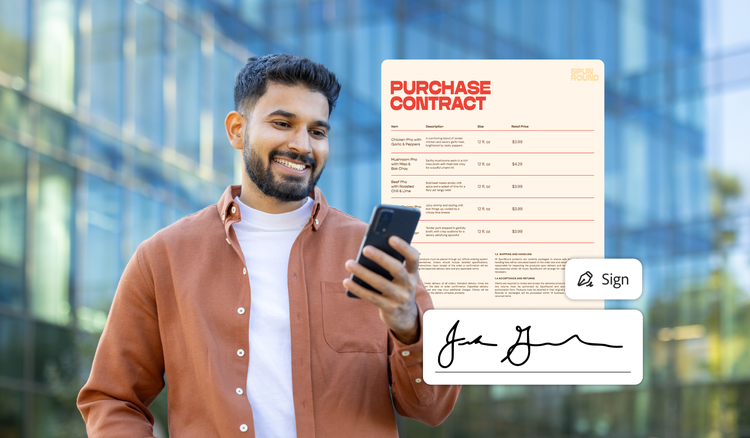
Most small businesses choose an e-signature tool once and then stick with it for years. What makes that tool good or bad usually isn’t the part you test during the trial. Signing a document feels similar in every tool — it’s the other criteria that separate them, and most of that only becomes visible after you’ve committed. Here’s what to look at before you do.
Why e-signatures are a frequent part of business.
An Adobe contracts survey found that consumers and professionals alike use e-signatures regularly. Of those surveyed, 73% of consumers, 68% of knowledge workers (professionals who provide thought leadership instead of physical labor), and 91% of small business owners say they work with contracts at least monthly. A majority of consumers (69%) admit signing without knowing the contract details, and 64% of small business leaders say they have avoided signing altogether because they weren’t confident they understood the terms. To battle the discomfort that can come with contracts, 71% of small business owners say they believe AI help with contract summarization and comparisons “could give them more confidence” when reviewing agreements.
The 5 criteria for choosing an e-signature tool.
1. Signer experience.
The tool must be intuitive for the signer. Requiring an account just to sign a document can make the experience more challenging and time-consuming.
2. Send volume and pricing.
How many documents do you send monthly? The answer will help determine whether you need a paid plan. Although free e-signature tools may work for some organizations, free plans often limit how many documents you can send within a specific period.
3. Integrations.
The best solution for your business should work with the tools you already rely on. The Adobe Digital Insights State of AI in Documents report notes that 31% of multi-tool users lose four or more hours each week switching between tools and reentering information, while 42% spend four or more hours each week coordinating across documents. Ensure the tool you choose offers both desktop and mobile functionality for e-signature anytime, anywhere, so you can sign conveniently for you or your business. Stringing together multiple single-purpose tools can be less efficient and cost-effective than an ecosystem that guides you through the entire process without switching tools.
4. Security and compliance.
High-security electronic signature tools protect sensitive information using strict global compliance standards. Look for a tool that includes the following:
- AES-256 encryption for stored files and TLS 1.2 or higher for data sent over the network
- Audit trails to record every action, IP address, and timestamp to prove authenticity
- Compliance frameworks like ESIGN, UETA, SOC 2 Type II, HIPAA
- Tamper-evident seals
- Identity verification such as multifactor authentication or SMS codes
Functionality.
Even if your business centers around selling a particular product or service, you may still need to create and exchange a number of different forms or contracts. From sales proposals or scope-of-work agreements to employee onboarding papers, contractor agreements, or purchase orders, you may need to create, exchange, sign, and retain all of these. Review whether the e-signature tool handles document creation or if it only supports signatures.
What free tools actually cover.
Free tools also might not provide all the functionality your business needs to take you through the whole process, from creating the document to signing and filing it. As processes break down, the extra effort it takes to solve what seem like small hiccups can add up to significant time.
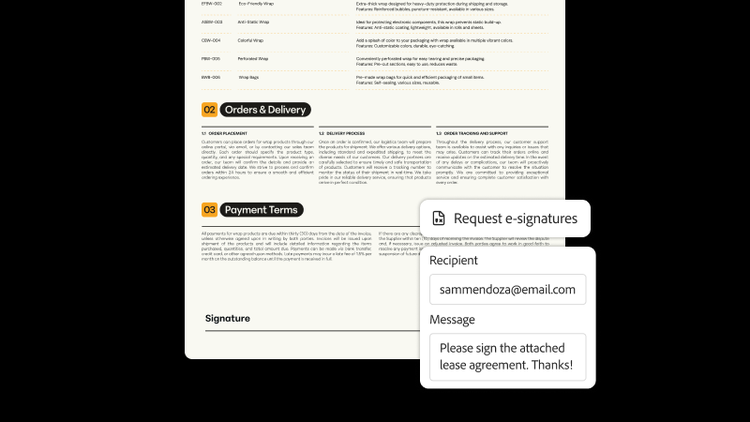
Here are some free tiers for notable e-signature tools as of October 2026:
- Free PDF readers: No account needed. Allows self-signing with no volume limits.
- Adobe Acrobat: Requires an account. Allows unlimited self-signing with Acrobat Fill & Sign. Request e-signatures supports 2 transactions per rolling 30 days.
- Dropbox Sign: Requires an account. Allows unlimited self-signing and 3 signature requests every 30 days.
- DocuSign: Requires an account. After a free 30-day trial, the account downgrades to a free plan that allows signing documents and a lifetime limit of 3 signature requests.
What makes e-signatures binding.
E-signatures have become legally binding primarily through legislation. In 1999, the Uniform Law Commission approved the Uniform Electronic Transactions Act (UETA), which made electronic records and signatures legally equivalent to paper writings and manually signed signatures. Forty-nine states plus Washington, D.C., Puerto Rico, and the US Virgin Islands have adopted it, though New York has its own statute. Moreover, the federal ESIGN Act states that a signature may not be denied legal effect solely because it is electronic, and it also outlines document requirements and exceptions. Each act has separate rules, but both require consumers to consent to electronic transactions. Note, however, that some types of documents can’t be e-signed at all, such as wills, and rules vary by state.
But legal requirements aren’t the only thing that validates e-signatures. Consumers demand that trust infrastructure and compliance are sound, providing timestamps, audit trails, and other verification for long-term validation.
Where Adobe Acrobat Sign fits.
Against those five criteria, Acrobat Sign fits three well. Signers don’t need an account; they sign from an emailed link on any device. It meets the security and compliance profile described above, including HIPAA, SOC 2, and FedRAMP, with audit trails and tamper-evident seals on every completed agreement. It also covers the fifth criterion end to end — the same subscription creates the document, prepares the fields, collects the signatures, and stores the result.
If you send only a handful of documents a year, the free tier’s two requests per 30 days will constrain you, and a free plan elsewhere may cover you at no cost. And if what you actually need is contract negotiation — redlining, clause libraries, obligation tracking — that’s contract lifecycle management, a different category of software, and Acrobat Sign doesn’t do it.
The things that separate these tools only show up after you’ve committed — so don’t commit yet. A free Adobe Acrobat account includes two signature requests every 30 days, enough to send one real contract and see how the signer experience and the audit trail actually behave.
Frequently asked questions
Any e-signature tool should support e-signing in minimal steps: open the document, choose the signature option, then add your signature to the page.
Across notable tools like Acrobat, DocuSign, Dropbox Sign, and most free PDF readers, the signing step itself barely differs, which is great when you are evaluating multiple tools. However, the differences that matter include how many documents you can send, whether the signer needs an account, and the audit trail.
AI can help summarize and understand contractual information. AI should never replace a professional, so if you still need clarification about a topic, contact the person who sent you the contract. For additional guidance, reference a checklist for reading business contracts.
DISCLAIMER: This article is for informational purposes only. Adobe does not and cannot provide legal, financial, accounting or any other related professional advice. Laws and regulations frequently change. You should consult an attorney, accountant, or other appropriate professional advisor regarding questions specific to your situation. To the maximum extent permitted by law, Adobe provides this material on an “as is” basis. Adobe disclaims and makes no representation or warranty of any kind with respect to this material, express, implied, or statutory, including representations, guarantees, or warranties of merchantability, fitness for a particular purpose, or accuracy.
You may also like
title
Choosing an e-signature tool for your business.
cardImageAltText
Smiling business owner holding a mobile device and e-signing a purchase contract.
cardImage
Tags
caas:content-type/article,caas:products/acrobat,caas:topic/sign-pdf,topic/electronic-signature

