How to write a resume summary using AI
Learn how to write a resume summary that highlights your skills and helps you land interviews.

What is a resume summary?
A resume summary, sometimes called a professional summary, is a brief statement placed directly below your contact information. Its job is to distill your most relevant experience, skills, and accomplishments into a snapshot that makes a recruiter want to keep reading.
Unlike a resume objective — which focuses on what you want from a job — a summary focuses on what you offer the employer. Objectives tend to work best for entry-level candidates or career changers who have limited direct relevant experience, whereas a summary shines when you can point to concrete impact and results. If you have even a year or two of experience, a well-crafted summary almost always serves you better.
Think of the difference this way: an objective says "Seeking a marketing role where I can grow my skills," while a summary says "Marketing coordinator with three years of campaign management experience and a track record of increasing engagement by 35 percent." The objective centers the candidate's desires; the summary centers the employer's needs. In a competitive job market, hiring managers want to know what you can do for them right away, and the summary delivers that answer in seconds.
A strong summary names your professional title or area of expertise, highlights a standout achievement, and connects your skills to the value you deliver. For example, a short summary about yourself might read: "Detail-oriented marketing coordinator with three years of experience driving social media engagement, increasing follower growth by 40 percent through data-driven campaigns." Notice how it leads with a title, includes a measurable result, and keeps the language direct.
Key elements of a resume summary.
Knowing the building blocks makes it easier to write — and later, to prompt AI for — a compelling resume summary. Include these elements:
- Title and experience level. Lead with your professional title or the title of the role you are targeting, followed by your years of relevant experience. This immediately tells the reader where you sit in your career.
- Hard and soft skills. Mention two to three skills that match the job posting. Hard skills (data analysis, Python, financial modeling) prove competence; soft skills (cross-functional collaboration, client communication) show cultural fit.
- Quantified achievements. Numbers stand out on a page. Revenue generated, percentage improvements, team sizes managed — these give your claims weight.
- Value to the employer. End with a forward-looking phrase that explains the benefit you bring. Instead of listing duties, state outcomes: "committed to reducing onboarding time by streamlining documentation workflows."
- Format choice. A resume summary can take several shapes depending on your industry and style. A paragraph format works for most roles. A bulleted format suits technical positions with many certifications. A direct-address format ("You need a project manager who...") can stand out in creative fields. A transferable-skills format highlights cross-industry strengths for career changers.
How to write a resume summary with AI.
Artificial intelligence can draft, refine, and tailor your resume summary in minutes rather than hours. Before diving in, remember the 3 C's of a resume: clear, concise, and compelling. Every piece of your resume — especially the summary — should communicate your value without unnecessary filler, hold the reader's attention with strong language, and compel them to reach out for an interview. Below is a step-by-step process for writing an AI resume summary that sounds like you, not like a chatbot.
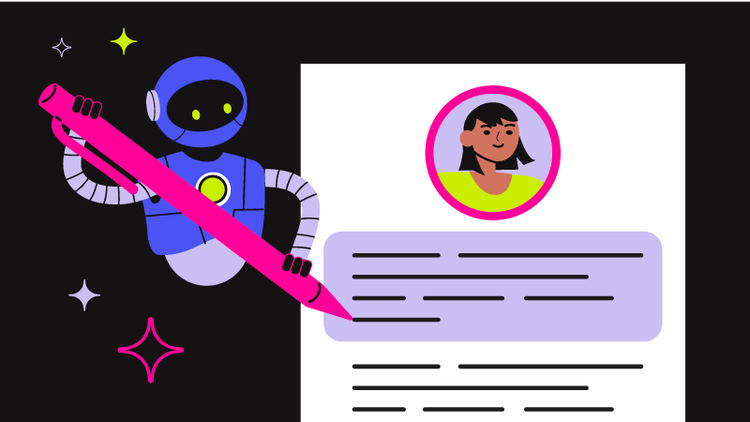
1. Gather your resume materials and upload them as a PDF. Start by collecting your current resume, job history notes, or any document that lists your roles, responsibilities, and achievements. Save the file as a PDF so formatting stays intact. With an AI-powered chat tool for PDFs, you can upload the document and ask questions about your own experience — a useful way to surface accomplishments you may have forgotten. If your resume is in another format, a quick PDF file converter can get you to your desired format in seconds. Organizing your materials in one place before you start ensures the AI has the full picture of your career to work with.
2. Prompt AI with the target job description. Paste the job posting into the AI tool alongside your uploaded resume. Ask the AI to generate a two-to-four-sentence professional summary that aligns your experience with the role's requirements. Be specific: mention the job title, key skills from the posting, and any achievements you want highlighted. The more context you give, the stronger the output. An AI resume builder can help structure these prompts and generate polished drafts. Try prompts like "Write a professional summary for a senior data analyst role emphasizing my SQL expertise and the revenue impact of my reporting dashboards." Detailed prompts produce summaries that read as though a professional writer tailored them specifically for you.
3. Review and refine the AI-generated summary. Read the draft critically. Check that it sounds like your authentic voice, includes accurate figures, and avoids generic phrases such as "results-driven professional." Swap in stronger verbs, adjust the tone to match the company culture, and confirm every claim is truthful. Pay special attention to numbers — AI sometimes rounds or invents statistics, so verify every figure against your actual record. If you are working with a longer document, an AI paraphraser help condense lengthy career narratives into tight summaries you can then fine-tune.
Tips on how to write a summary for a resume.
Writing your professional summary well is one of the highest-impact moves you can make in a job search. Recruiters spend an average of six to seven seconds scanning a resume, and the summary is the first block of text they see. Getting it right can mean the difference between landing in the interview pile and landing in the rejection folder. Follow these best practices to make sure your summary stands out for the right reasons.
- Use third-person voice without pronouns. Write "Experienced software engineer" rather than "I am an experienced software engineer." This convention saves space and reads more professionally. Most hiring managers and applicant tracking systems expect this format, so sticking with it keeps your summary consistent with industry norms.
- Tailor every summary to the job description. Mirror the language of the posting. If the employer asks for "stakeholder management," use that exact phrase rather than a synonym. Recruiters often scan for specific terms, and matching their language signals that you have read the posting carefully and understand the role.
- Include applicant tracking system (ATS) keywords. Many companies filter resumes electronically before a human ever sees them. Pull keywords directly from the job listing and weave them into your summary naturally. Focus on hard skills, certifications, and job-specific terminology that the ATS is most likely to flag.
- Keep it to two to four sentences. Brevity forces you to prioritize. Every word should earn its place. A summary that stretches beyond four sentences risks losing the reader before they reach the body of your resume.
- Quantify wherever possible. "Managed a team" is weaker than "Managed a team of 12 across three time zones." Numbers give hiring managers a concrete sense of scale and impact that adjectives alone cannot convey.
- Avoid cliches and buzzwords. Phrases like "team player," "go-getter," and "think outside the box" add no information. Replace them with specific evidence of the qualities those phrases attempt to describe.
- Match the format to your resume layout and length so the summary flows visually into the rest of the document.
Frequently asked questions
Can I use an AI resume summary if I am changing careers?
How often should I update my resume summary?
Should a resume summary include soft skills?
Is an AI-generated resume summary ATS-friendly?
What mistakes should I avoid in a resume summary?
You may also like