60 Throwback captions to bring old memories back to life.
Fun and memorable throwback captions that deserve another look.





Why great throwback captions do more than describe an old photo.
Not every old photo deserves a long story. Some only need a few well-chosen words to remind people why you saved them in the first place. That's what good throwback captions do. Pair them with a simple collage, card, or social post layout, and even a year-old photo can look like it belongs in today's feed.
Find original throwback captions for your general nostalgic posts.
Digging through your digital storage archives often uncovers old media gems that capture a simpler, more unpolished era of your life. When you share these vintage snapshots on your feed, you need throwback captions that treat the memories like treasured chapters. These phrases act as lighthearted entry points for your followers, inviting a second look at your personal history while letting the inherent charm of an unedited photograph command the grid.
Old, printed photos usually come with faded colors or lower contrast. Don't try to erase those details with heavy filters. They are part of the photo's history. If you're sharing the image again, let that vintage look stand on its own, or turn it into a printed keepsake instead.
You can upload your old photo directly into a poster maker to create large-scale visual assets or place the file in a card template to share beautifully framed updates with family members who lived through those exact moments with you. When formatting your typography, select a muted cream background block to complement the faded paper tones of the original media. Choose a clean sans-serif font to stamp the location details along the bottom margin.
Turn the photo into a vintage poster instead of stretching it to fill the page. A wide border, muted colors, and one classic font can make an old, grainy image feel thoughtfully preserved rather than poorly scanned.
Drop this throwback caption directly onto an asset built with a social media post generator to optimize your old images for fast-moving digital feeds. To make a single standout photo pop instantly, utilize a neutral charcoal or off-white background border that prevents the edges of your media from blending into the platform interface.
Highlight the throwback line with text effects to turn standard typography into a tactile design element. Type your text string into the layout field and prompt the AI engine to render the characters with a realistic, scratched gold foil or matte brass finish. Overlay this heavy, stylized title across a clean margin on your graphic to mirror the authentic tones of antique jewelry or old metal storage boxes.
Turn the memory into something your family can keep by adding it to a letter template. Pair old photos with short stories instead of long paragraphs, then use a simple serif font and soft colors that won't compete with the images.
recipe
Share unique throwback captions for friends to celebrate your favorite memories together.
Group photographs capture the completely unscripted camaraderie that defines your inner circle through different eras of life. When you look back at these old files, the text you choose should reflect shared experiences, past fashion choices, and the specific group dynamic that makes those connections last. Using dedicated throwback captions for friends acts as an open invitation for your favorite people to crowd your comment section with their own memories of the event.
Managing a massive pile of group snapshots from high school road trips or college gatherings can quickly clutter your design grid if you try to post them as individual files. Instead of uploading chaotic, separate images, assemble your throwback crew photos into a structured photo collage to present your timeline cleanly. If you’re planning a casual weekend reunion for the squad, add a standout image to a flyer template to use as a custom digital invitation.
When organizing the visual components, pick a thick white border around your photos to prevent the different clothing patterns from blending together. Choose a bold, 70s script font to print your favorite group's nickname across the header block.
Use a Facebook template and add this throwback caption for friends to gather your old friend circle in a shared space online. Add a wide landscape grid format to ensure no one on the edges of the original group shot gets awkwardly cropped. Keep the typography simple and positioned neatly along a solid bottom banner block.
For your group's annual winter holidays together, feature this throwback line inside a festive custom design built with a Santa letter template. Design a humorous, nostalgic holiday card or an invitation for an upcoming seasonal dinner with the squad. Choose a deep crimson or forest green background palette to anchor the old image. Choose a classic typewriter font for your caption text to match the traditional printed aesthetic.
Enhance this throwback caption with the TikTok video maker to compare then and now. Start with an old photo of your friends, switch to a recent one with the same pose, and label each year with a simple block font.
A few scratches or faded colors don't mean old photos are beyond saving. Adobe Firefly's AI photo restoration tool can clean up the damage without stripping away the details that make the picture feel old. Finish with a borderless layout and this throwback caption so the restored photo takes center stage.
recipe
Use funny throwback captions to highlight your most awkward style choices.
Sharing old photos that make you cringe is one of the fastest ways to build authentic connections with your audience. Think of unexplainable hairstyle or outrageous outfit combinations. You’re showing your followers that you don’t take your digital persona too seriously. Using self-deprecating, funny throwback captions lets you lean into the humor of your past phases rather than hide them in a dark drawer.
To emphasize the absurdity of a vintage outfit choice, your formatting can double the comedic timing of your post. Instead of uploading a raw, unedited file that gets lost in a busy feed, use an Instagram post builder to wrap it in a clean, modern frame. If compiling a series of funny old photos for a family milestone event, assemble the visual narrative into a multi-page brochure for guests.
To maximize the comedic impact on your digital channels, leave a wide white border around your low-resolution square photograph to make it mirror a classic physical print. Choose a bold, neon block font from the style guide to label your past fashion choices right in the margins.
Add this funny throwback caption on a customized layout made using a birthday card generator to create a hilarious greeting for a close family member or lifelong friend. Select a clean, modern grid that sandwiches the embarrassing style photo between two blocks of solid pastel background color to make the clothing choice stand out. Keep the typography clean and centered in the margins.
Add this throwback line directly into a digital graphic to create a meme highlighting an intense retro pose. Use a classic top-and-bottom border configuration to isolate your old photo from the dark mode interfaces of modern social feeds. Select a thick, white impact font style for your text block to mirror classic internet formats and ensure your words remain legible on mobile devices.
Apply a high-contrast vintage treatment to your image by using a photo effects guide to match the bold energy of this caption. Use a grainy overlay or a warm sepia tone adjustment to make your 90s hair choices or neon color combinations look entirely deliberate.
Import a short, old home video clip into a video caption tool to capture the exact moment your past self made an absolute fool of themselves. Program the automated text display to show this exact sentence right at the peak of the awkward visual action. Choose a bright neon yellow font color for your moving text track so it remains fully readable against fast-moving family footage.
How to get more from your throwback captions.

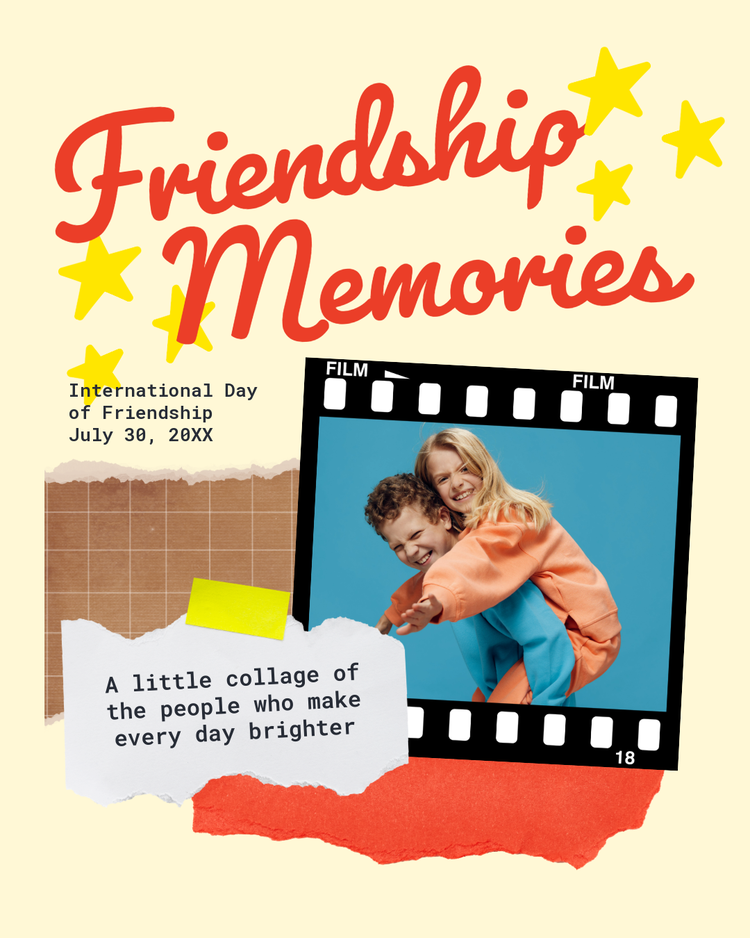
Choose striking throwback captions for Instagram to cement your favorite memories on the digital grid.
Curating a clean social media presence requires selecting older images that genuinely earn their spot on your permanent profile feed. Instead of randomly dumping unedited files from your smartphone storage, sharing a legacy photograph should feel like a deliberate creative update to your digital archive. Use targeted throwback captions for Instagram to help frame your past adventures. This focused technique gives your followers an immediate contextual anchor to understand the history of the image, boosting active engagement by encouraging people who experienced those eras with you to leave a comment.
When you want to showcase a classic travel moment or a core life chapter without cluttering your main grid aesthetic, format your photo into vertical temporary displays. Customize with an Instagram Story maker to layer your text over a clean, solid-color background. For dynamic video snippets or moving family footage, assemble your clips using an Instagram Reel template to synchronize your favorite vintage audio tracks with your physical media.
To maintain a sophisticated feed appearance, use a clean, unpolished border and choose a subtle serif typeface.
Add this throwback caption to a multi-slide visual layout made with an Instagram carousel maker to show a detailed, multi-view look. To keep your profile consistent, use the same background color behind every photo. Place this text only on the first slide, in a clear, stylish font, to serve as a simple cover before your audience swipes through the rest of the story.
Use this phrase as a promotional title card for your podcast. Avoid busy patterns that take attention away from your throwback photo by framing your image with dark, thick borders. Choose a simple sans-serif font and space the letters out to give the title a clean, professional look that works well on small streaming screens.
Combine this short text line with a custom Instagram ad template to create an engaging, retro-style promotion for your personal brand. Use a bright, contrasting geometric shape to make a clear dividing line between your vintage photo and your modern logo. Keep your text layout simple and use a single-color palette to make the promotional design look intentional.
Add this throwback line to a modern social graphic to create a bold image for multiple platforms. Use the built-in layout grid to place a square retro photo off-center, leaving a large empty space on the other side to balance the design. Write your text horizontally along the bottom edge of the frame in soft gray to keep the focus on the photo's subject.
Share childhood throwback captions to highlight the simplicity of your early youth.
Looking through old childhood photos is usually less about the picture and more about everything happening around it. You remember the family trip, the school program, or the toy you carried everywhere. That's what good childhood throwback captions should capture, not just what the camera saw.
Preserving the original character of old snapshots requires a design layout that avoids over-processing the raw media. Scan your baby picture directly into a photo editor to crop the low-resolution file or adjust fading or contrast. If you want to compile a long timeline for a family reunion, adding multiple digitized files to a presentation maker is an ideal workflow.
To keep the aesthetic clean, avoid heavy modern color-grading tools. Select a neutral cream background layer and choose a rounded, friendly typography style to display the age you were when the photograph was taken.
Add this throwback caption on top of a short clip using a few of your oldest childhood videos with a GIF maker. Keep the video under three seconds to make the animation smooth. Place your text in the exact center of the frame using a bold, thick font to match the lively feel of old home movies.
Use this caption as the central title for a get-together invitation. Frame your childhood snapshot with a thick, vintage Polaroid border to emphasize the retro theme. Keep all your event details aligned to one side so the invitation looks clean.
Match this childhood throwback caption with a custom thumbnail image for your YouTube videos. Use a solid bright yellow block behind your text to make the title easy to read on small phone screens. Place your childhood photo to one side and add a small shadow around it to make your younger self stand out from the background.
Add this throwback caption to a custom printable item using a gift card maker. Use a simple layout to put a small square baby photo next to a current headshot to clearly show the change over time. Write your caption along the bottom edge of the card in a light gray plain font to keep the design neat and professional.
Select throwback captions for old photos to preserve your analog memories on modern screens.
Old prints and early digital photos have a look that's hard to fake. And that's part of their charm. Throwback captions for old photos give those images another chance to be seen, especially after they've spent years tucked away.
Bringing an older image into a modern digital feed requires careful handling to preserve its natural grain and fading. You can compile multiple clips or scanned shots into a video collage maker to present a dynamic, moving history that links your past to the present day. For creators who want to add an extra layer of engagement, dropping your visual assets into an animated audio tool lets you perfectly sync your retro media with voiceovers or vintage music. It keeps the presentation highly professional, avoids applying heavy modern color filters, and frames the legacy media within a simple, neutral border layout.
Transform this sentiment into a tangible piece of mail by placing your analog image into a custom postcard template. To keep an authentic retro feel, leave a generous white border around the layout to replicate classic 20th-century print formats. Choose a muted color tone for the background and align your typography to the lower-right margin.
Turn your physical media into a striking wall decoration by uploading your scanned file to the Adobe Express art poster maker. Use an oversized layout grid to let the textures of the original print stand out. Add a thick, clean border frame around the photo to elevate its visual weight.
Add this throwback caption to a professional networking event with a business card maker. Put a black-and-white version of your favorite old workspace photo on the back of the card to quickly start conversations with clients. Use a thin, easy-to-read font and place all your important digital contact links on a solid, neutral gray background to keep the design clear.
Structure throwback captions with deliberate restraint to keep your digital history engaging.
Dumping a huge wall of text right under an old photo completely weakens the visual punch of the memory. You don’t need a massive backstory for a retrospective post to work. A few basic cutting choices will make the moment an engaging piece that captures your audience's attention.
- Zero in on one tiny sensory detail. Instead of summarizing your entire college era, highlight one specific detail. It can be as simple or trivial as the brand of instant coffee you drank while cramming for finals in your tiny dorm room.
- Stick a year on it only if it explains the fashion. Stamping "Summer 2004" onto a caption instantly explains the sudden presence of low-rise denim, chunky highlights, colored capris, or flip phones without requiring a long explanatory paragraph.
- Keep obscure inside jokes in the private group chat. Phrases or nicknames that only two people from your childhood understand will alienate your broader audience. Save those specific references for get-togethers or group chats.
- Let the image do the talking. If the image already shows your old crew completely soaked from a sudden rainstorm at a music festival, your text doesn’t need to describe the weather.
- Save the massive diaries for a physical album. Social media feeds move quickly, meaning a crisp, single-sentence caption will always generate higher retention than a lengthy memoir.
When you commit to keeping your textual thoughts short, the visual styling of your words becomes the primary design element. You can upload your vintage image into the Adobe Express free layout creator to experiment with massive letter spacing and clean margins.
To make a brief sentence punchy:
- Select a heavy, geometric sans-serif font and place it inside a wide block of negative space directly beneath your image.
- Avoid crowding the text against the borders of your photograph. Instead, give the words breathing room by setting the line height wide.
- Use a muted charcoal tone rather than a harsh, solid black paint.
Use Adobe Express to transform your throwback captions into stunning digital layouts.
You don't need a fancy art degree or years of design training to make your old photos look great on a modern feed. The editing tools inside Adobe Express take care of the frustrating technical stuff. Instead of starting from a blank screen, you can raid a massive library of pre-made templates to find a clean grid or a retro style that fits your memory perfectly. It takes all the guesswork out of spacing, giving your profile a sharp, clean look without the usual editing headaches.