
Creativity for all
Photography, video, graphic design, illustration and so much more. Everything you need, wherever your imagination takes you.


GRAPHIC DESIGN
Whether you're a design student preparing for campus placements, a fresher building a Behance portfolio, or a career switcher exploring opportunities in India's growing creator economy, the right graphic design tools can help transform your ideas into professional projects.
Key takeaways:
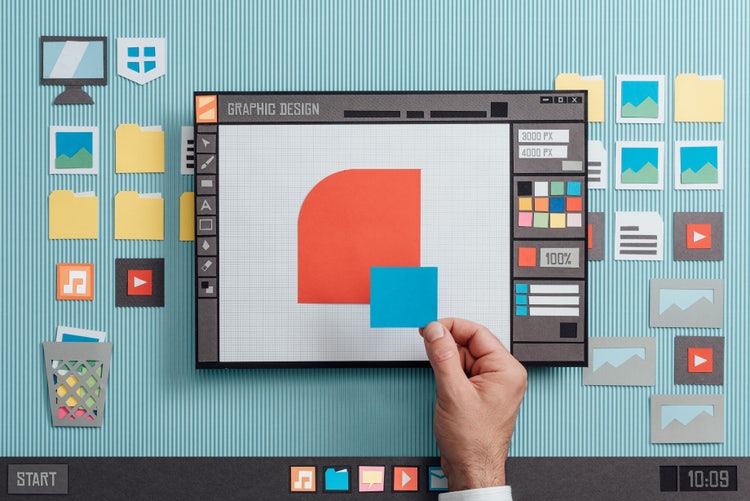
A graphic design tool is any creative resource used to create, edit, organise, and export visual communication assets. These assets can include logos, illustrations, social media graphics, brochures, websites, videos, complete brand campaigns, and more.
Today, modern graphic design tools extend far beyond traditional desktop software. They can include browser-based design apps, AI-powered solutions, and other creative technologies that support different stages of the design process. Some tools are built for specialist tasks such as photo retouching or page layout, while others provide an all-in-one environment for creating and managing visual content.
Each type of graphic design tool is designed to solve specific creative challenges. Understanding what each category does can help you build a workflow that matches your projects, skills, and output requirements.
Image editing tools are used to enhance, manipulate, and create raster-based visuals. They're commonly used for photo correction, retouching, compositing, thumbnails, campaign visuals, and image-led ad creatives.
These tools are especially useful for ecommerce photography, social media campaigns, digital advertising, and product marketing. For example, a design student may edit photographs for a portfolio project, while a freelancer might retouch product images for clients selling through Amazon India or Flipkart.
Vector graphics software is used to create logos, icons, illustrations, packaging marks and other assets that need to scale without losing quality. Because vector artwork is based on mathematical paths rather than pixels, it remains sharp at any size.
This flexibility is especially important for Indian businesses that use the same brand assets across multiple channels. A logo may need to appear on storefront signage, kirana shop branding, product packaging, food delivery assets, exhibition stalls, trade show materials, social media campaigns, and marketplace listings. Vector graphics ensure the artwork remains clear and consistent everywhere it appears.
Page layout software is designed to create structured, multi-page documents, such as brochures, catalogues, annual reports, magazines, eBooks, restaurant menus, event programmes, and other print-ready marketing materials.
While a basic design app may be sufficient for a poster or social graphic, page layout software becomes valuable when managing longer documents. Features such as advanced typography controls, master pages, grid systems and print-preparation tools help maintain consistency across multiple pages.
In India, page layout software is often used for college prospectuses, coaching institute brochures, placement cell publications, annual school magazines, NGO reports, real-estate project brochures, and event guides for conferences and trade exhibitions.
Motion graphics tools are used to create animated content, such as logo animations, Instagram Reels, explainer videos, app demos, YouTube intros, digital out-of-home (DOOH) displays, and marketing campaign videos.
When evaluating motion graphics software, it's important to consider factors such as 2D versus 3D capabilities, template-based workflows versus full timeline control, collaboration features, export options, and overall learning curve.
For Indian brands, motion graphics can be particularly effective for festive campaigns, retail promotions, product launches, and regional-language content for events such as Diwali, Eid, Pongal, and Onam that needs to stand out across digital platforms.
UI/UX and web design tools help teams plan, design, and test digital experiences before development begins. They are commonly used to create websites, wireframes, app screens, user flows, and interactive prototypes.
A web design tool helps designers visualise website structures, layouts, and user journeys. A UI/UX design tool focuses on usability, navigation, and creating intuitive digital experiences that meet user needs.
Many graduates and career switchers explore UI/UX design because of demand from startups, SaaS companies, fintech businesses, and technology organisations. Designers often build portfolio projects inspired by products they already use every day, such as UPI payment apps, food-delivery platforms, e-commerce marketplaces, travel-booking apps, and government digital services.
AI tools can help designers generate ideas, speed up production, and adapt content for different channels. When used alongside professional workflows, AI can help teams create and refine visual assets more efficiently.
Explore our collection of Creative Cloud video tutorials from Adobe experts and our learning partners. Learn core skills, stay current with new features and discover advanced techniques.
No single graphic design tool is perfect for every project. The right choice depends on what you create, how you work, and the level of control you need. Before comparing features or pricing, it helps to evaluate your requirements across five key areas:
Start with your project type.
Choose your tools based on the type of work you create. Vector software is ideal for logos and illustrations, page layout apps suit brochures and publications, motion graphics software supports video content, and template-based platforms can help speed up social media design.
Consider your skill level.
Students, freshers, and career switchers often benefit from intuitive tools with templates, guided workflows, learning resources, and a gentler learning curve. As their skills develop, they can move to more advanced tools that offer greater creative control and industry-standard workflows. On the other hand, professional creatives typically need advanced features, industry-standard file formats, and integrated workflows that support complex projects across multiple mediums.
Budget considerations.
Your budget can help narrow down the right graphic design tools. Free tools are often a good starting point for learning and smaller projects, while subscription software typically offers regular updates, collaboration features and access to a broader creative ecosystem. One-time purchase options may suit users who prefer a single upfront cost. For students preparing for placements or career switchers investing in new skills, educational discounts and student plans can make professional creative software more accessible while building a job-ready portfolio.
Device compatibility.
Some software is designed primarily for desktop workflows on Windows or macOS, while others offer mobile apps for creating and editing content on the go. Web-based tools provide flexibility by allowing users to access projects from multiple devices without installing software locally.
Team collaboration requirements.
Collaboration needs can also shape your decision. Remote teams often benefit from cloud-based workflows, shared assets, and real-time feedback features. Agencies may require tools that support multiple stakeholders and brand management. Freelancers often look for a balance between professional functionality and affordability.
A well-rounded graphic design toolkit combines the tools you need to create, edit, organise, and deliver your work efficiently. Whether you're learning design fundamentals, building a freelance business, or managing projects for a growing organisation, choosing complementary tools can help streamline your workflow and support your creative goals. The examples below show how different types of users can build a toolkit that matches their needs and experience level.
Picking the right graphic design tool is often about matching the tool to the task. Avoid these common mistakes when building your design workflow:
Like any design discipline, environmental graphic design comes with unique challenges. Understanding these can help you decide whether the field aligns with your interests, working style, and career goals.
Photography, video, graphic design, illustration and so much more. Everything you need, wherever your imagination takes you.
Based on your location, we think you may prefer the United States website, where you'll get regional content, offerings, and pricing.



