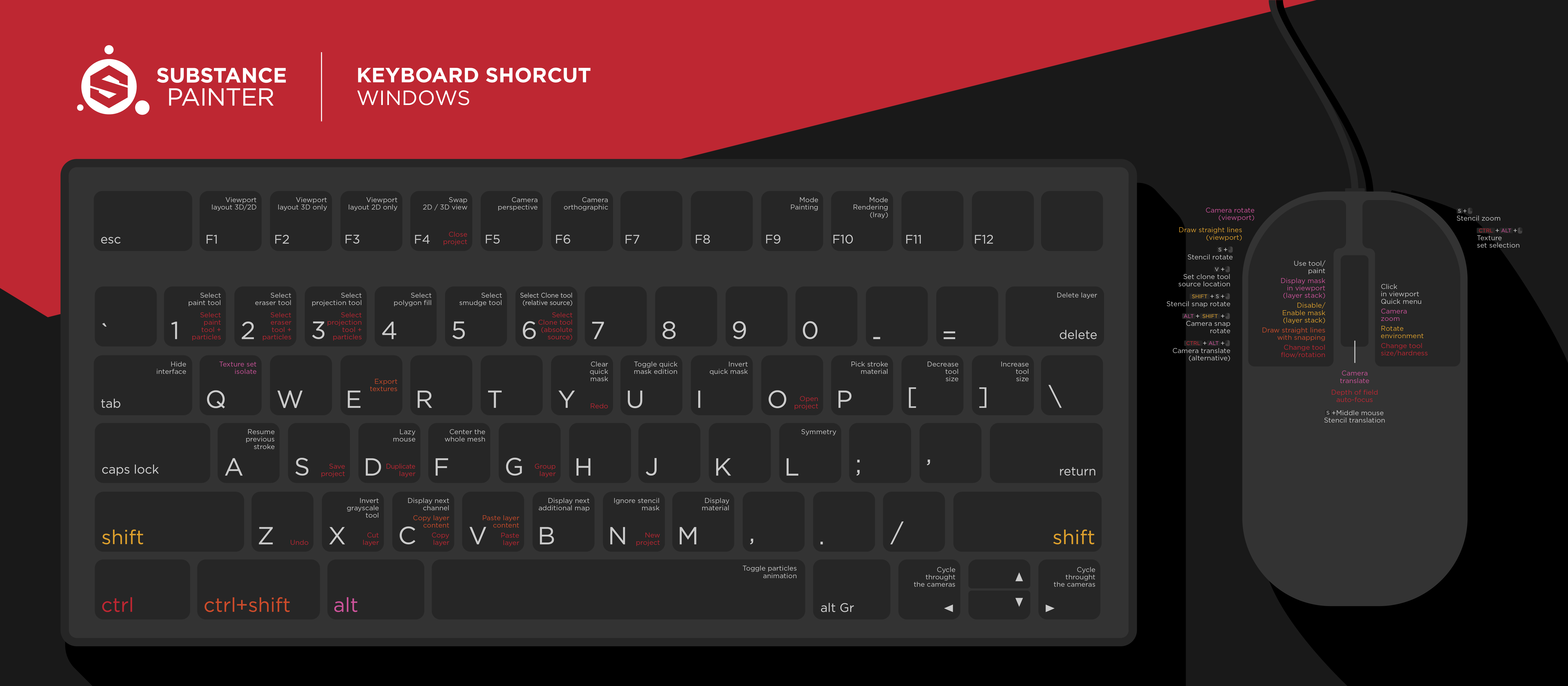
Substance 3D Painter Keyboard Shortcuts
You can use keyboard shortcuts to become more productive in your work with Substance Painter. Don't hesitate to download the pdf versions to have them on hand. They are available for PC and for Mac.
What you'll need
Download sample files
.ZIP, 102 KB
In order to customize your shortcuts, global Preferences of Substance Painter in the menu Edit > Settings
In the Shortcuts panel, click on the "pen" icon next to a shortcut to edit it, and enter you new combination. You can reset or clear a shortcut by right-clicking on it.