ACROBAT | 10-MINUTE READ
Event planning template and checklist.
Planning an event is easier with checklists and templates. Reduce stress and boost engagement with an event plan template today.
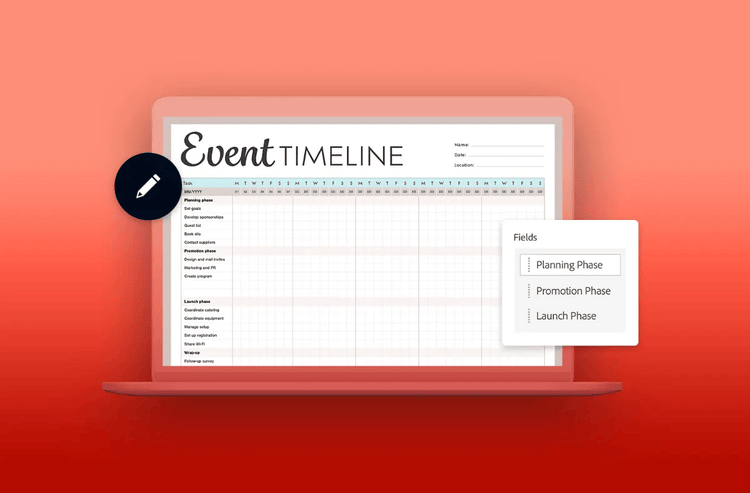
Are your events more “organised chaos” than “going to plan”? Planning an event isn’t easy without a checklist – but, don’t worry, that’s one task you can tick off today. With an event planning template and checklist, you can plan budgets for upcoming occasions, turn chaos into order, and set out a clear vision for any event.
Get your ducks in a row with an event planning checklist template from Adobe today.
What is an event planning checklist?
If you want to bring an event to life, you might find winging it leaves you in freefall. With an event planning checklist, you can reduce the chaos and the stress – and it’s easier than you might think. Before you can get your event planning checklist underway, you need to think about what that checklist entails.
In general, when planning an event, a checklist could be thought of in terms of pre-event, and day-of:
Pre-event planning checklist
- Clear and defined objectives. Try to summarise the intent of the event – think things like number of guests, any revenue goals, and other goals (brand awareness, charity, etc).
- Guest list. With a guest list, you can ensure that invites and RSVPs are tracked, and you can get an idea of how many people you need plan for.
- Budgetary requirements. Allocate funds based on projected expenses and requirements, such as venue, catering, entertainment, etc.
- Theme. Decide on the theme of your event, or at least the vibe – this could inform dress code, attendees and more.
- Entertainment. Arrange entertainment, speakers, exhibits and more.
- Vendors. Try to consider if any vendors will be present, and if so, what requirements they might need.
- Marketing/promotion. Consider your marketing strategy so that your event isn’t lost in the noise.
Event planning checklist
- Logistics. On-site logistics can make or break an event, consider things such as signage, registration, accessibility and delegation.
- Execution. Planning out both set-up and the execution is an essential part of running an event smoothly.
- Contingencies. Entertainment running late, or cancelling? Sudden change of location in the venue? Whatever it is, you need a back-up for your plans.
Why is an event planning checklist important?
A well-planned event can significantly enhance your brand’s reputation, boost team morale, and strengthen community ties. On the other hand, poor planning—or skipping an event checklist—can damage trust and reflect poorly on your brand. Events offer valuable opportunities to connect with your audience, show appreciation to employees, and attract new business. But every event is a reflection of your company’s values—without proper preparation, it risks being remembered for the wrong reasons.
With event planning, it’s easy to get caught up (and tangled) in all the busywork – the right template can help you appreciate the event, rather than spinning plates. Done right, you’ll have a loyal audience who will appreciate all the time and effort you took to create an outstanding occasion in no time.
Your event may only last hours, but the prep work is just as important as the days itself. With editable PDF event planning templates and layouts from Adobe Acrobat, you'll have a clear path, ensuring each task and to-do is tackled at every stage of the process.
Free downloadable event plan template.
Depending on where you’re at with planning, you’ll need a different event planning template.
Once you’ve got your PDF event plan template the way you want it, save it to avoid accidental edits – you can even reuse it for future events.
If you need to add text, comments, or make further edits, try an online PDF editor.
Event planning template for marketing
An event marketing template helps you plan and manage your marketing efforts before and after the event. It outlines key activities to promote your event, reach the right audience, boost attendance, and stay within budget.
Start by listing campaign types such as:
- Email marketing
- Social media
- Partner sponsorships
- Local marketing
- Blog content
Under each campaign, break down actions by phase—like pre-launch, launch, early-bird offers, and final reminders—to keep your marketing on track and well-timed.
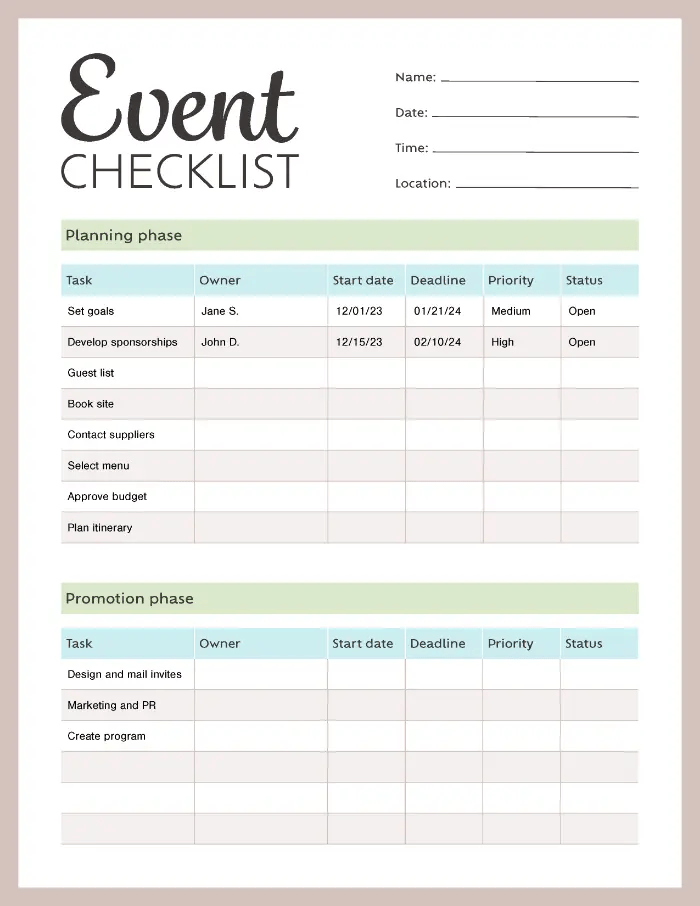
How to customise an event planning template.
To use an event planning template effectively, tailor it to suit your specific event. You don’t need every section—remove anything that doesn’t apply to keep things focused and clutter-free.
Add personal touches like colour coding, checklists, and notes to stay organised and keep deadlines visible. Customising your template not only makes it more practical but also easier to manage. Be sure to include these essential sections in your event checklist:
1. Goals and purpose
Setting clear objectives before your event helps you measure its success afterward. To define your goals, consider asking:
- Who is the target audience?
- What key messages do I want to communicate?
- What should this event achieve?
- How many attendees am I aiming for?
- How will I measure results?
Documenting these goals in advance ensures your planning stays focused on delivering value for both your team and your audience.
2. Team and project management
Planning a memorable event takes a coordinated team effort. When assembling your event planning team, be sure to:
- Define team roles and responsibilities
- Delegate tasks and action items
- Set key milestones and deadlines
- Establish clear communication and reporting processes
Consider appointing an overall event chair and forming subcommittees led by team members—for areas like speakers, venue, entertainment, promotions, and sponsorships. This structure helps keep planning organized and efficient.
Remember, project management is a core part of event planning, so don’t be afraid to delegate. You may even choose to take on volunteers, which can include in your template.
3. Budget
Collect cost estimates for all essential items required to run your event smoothly. Key expenses to factor in may include:
- Venue rental
- Catering
- Speaker or presenter fees
- Equipment and technology
- Insurance coverage
- Staff travel and accommodation
Once you determine these estimates, you will have an idea of how much your event will cost in total. In some instances, you might have done your budget on a separate document. Don’t keep your document separate, convert your Excel document to PDF online.
Don’t worry, with Adobe Acrobat you can easily add pages to or merge a PDF. That way, you’ve got a secure, clean central PF document to reference.
4. Venue
Popular venues can book up quickly, so it's often necessary to reserve your space several months in advance. When choosing a venue, consider:
- Parking availability
- Audio/visual capabilities
- Capacity limits
- Other nearby events on the same day
- Accessibility and inclusivity
- Venue access time
- Equipment provided
- Potential noise disruptions
- Security needs
Even with careful planning, unexpected issues like weather or last-minute cancellations can arise. Once you've secured a venue, create a backup plan in case the date, time, or location needs to change.
5. Brand
Start promoting your event by adding dedicated pages to your company website with all the key details.
To build excitement, consider designing a unique event logo separate from your main brand logo. Use it across social media, merchandise like t-shirts and bags, and other promotional materials.
Create a catchy tagline that captures attention and communicates the event’s purpose. To stand out, choose a theme that’s timely, relevant, and engaging for your target audience.
6. Contingency
If your ideal venue is outdoors but the weather doesn’t cooperate, having a backup plan ensures your event can still go ahead without cancellation, protecting all your hard work.
Decide in advance who will activate the backup plan and set a deadline for making the final call. Coordinate with vendors about refund and cancellation policies, and plan how you’ll inform guests about any changes to the event location.
7. Guest list
When creating your guest list, focus on your target audience and the key messages that will resonate with them. Reviewing past company events or similar industry events can help guide your selections.
- For presenters, speakers, or entertainers, gather essential details such as:
- Presentation or speech topics
- Biographical info and a headshot
- Travel and accommodation needs
- Requests for them to help promote the event
Don’t forget to invite sponsors and partners. Securing sponsorships can provide valuable support—start by tapping into your existing network before exploring other options.
8. Promotion
Kick off excitement for your event by posting an announcement on your website, then share details through newsletters and email campaigns. Build media relationships and use both online and offline channels to promote attendance.
Key steps for your promotion strategy include:
- Developing a marketing plan
- Setting goals and milestones like follower growth or registration targets
- Creating a unique event hashtag
- Publishing relevant content leading up to the event
- Providing shareable materials for partners
- Encouraging pre-event networking
Starting early with content helps ensure your partners and potential attendees can plan to join.
Frequently asked questions.
How do you create an event planning sheet?
What should be included in an event checklist?
What are the 5 C’s of event planning?
The 5 C’s of event planning are:
- Concept: Define the who, why, purpose, and vision of your event.
- Coordination: Handle the logistics like budgeting, venue selection, and scheduling.
- Control: Manage the event, whether during planning or on the day itself.
- Culmination: The event day—execute your plan and deliver the experience.
- Closeout: Review, collect feedback, complete follow-up tasks, and prepare for future events.
What are the 10 steps to plan an event?
- Develop goals and purpose. What’s the even for, what do you want out of it?
- Organize a team. Assemble a team, distribute tasks and get everyone onboard.
- Choose a date and time. It’s scary, but a date and a time provide a deadline too.
- Create a budget. You can’t plan for an event if you don’t know what you can spend. Try to consider everything that has a cost attached.
- Choose a venue. Where you host will have a big impact on your event, especially in terms of logistics, vibe and cost.
- Brand the event. If you’re throwing an event, make sure people know what it’s for. If it’s a company event, brand it – you’ve got a reputation to build.
- Create a backup plan. You can’t plan for everything, but you can plan for things not going to plan so get creative with a contingency.
- Make a guest list. If you’re names not on the list, you’re not getting in – determine who’s invited, and ensure you’ve got capacity for your desired guest list.
- Promote your event. Shout about your event online, locally, and wherever else you can. Think about advertising opportunities with local businesses and maybe get them involved.
- Evaluate your even t. Reflect on how things went, gather feedback and implement some learning for the next one.
Related Acrobat content.
