AI for beginners: how to use Acrobat’s AI tools.
Artificial intelligence (AI) is redefining how we use technology to save time and make efficiencies. But it can be hard to know where to start.
Streamline the way you work with AI with this handy guide for beginners. Get started with Adobe Acrobat’s artificial intelligence tools. Generate ideas, summarise PDFs and create your own content with the Acrobat AI Assistant.
Read on to learn what artificial intelligence is and how to start using AI with Adobe Acrobat.

What is artificial intelligence?
Artificial intelligence, or AI, is a technology that enables computers and machines to stimulate human learning, problem solving, creativity and more. Applications and devices can be equipped with AI to carry out tasks that would usually require human intelligence. For example, companies can leverage AI-powered chatbots that understand and respond to customer enquiries.
Generative AI is a popular example of a tool that has taken the creative industry by storm. It allows people to use algorithms to generate new content, including audio, images, videos and more. Some anticipate that recent breakthroughs in generative AI will completely transform the way we approach content creation.
How does AI work?
Machine learning is at the heart of many of the AI systems we use today. This technology allows AI applications to learn from a wide data set to bypass specific programming. This usually consists of:
- Supervised learning. Models are trained on labelled data.
- Unsupervised learning. Models identify patterns in unlabelled data.
- Reinforced learning. Models learn through trial and error.
Deep learning.
Deep learning uses neural networks to mimic the way humans process information. Unlike traditional machine learning, deep learning models typically leverage lots of neural computational layers.
This structure allows deep learning models to use unsupervised learning to provide more accurate responses to user queries. Deep learning technology often powers tools such as generative AI and image recognition.
Natural language processing.
Natural language processing enables AI technology to understand and respond to human language. It does this through combining computational linguistics and rule-based human language models with other models and learning. Examples of AI tools that use natural language processing include chatbots.
What are the main types of AI?
There are many types of artificial intelligence, some of which you may use in everyday life. Others you may use as part of your work or business.
However, the main types of AI typically include:
Narrow AI.
A lot of the AI applications we use today fall under narrow AI. These systems are designed to achieve a specific set of tasks. This means their capabilities are restricted solely to what they are trained to achieve.
Popular examples of narrow AI systems include:
- Voice assistants
- Chatbots
- Virtual assistants.
General AI.
General AI can perform similar tasks to humans. These systems are trained to understand context and learn from input. They can also adapt to new situations without needing to be retrained. Currently, strong general AI systems only exist in theory. However, there is ongoing work to develop them.
Superintelligent AI.
Superintelligent AI is one of the most advanced forms of artificial intelligence. These systems are anticipated to not only replicate human intelligence but eventually surpass it. Currently, this type of AI is more of a subject of ethical and practical discussion rather than development.
How to use AI – with examples.
Whether you’re a student, marketing professional or an entrepreneur, there are lots of ways you can leverage AI. Some examples of how to use AI might include: H3: AI chatbots.
Automate your customer service strategy with AI chatbots. These chatbots are trained to provide human-like responses and have human-like conversations. They can also adapt responses based on previous conversations, which makes them an ideal tool for responding to customer queries.
AI chatbots can also be useful for:
- Making predictions about what users might be looking for on your website.
- Creating personalised experiences for website visitors.
- Scanning large data sets.
AI image generation.
AI image generation can help bring your creative ideas to life. No photography experience required. With tools like Adobe Firefly’s AI Image Generator on your side, you can transform text to images in seconds. Simply enter a text prompt into the generator and the tool will do the rest.
You can also transform and edit existing images with AI – helping your images stay on brand across every touchpoint.
AI video generation.
Easily create high-quality videos from text prompts or images with AI video generation. Use the Adobe Firefly AI Video Generator to get started for free today. Enter a text prompt into the tool and create eye-catching videos for your website and social platforms.
Whether you’re a content creator, marketer or experimenting with AI tools for the first time, AI video generation is quick and easy to use. It requires zero video production experience.
Start using the Acrobat AI Assistant.
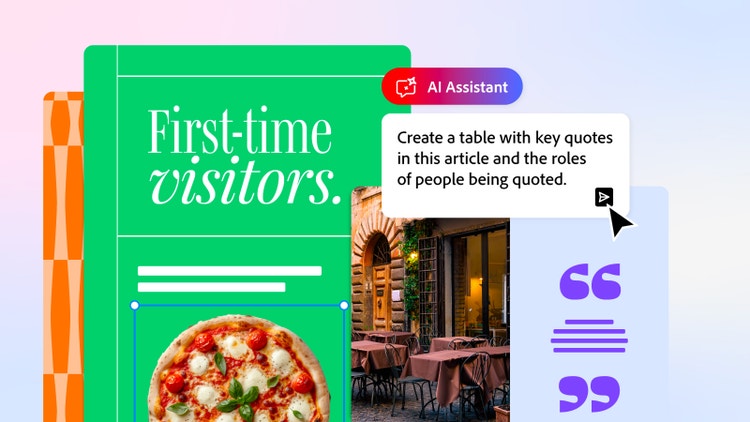
Need to summarise some meeting notes or turn an informal message into a formalised email? Adobe can help. The Acrobat AI Assistant makes it easy for you to gather insights from complex documents and generate your own content.
- Receive answers to questions about documents.
- Break down complex language into key details.
- Quickly generate meeting summaries and much more.
Start using the Acrobat AI Assistant today.
AI glossary.
When working with AI, you might come across some tech jargon you’re unfamiliar with. Here are some common terms you may encounter, and what they mean in simple words:
- Machine learning. The process of computers improving their capability by analysing new information without being programmed by humans. May also refer to the study of creating and using systems that can do this.
- Deep learning. The process of computers improving their own capability to carry out tasks by analysing new information using multiple layers of data processing.
- Large language models (LLMs). A popular type of artificial intelligence designed to generate human-like responses to inputs. This can be through text, voice or other inputs.
- Algorithm. A set of instructions or rules given to a computer that helps to calculate an answer to a query or problem.
- Generative AI. Algorithms that can be used to create new content. This can include audio, text, images and more.
- Computer vision. A form of AI that helps computers understand and interpret visual information.
- Prompt. The text, question or command used to interact with AI. For example, “Find me a vanilla birthday cake recipe” or “generate a promotional recycling poster to support a sustainability campaign”.
FAQs.
How do I start learning to use AI?
Adobe has many resources available to help you learn how to use AI. We cover everything from AI chatbots to writing with AI. You can also find a host of AI tools to experiment with – from Firefly image generation to the Acrobat AI Assistant on our website.
What is the 30% rule in AI?
The 30% AI rule suggests that AI should automate around 70% of a task or process. The remaining 30% percent would require human intervention. This strategy is often used as a guideline to help ensure AI technology supports human capabilities instead of replacing people entirely.
How can I use AI in marketing?
You can use AI in marketing in many ways. From creating chatbots to answer customer queries to automating routine tasks. AI can also help optimise campaigns and generate actionable insights from data. However, it’s important to ensure AI is used responsibly and you comply with the relevant policies and guidelines.
Can I use AI to organise my files?
Yes, you can use AI to organise your files. Adobe Acrobat has a range of generative AI tools that make it easy to manage your PDF documents. They include:
- Chat with PDF. Get answers to PDF questions.
- Summary Generator. Get summaries of your documents.
- PDF AI. Make your PDFs smart and interactive.
More useful resources.
Sign up to Adobe Acrobat and unlock powerful AI tools to do your best work.