Adobe PostScript® was at the forefront of the Desktop Publishing Revolution. It was released in 1984 and was not only the first device-independent Page Description Language (PDL) but also a programming language. It was originally designed to print documents on laser printers but was soon adapted to produce high-resolution files for imagesetters used by commercial printers.
Adobe PostScript® translates ideas into print — exactly as intended. It quickly became the technology of choice for high-quality output. PostScript brought assurance that the most complex documents would print accurately. It delivered superior workflow efficiency and reliability. Enterprises around the world were quick to adopt the technology. Today the Adobe PostScript SDK (Software Development Kit) continues to run on a wide range of operating systems and real-time platforms. It is licensed by leading Original Equipment Manufacturers (OEMs) and has been at the core of more than 20 million devices since its launch.
Much of the power of the PostScript language derives from its ability to not only allow the description of images but also vector graphics, text, color and shades UNLIKE the raster formats of the day (and today). It can deal with the general class of raster output devices (printers and displays) as it can be used as an interactive system for controlling them. The defining property of a raster output device is that a printed or displayed image consists of a rectangular array of dots, called pixels, that can be addressed individually. The ability to individually set colors of pixels means that printed or displayed output can include text, fonts, arbitrary graphical shapes, and reproductions of sampled images.
The Adobe Print Family delivers best-in-class RIP and driver technologies to market-leading print OEMs, enabling them to provide “Commercial Printing” solutions to Print Service Providers and “Office Printing” solutions to small, medium, and large organizations.
Office Printing
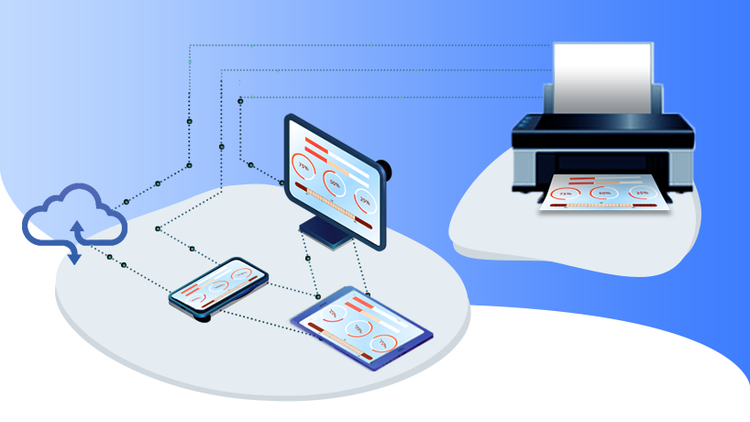
The PostScript RIP was a common component for laser printers until the 1990s. Today, Adobe PDF has replaced PostScript as the preferred print file format and is also the dominant format for document sharing and collaboration across devices and platforms. Adobe Embedded Print Engine is the next-generation RIP for driving desktop and multi-functional printers (MFPs). It can natively process PDF files for fast reliable printing in the office and home environments. It is optimized for printing via mobile and cloud and accurate output to low print-speed, low-resource devices without compromising performance and print quality.
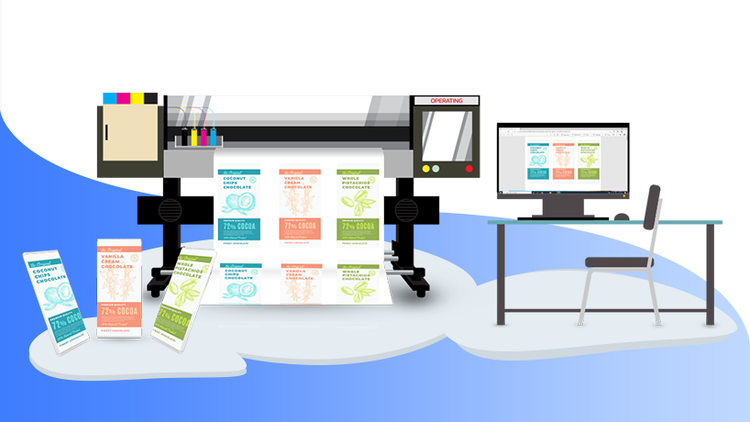
Adobe PDF Print Engine is the industry’s leading imaging technology for commercial print. It powers workflows in every industry segment, driving over 200,000 presses and proofers around the globe. As designers push creative boundaries with Adobe Creative Cloud, the PDF Print Engine employs the same core technologies used in Photoshop CC, Illustrator CC, InDesign CC, and Acrobat to render content for reliable reproduction on any surface in any manufacturing process.
You can control how Adobe websites use cookies and similar technologies by making choices below. But note that if you disable cookies and similar technologies entirely, Adobe websites may not function properly.
Cookies are small text files stored by your web browser when you use websites. There are also other technologies that can be used for similar purposes like HTML5 Local Storage and local shared objects, web beacons, and embedded scripts. These technologies help us do things like remembering you and your preferences when you return to our sites, measure how you use the website, conduct market research, and gather information about the ads you see and interact with.
You can make choices in the menu below about what cookies and other technologies you want us to use on Adobe sites when you visit them from this browser. You can always change those choices later by clicking on the Cookie Preferences link at the bottom of the page.
If enabled:
We can improve your experience by tailoring the site and the content to things we think might be of interest
We can better keep track of your preferences — like what language you prefer to use
We will better understand your likely interests so we can provide you more relevant Adobe ads and content on non-Adobe websites and in non-Adobe apps
It will help us improve the performance of our website and those of our partners who use the Adobe Experience Cloud
If disabled:
We won’t be able to remember you from session to session so the experience may not be tailored to your interests
You’ll still have access to the content of the site but certain features that depend on cookies may not function
You’ll still see ads, they just may not be as relevant to you
General information
You can control how Adobe websites use cookies and similar technologies by making choices below. But note that if you disable cookies and similar technologies entirely, Adobe websites may not function properly.
Cookies are small text files stored by your web browser when you use websites. There are also other technologies that can be used for similar purposes like HTML5 Local Storage, web beacons, and embedded scripts. These technologies help us do things like remembering you and your preferences when you return to our sites, measure how you use the website, conduct market research, and gather information about the ads you see and interact with.
You can make choices in the menu below about what cookies and other technologies you want us to use on Adobe sites when you visit them from this browser. You can always change those choices later by clicking on the Cookie Preferences link at the bottom of the page.
If enabled:
We can improve your experience by tailoring the site and the content to things we think might be of interest
We can better keep track of your preferences — like what language you prefer to use
We will better understand your likely interests so we can provide you more relevant Adobe ads and content on non-Adobe websites and in non-Adobe apps
It will help us improve the performance of our website and those of our partners who use the Adobe Experience Cloud
If disabled:
We won’t be able to remember you from session to session so the experience may not be tailored to your interests
We’ll still count your use of our site and services
You’ll still have access to the content of the site but certain features that depend on cookies may not function
You’ll still see ads, they just may not be as relevant to you
Operate the site and core servicesOperate site and measure engagement
Always active
These cookies are required, and they are used to enable the site and related services core functionality. Without them the site could not operate, so they cannot be disabled.
These cookies enable the site and related services’ core functionality and collect statistics about user engagement, such as counting active use to help us understand trends. These cookies cannot be disabled.
Measure performance
These cookies are used to analyze site usage to measure and improve performance. Without them Adobe cannot know what content is most valued and how often unique visitors return to the site, making it hard to improve information we offer to you.
These cookies are used to analyze site usage to measure and improve performance. Without them Adobe cannot know what content is most valued, making it hard to improve information we offer to you.
Extend functionality
These cookies are used to enhance the functionality of Adobe sites such as remembering your settings and preferences to deliver a personalized experience; for example, your username, your repeated visits, preferred language, your country, or any other saved preference.
Personalize advertising
These cookies are used to enable Adobe and our partners to serve ads more relevant to your interests. Without them you will still see ads, but they might not be as relevant to you.