Protect yourself with a simple hold harmless agreement.
Learn why some business owners use waiver of liability forms or hold harmless clauses. And explore how to create this type of document to guard yourself against legal liability.
A hold harmless agreement, or HHA, is an agreement used to help prevent you or your organization from being held responsible for certain types of bodily injury or property damage. This type of agreement might also be referred to as a liability waiver, disclaimer, hold harmless letter, or release of liability.
Business contracts like this are often used for activities where personal injury can occur, such as rock climbing, zipline courses, horseback riding, or even just working out at the gym. Individuals can create HHAs as well. You might want to create one if you are a homeowner who will have contractors or other types of non-familiar guests in your home. Otherwise, as the property owner, you could be held liable for injuries that occur at your home.
style
xl spacing
style
xl spacing
Types of hold harmless agreements.
There are two types of general HHA, unilateral and reciprocal. Unilateral agreements are meant to protect just one party from liability, while reciprocal ones protect both parties.
Unilateral: One party agrees to not hold the other responsible.
Reciprocal: Both parties agree to not hold the other responsible.
HHAs in the construction industry.
Harmless provisions are used quite often in construction contracts, since those jobs are inherently dangerous, and there’s also a risk of property damage. Businesses in this industry and other risky fields likely have liability insurance to offset costs from injuries caused by their companies. However, even with insurance policies in place, hold harmless clauses offer added protection.
There are three types of hold harmless agreements common in construction:
Broad form: This type names the subcontractor liable for all accidents due to the company’s own negligence and the negligence of the general contractor.
Intermediate form: This type is most common and specifies that the subcontractor is responsible for the entirety of accidents only when they themselves were being negligent, regardless of the actions of the general contractor.
Limited form: In a limited form agreement, subcontractors are held responsible only for the portion of an accident that was caused by their negligence.
Indemnification clauses.
Indemnity agreements or clauses are agreements in which you do claim liability for certain types of accidents. For example, in construction, a contractor may specify that they (the indemnitor) are responsible for indemnity, or the compensation of, the subcontractor (the indemnitee) in the case of injury during a job. As with any legal document, the specific wording matters. And they may be found void in cases where the indemnitee is found to have practiced gross negligence. It’s best to consult a legal expert before signing or creating an indemnification clause.
style
xl spacing
background
#F5F5F5
style
xl spacing
What should be included in your hold harmless agreement.
Never create any type of hold harmless agreement for your business without consulting an attorney. When you are required to sign one in the context of business relationships, have your lawyer or insurance agent read it over before you add your signature.
Not all HHAs will hold up in court. But including all the right information can help ensure yours is effective. Here are some key details to add:
Name and address of the person signing
Name and address of the person or business being held harmless
Date of the creation of the agreement
Date that the agreement is effective
The location and a description of the protected events
Signature of involved parties and the date it was signed
The validity of HHAs.
An HHA’s effectiveness depends on state laws, the thoroughness of the form, and other qualitative factors. Even if you create the perfect HHA, a court may find that your company practiced extreme negligence or that your HHA goes against the public interest, and it can throw out your agreement.
style
xl spacing
background
#F5F5F5
style
xl spacing
Make your own hold harmless agreement with Adobe Document Cloud.
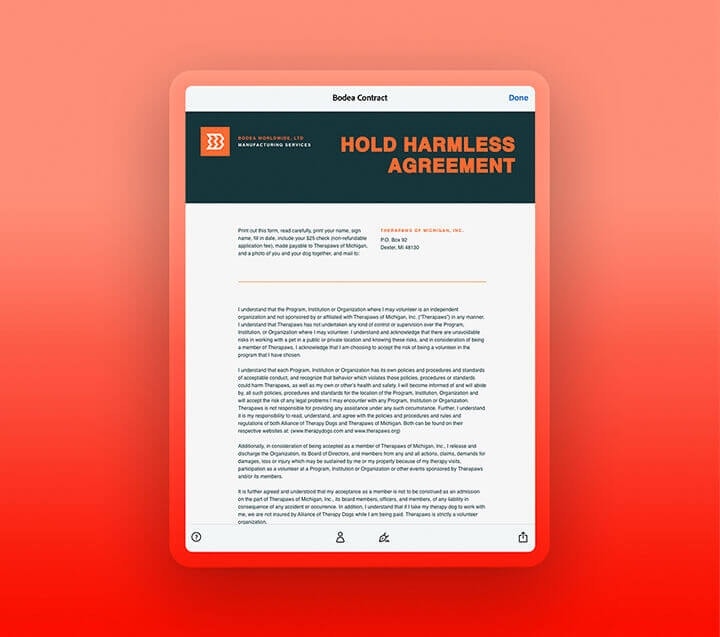
After consulting an attorney on the language you use, you can set up an HHA document yourself and send it out for signature using Adobe Acrobat Pro.
Even the most sensitive industries are relying on e-signatures to have important forms signed quickly and cost effectively. London-based TSB bank rapidly went digital with their custom paperwork this year and safely processed 140,000 forms in just three months. With Adobe Acrobat Sign, you can go digital with your hold harmless agreements or waivers and save your company time and money while making the process seamless for clients.
You can control how Adobe websites use cookies and similar technologies by making choices below. But note that if you disable cookies and similar technologies entirely, Adobe websites may not function properly.
Cookies are small text files stored by your web browser when you use websites. There are also other technologies that can be used for similar purposes like HTML5 Local Storage and local shared objects, web beacons, and embedded scripts. These technologies help us do things like remembering you and your preferences when you return to our sites, measure how you use the website, conduct market research, and gather information about the ads you see and interact with.
You can make choices in the menu below about what cookies and other technologies you want us to use on Adobe sites when you visit them from this browser. You can always change those choices later by clicking on the Cookie Preferences link at the bottom of the page.
If enabled:
We can improve your experience by tailoring the site and the content to things we think might be of interest
We can better keep track of your preferences — like what language you prefer to use
We will better understand your likely interests so we can provide you more relevant Adobe ads and content on non-Adobe websites and in non-Adobe apps
It will help us improve the performance of our website and those of our partners who use the Adobe Experience Cloud
If disabled:
We won’t be able to remember you from session to session so the experience may not be tailored to your interests
You’ll still have access to the content of the site but certain features that depend on cookies may not function
You’ll still see ads, they just may not be as relevant to you
General information
You can control how Adobe websites use cookies and similar technologies by making choices below. But note that if you disable cookies and similar technologies entirely, Adobe websites may not function properly.
Cookies are small text files stored by your web browser when you use websites. There are also other technologies that can be used for similar purposes like HTML5 Local Storage, web beacons, and embedded scripts. These technologies help us do things like remembering you and your preferences when you return to our sites, measure how you use the website, conduct market research, and gather information about the ads you see and interact with.
You can make choices in the menu below about what cookies and other technologies you want us to use on Adobe sites when you visit them from this browser. You can always change those choices later by clicking on the Cookie Preferences link at the bottom of the page.
If enabled:
We can improve your experience by tailoring the site and the content to things we think might be of interest
We can better keep track of your preferences — like what language you prefer to use
We will better understand your likely interests so we can provide you more relevant Adobe ads and content on non-Adobe websites and in non-Adobe apps
It will help us improve the performance of our website and those of our partners who use the Adobe Experience Cloud
If disabled:
We won’t be able to remember you from session to session so the experience may not be tailored to your interests
We’ll still count your use of our site and services
You’ll still have access to the content of the site but certain features that depend on cookies may not function
You’ll still see ads, they just may not be as relevant to you
Operate the site and core servicesOperate site and measure engagement
Always active
These cookies are required, and they are used to enable the site and related services core functionality. Without them the site could not operate, so they cannot be disabled.
These cookies enable the site and related services’ core functionality and collect statistics about user engagement, such as counting active use to help us understand trends. These cookies cannot be disabled.
Measure performance
These cookies are used to analyze site usage to measure and improve performance. Without them Adobe cannot know what content is most valued and how often unique visitors return to the site, making it hard to improve information we offer to you.
These cookies are used to analyze site usage to measure and improve performance. Without them Adobe cannot know what content is most valued, making it hard to improve information we offer to you.
Extend functionality
These cookies are used to enhance the functionality of Adobe sites such as remembering your settings and preferences to deliver a personalized experience; for example, your username, your repeated visits, preferred language, your country, or any other saved preference.
Personalize advertising
These cookies are used to enable Adobe and our partners to serve ads more relevant to your interests. Without them you will still see ads, but they might not be as relevant to you.
Performance Cookies
ConsentLeg.Interest
All Consent Allowed
Questions? Get help from our experts.
Need help finding more information? Chat with our experts for answers.