Over 800K* files uploaded!
Join thousands of users who have successfully cropped PDFs using Acrobat.
Join thousands of users who have successfully cropped PDFs using Acrobat.
*Over an 18-24 month period.
How to crop PDF pages online
Learn how to crop a PDF document online:
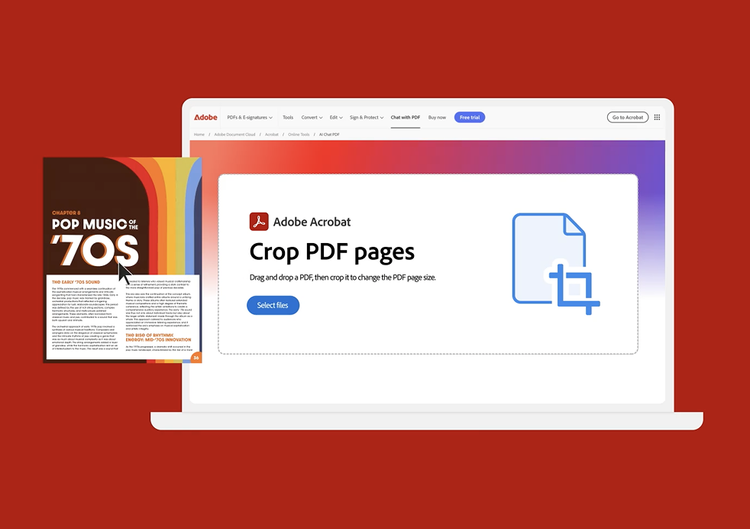
- Click the Select a file button above or drag and drop files into the drop zone.
- Select the PDF file you want to crop.
- After Acrobat uploads the PDF, sign in to crop pages in your file.
- Acrobat automatically outlines the first PDF page with a rectangular cropping border. Drag the border handles to resize the page as desired.
- Select Crop to save your cropped file.
- Apply your crop settings to additional pages by setting the page range or click All under Page Range.
- Click OK and save your file.

Crop white margins from a PDF

Crop PDF pages to the right size

Apply cropping to other pages
Questions? We have answers.
How do I crop a single page in a PDF?
After uploading the PDF file you want to crop and signing in for free, the Acrobat Crop PDF tool automatically outlines the first page of your PDF document with a rectangular cropping border. You can resize the crop area by dragging the border handles as desired. Select Crop when you’re ready to save your cropped PDF file.
You can use the Acrobat cropping tool in any web browser, such as Microsoft Edge or Google Chrome. As a result, you can use the tool on almost any operating system, such as Mac, Windows, or Linux.
How do I crop multiple pages in a PDF?
Acrobat makes it easy to resize pages of different sizes for consistency. To auto-crop multiple pages in a PDF document, first designate a selected area on one page. Then select all pages as your desired page range or enter a range of consecutive pages that you want to crop. When you select Crop, Acrobat will apply the same cropping process to all designated pages.
Will my file size change when I crop a PDF?
Cropping a PDF doesn’t reduce file size because file content is hidden but not discarded. By resetting the page size, you can restore the page and its content to its original condition.
Can I reorganize my PDF after cropping pages?
After cropping a PDF file, you can organize the pages when you sign up for a seven-day free trial of Adobe Acrobat Pro. The Acrobat Pro free trial for Mac or Windows lets you delete, extract, insert, rotate, or rearrange PDF pages. You can also use our PDF editor to edit PDFs, edit scanned PDFs with OCR, merge files, annotate files, reduce PDF file size, and insert headers, page numbers, bookmarks, or watermarks. In addition, PDF converter tools let you convert files to and from PDF, including HTML pages, image formats like PNGs and TIFFs, Microsoft Word documents, Excel spreadsheets, and PowerPoint presentations.
Use Acrobat tools for free
- Sign in to try 25+ tools, like convert or compress
- Add comments, fill in forms, and sign PDFs for free
- Store your files online to access from any device
Create a free account | Create a free account Adobe Acrobat Sign in
Verb
crop-pdf


