Adobe Acrobat

RTF to PDF

Drag and drop your RTF file to convert it into an easy-to-share PDF.

How to convert RTF to PDF online

Turn Rich Text Format (RTF) documents into polished PDFs in just a few clicks with Acrobat online tools. Converting to PDF helps ensure your document is accessible to anyone, even if they don’t use software that supports RTF files.

Follow these steps to convert RTF to PDF:
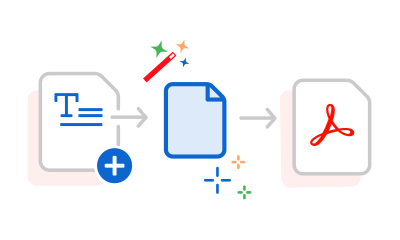
  • Select or drag and drop your RTF file into the converter above.
  • Acrobat converts your document to PDF in moments.
  • Download your converted PDF.
  • Sign in to continue editing, organizing, or sharing your file with Acrobat online tools.
#F8F8F8

More ways to work with PDFs

Try our online tools to convert, compress, and merge PDF files — Acrobat can do it all.

Try our free PDF to Word converter

Try our free PDF to Word converter

Try our free JPG to PDF converter

Try our free JPG to PDF converter

Try our free Word to PDF conversion tool

Try our free Word to PDF conversion tool

Combine PDF files anytime, anywhere

Combine PDF files anytime, anywhere

Questions about the RTF to PDF converter? We have answers.

What is an RTF file?
An RTF (Rich Text Format) is a text document that supports basic formatting such as fonts, bold text, italics, spacing, and paragraphs. It’s designed to work across many different word processing programs.
Why should I convert RTF to PDF?
Converting an RTF file to PDF makes it easier to share a document that looks consistent across devices and operating systems. PDFs are also a widely accepted format for printing and professional communication.
Can I edit my PDF after converting it?
Yes. After conversion, you can use Acrobat online tools to continue working with your PDF, including editing content, organizing pages, and sharing the file.
Can I convert RTF to PDF on my phone?
Yes. You can convert RTF files to PDF from most smartphones and tablets using your preferred web browser. There is no software installation required.
Is it secure to convert RTF to PDF online?
Adobe uses secure online processing for file conversions. For details about file handling, storage, and privacy practices, refer to Adobe’s security and privacy policy.

Try our free RTF to PDF converter

Discover how converting Rich Text Format files to PDF can make everyday document sharing easier.

https://main--da-dc--adobecom.aem.page/dc-shared/assets/images/frictionless/icons/device.svg

Make RTF files more accessible

Not every device or application handles RTF files the same way. Converting to PDF creates a document that’s easy for recipients to open without specialized software or compatibility concerns.

https://main--da-dc--adobecom.aem.page/dc-shared/assets/images/frictionless/icons/presentation.svg

Keep documents presentation ready

Whether you’re sending a letter, draft, proposal, or manual, a PDF provides a clean, professional format that’s ready to distribute.

https://main--da-dc--adobecom.aem.page/dc-shared/assets/images/frictionless/icons/pdf.svg

Reduce formatting surprises

RTF files are designed for compatibility, but they can appear differently depending on the software used to open them. Converting to PDF helps lock in your document’s formatting before you share it.

https://main--da-dc--adobecom.aem.page/dc-shared/assets/images/frictionless/icons/comment.svg

Collaborate easier

Share a PDF for review while keeping your original document unchanged.

https://main--da-dc--adobecom.aem.page/dc-shared/assets/images/frictionless/icons/folder.svg

Store documents in a dependable format

PDFs are commonly used for recordkeeping because they’re easy to organize, search, and retrieve whenever you need them.

https://main--da-dc--adobecom.aem.page/dc-shared/assets/images/frictionless/icons/more.svg

More PDF features

With your new PDF, you have access to a wealth of Acrobat online tools, making it easy to edit text, rearrange pages, combine documents, compress file sizes, request signatures, and more.

Try these Acrobat online tools

Convert from PDF

Convert to PDF

Reduce file size

Edit

Sign & Protect

Generative AI

Convert from PDF
Convert to PDF
Reduce file size
Edit
Sign & Protect
Generative AI