Fill and sign a PDF

{{verb-widget-legal}}
Join 750M+ monthly users getting more done with Acrobat.

How to sign a PDF and fill in a form

Follow these easy steps to fill and sign a PDF using an e-signature:
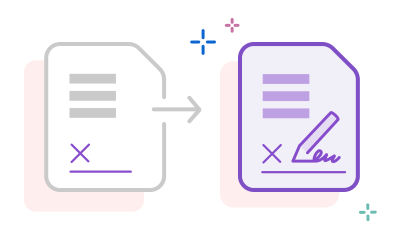
https://main--dc--adobecom.aem.live/dc-shared/assets/images/frictionless/how-to-images/sign-pdf-how-to.svg | Two PDF documents next to each other showing the process of how to sign PDF documents free online

  1. Click the Select a file button above, or drag and drop a file into the drop zone.
  2. Select the PDF document you want to fill in and sign.
  3. Your file will be uploaded to Acrobat web. You must be signed in to complete the fillable form.
  4. Use the tools in the Sign panel to fill in the form fields and add a signature to PDF.
  5. Click Next.
  6. Download your completed form or get a link to share your PDF online.

Try our free PDF filler and document signer tool

https://main--dc--adobecom.aem.live/dc-shared/assets/images/shared-images/frictionless/seo-icons/sign-online.svg | An icon showing how one can sign online using Adobe Acrobat online services PDF tools.

Fill and sign PDFs online

Form filling is quick and easy with the Adobe Acrobat Fill & Sign tool. Upload a file, then add text, checkmarks, lines, and more.

https://main--dc--adobecom.aem.live/dc-shared/assets/images/shared-images/frictionless/seo-icons/fast-online-sign.svg | A PDF document on a web browser being signed and filled out

Add your PDF signature fast

To sign PDF forms, create an electronic signature for free and then place it or your initials anywhere in the PDF document. You can type, draw, or upload an image of your signature.

https://main--dc--adobecom.aem.live/dc-shared/assets/images/shared-images/frictionless/seo-icons/fast-pdf.svg | An analog clock showing that you can speed up workflows when you sign PDFs online

Speed up your workflows

The Acrobat online signature tool lets you fill in a form, sign documents, and share it with others without leaving Acrobat, so you can get your work done in record time from anywhere.

https://main--dc--adobecom.aem.live/dc-shared/assets/images/shared-images/frictionless/seo-icons/form-filler-trust.svg | An emblem displaying a checkmark that represents a trusted PDF form filler

Share secure files after e-signing

After signing in to download your form, you can share your free PDF file with others in just a few clicks. You can even password protect your document to ensure your changes stay safe. Recipients receive a trusted link by email.

https://main--dc--adobecom.aem.live/dc-shared/assets/images/shared-images/frictionless/seo-icons/nothing-to-install.svg | A cloud with an Acrobat PDF logo that represents using Acrobat without needing to install software

E-sign PDFs from anywhere

You can use the document signer in any browser, so you don’t need to install any additional software. All you need is an internet connection.

https://main--dc--adobecom.aem.live/dc-shared/assets/images/shared-images/frictionless/seo-icons/let-others-sign.svg | A stack of files showing that you can use Acrobat to sign all of your documents

For all of your e-signature needs

From school forms to formal agreements, Acrobat is your one stop to add a signature without ever needing to print a piece of paper. With Acrobat AI Assistant you can even chat with your documents and get a summary of contracts or agreements, so you never miss the fine print.

https://main--dc--adobecom.aem.live/dc-shared/assets/images/shared-images/frictionless/seo-icons/draw-on-your-pdf.svg | An icon showing a pen and shapes on a document that you can use to fill out a form online

An easy way to fill out forms

Save time by checking a box with just a simple click. You can use checkmarks, circles, or dots depending on what the form requires. Text fields can be filled out just as easily, and you can add initials and your signature to complete the form.

https://main--dc--adobecom.aem.live/dc-shared/assets/images/shared-images/frictionless/seo-icons/best-pdf.svg | A PDF that can be filled and signed

A free, trusted PDF filler

As the inventor of PDF, Adobe has been working with PDF forms longer than anyone else. You can trust the quality of Acrobat tools when filling out and signing PDFs.

Frequently asked questions.

How do I sign a PDF with Adobe Acrobat?

To sign a PDF with Adobe Acrobat, upload your file to the free online sign tool, type, draw, or upload an image of your signature, and place it anywhere on the page. The tool works in any supported browser, no installation required. Requesting signatures from others and accessing audit trails may require a paid Acrobat plan. See all plans here.

What is the difference between signing a PDF in Adobe Acrobat and using Adobe Acrobat Sign?

Signing a PDF in Adobe Acrobat is ideal for simple workflows that require you to add your own signature, initial a page, or request a signature from one or a few parties. Adobe Acrobat Sign is a dedicated e-signature service built for higher-volume workflows, complex routing, bulk send, and enterprise-grade authentication.

Who uses Adobe Acrobat to sign PDFs?

Real estate professionals closing transactions, HR teams collecting offer letter signatures, legal teams executing contracts, and small businesses obtaining client approvals all rely on Adobe Acrobat to sign PDFs. Acrobat's e-signature tools are also widely used by individuals signing government forms, lease agreements, and financial documents.

Can I sign a PDF on mobile with Adobe Acrobat?

Yes, the Adobe Acrobat Reader mobile app for iOS and Android includes signing features. You can draw a signature with your finger, type it, or use a saved signature from your Adobe account. Those who receive a signature request via Acrobat can sign and share it from any mobile device, even without an Adobe account. Acrobat's mobile signing experience works on both smartphone and tablet devices. Download the Acrobat Reader mobile app now.

Is Adobe Acrobat's PDF signing tool free?

Yes, Adobe Acrobat's free online e-signature tool lets you upload a PDF, add a typed or drawn signature, and download the signed file, all from your browser with no installation required.

More resources on how to sign a PDF

Content as a Service v3 - sign-pdf - Tuesday, March 11, 2025 at 22:02

Verb
sign-pdf

Try these Acrobat online tools

Convert from PDF

Convert to PDF

Reduce file size

Edit

Sign & Protect

Generative AI

Convert from PDF
Convert to PDF
Reduce file size
Edit
Sign & Protect
Generative AI
