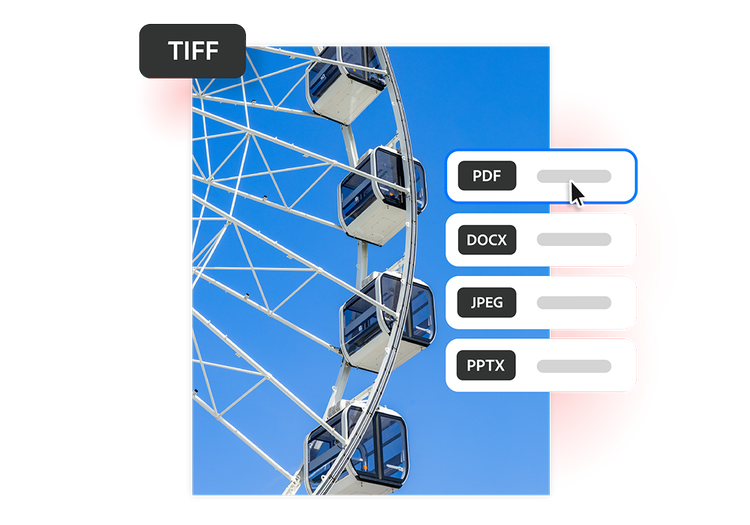
Drag and drop your TIFF file to use our TIFF to PDF converter. Free to use, no sign-up to try.
How to convert TIFF to PDF online
Convert TIFF images into polished, shareable PDFs in seconds with Acrobat online free tools. Whether you’re working with scanned documents, high resolution photography, or archival images, turning TIFF files into PDFs helps simplify storage, printing, and collaboration.
Follow these steps to convert TIFF to PDF:
Upload a source: Upload or drag and drop your TIFF file into the converter tool above.
Convert the file: Your TIFF file is processed and converted into a PDF in seconds.
Download your file: Download your newly converted PDF file, then save, print, or share your PDF.
More ways to work with PDFs
Try our online tools to convert, compress, and merge PDF files — Acrobat can do it all.
Questions about the TIFF to PDF converter? We have answers.
A TIFF (Tagged Image File Format) file is a high-quality image format commonly used for photography, publishing, scanning, and archiving. TIFF files support detailed images and lossless compression, making them ideal for professional workflows.
The TIFF to PDF converter supports TIFF as well as JPEG, JPG, PNG, HEIC, GIF, BMP, PSD, INDD, and AI files.
PDFs are more convenient for sharing, presenting, and printing. They also help keep multiple images organized in a single file while preserving image quality and formatting.
Absolutely. This online converter works in any supported browser on your smartphone or tablet, so you can convert TIFF to PDF and iOS, Android, or any supported mobile platform.
Your privacy and file security are a priority. Files are processed and deleted from Adobe servers unless you choose to sign in and save them.
A TIFF to PDF converter is commonly used by photographers, designers, archivists, and medical imaging professionals who work with high-resolution TIFF files and need to share or print them in a universally accessible format. Adobe Acrobat makes it easy to convert those large, detailed files into polished PDFs without losing image quality. It's also useful for office workers turning scanned contracts or forms into organized, shareable documents.
style
l spacing
Try our free TIFF to PDF converter
It's quick and easy to convert TIFF to PDF with our online tool.
background
#F8F8F8
Share large files easily
TIFF files are large by nature. Converting to PDF makes them easier to share, upload, and distribute.
Preserve image clarity
TIFF files are high-resolution and hard to share. Convert to PDF for a format that's easy to email, upload, and distribute without losing quality.
Better for scanned documents
Turn scanned contracts, forms, receipts, and records into organized PDFs that are easy to store, search, and access across devices.
Reliable printing results
PDFs maintain consistent formatting and page sizing, making them ideal for professional printing, presentations, and document distribution.
Organize files efficiently
Convert TIFF images into PDFs to reduce clutter and create cleaner digital archives for work, school, or personal projects.
More PDF features
Edit, organize, and sign your PDFs with Acrobat's online tools. Combine multiple files into one, compress large documents, and keep sensitive information secure with password protection.
background
#F8F8F8
style
xl spacing, three-up
Use Acrobat tools for free
Sign in to try 25+ tools, like convert or compress
Add comments, fill in forms, and sign PDFs for free
You can control how Adobe websites use cookies and similar technologies by making choices below. But note that if you disable cookies and similar technologies entirely, Adobe websites may not function properly.
Cookies are small text files stored by your web browser when you use websites. There are also other technologies that can be used for similar purposes like HTML5 Local Storage and local shared objects, web beacons, and embedded scripts. These technologies help us do things like remembering you and your preferences when you return to our sites, measure how you use the website, conduct market research, and gather information about the ads you see and interact with.
You can make choices in the menu below about what cookies and other technologies you want us to use on Adobe sites when you visit them from this browser. You can always change those choices later by clicking on the Cookie Preferences link at the bottom of the page.
If enabled:
We can improve your experience by tailoring the site and the content to things we think might be of interest
We can better keep track of your preferences — like what language you prefer to use
We will better understand your likely interests so we can provide you more relevant Adobe ads and content on non-Adobe websites and in non-Adobe apps
It will help us improve the performance of our website and those of our partners who use the Adobe Experience Cloud
If disabled:
We won’t be able to remember you from session to session so the experience may not be tailored to your interests
You’ll still have access to the content of the site but certain features that depend on cookies may not function
You’ll still see ads, they just may not be as relevant to you
General information
You can control how Adobe websites use cookies and similar technologies by making choices below. But note that if you disable cookies and similar technologies entirely, Adobe websites may not function properly.
Cookies are small text files stored by your web browser when you use websites. There are also other technologies that can be used for similar purposes like HTML5 Local Storage, web beacons, and embedded scripts. These technologies help us do things like remembering you and your preferences when you return to our sites, measure how you use the website, conduct market research, and gather information about the ads you see and interact with.
You can make choices in the menu below about what cookies and other technologies you want us to use on Adobe sites when you visit them from this browser. You can always change those choices later by clicking on the Cookie Preferences link at the bottom of the page.
If enabled:
We can improve your experience by tailoring the site and the content to things we think might be of interest
We can better keep track of your preferences — like what language you prefer to use
We will better understand your likely interests so we can provide you more relevant Adobe ads and content on non-Adobe websites and in non-Adobe apps
It will help us improve the performance of our website and those of our partners who use the Adobe Experience Cloud
If disabled:
We won’t be able to remember you from session to session so the experience may not be tailored to your interests
We’ll still count your use of our site and services
You’ll still have access to the content of the site but certain features that depend on cookies may not function
You’ll still see ads, they just may not be as relevant to you
Operate the site and core servicesOperate site and measure engagement
Always active
These cookies are required, and they are used to enable the site and related services core functionality. Without them the site could not operate, so they cannot be disabled.
These cookies enable the site and related services’ core functionality and collect statistics about user engagement, such as counting active use to help us understand trends. These cookies cannot be disabled.
Measure performance
These cookies are used to analyze site usage to measure and improve performance. Without them Adobe cannot know what content is most valued and how often unique visitors return to the site, making it hard to improve information we offer to you.
These cookies are used to analyze site usage to measure and improve performance. Without them Adobe cannot know what content is most valued, making it hard to improve information we offer to you.
Extend functionality
These cookies are used to enhance the functionality of Adobe sites such as remembering your settings and preferences to deliver a personalized experience; for example, your username, your repeated visits, preferred language, your country, or any other saved preference.
Personalize advertising
These cookies are used to enable Adobe and our partners to serve ads more relevant to your interests. Without them you will still see ads, but they might not be as relevant to you.