


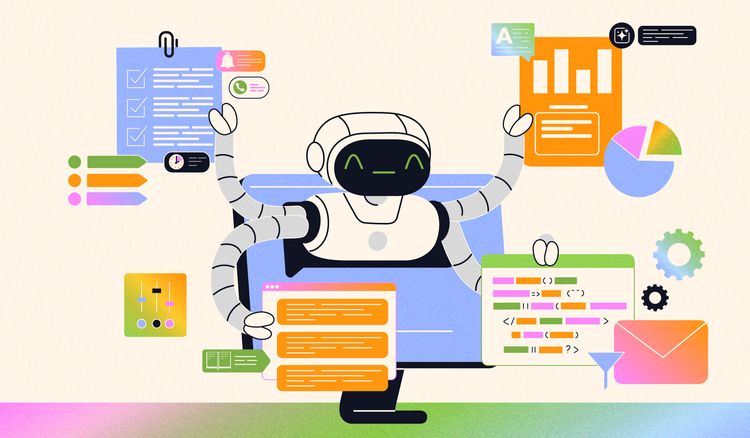
These transformative tools are increasingly adopted across industries, helping users streamline processes, gain insights, and boost productivity. With their ability to understand human language and execute tasks efficiently, AI assistants are becoming indispensable in both personal and professional contexts.
However, harnessing their full potential requires a deeper understanding of their capabilities. Without this knowledge, users may fail to maximize their benefits or fall prey to common misconceptions about their functionality. This article explores AI assistants in detail, covering what they are, the top five AI assistant capabilities, their benefits, limitations, and best practices for effective use.
What is an AI Assistant?
Defining AI Assistants
An AI assistant is software that uses artificial intelligence to understand language and complete tasks based on user input. These assistants are designed to simplify workflows by automating repetitive tasks, retrieving information, and offering intelligent responses to queries.
How AI Assistants work
AI assistants function by processing user inputs—typically through text or voice commands—and converting them into actionable outputs. Using advanced algorithms, they analyze the context of a query, access relevant data, and execute tasks. Over time, many AI assistants can adapt to user preferences, improving their efficiency and personalization.
Top 4 AI Assistant Capabilities
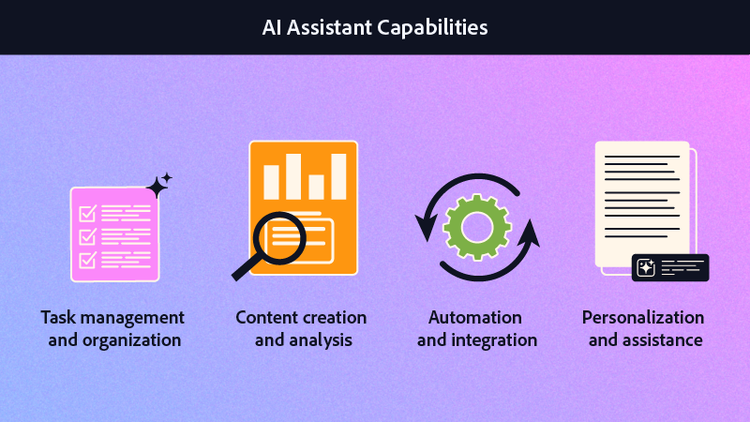
1. Task Management and Organization
AI assistants excel at organizing schedules, managing reminders, and prioritizing tasks. For example, they can automatically schedule meetings based on calendar availability or send alerts for upcoming deadlines. This capability is invaluable for professionals juggling multiple appointments and deadlines.
2. Content Creation and Analysis
From summarizing articles to generating professional reports, AI assistants simplify the process of creating and analyzing content. For example, tools like Adobe Acrobat AI Assistant can summarize lengthy documents or help with creative tasks efficiently. These tools can also act as your personal research assistant, pulling key insights from large datasets or delivering concise summaries of documents.
3. Automation and Integration
AI assistants automate repetitive tasks, such as data entry or email filtering, and integrate seamlessly with other software tools. You can cut down on manual effort by leveraging these automations, while integrations create a unified workflow that lets you stay in the zone without opening new tabs, tools, or browsers.
4. Personalization and Assistance
One of the standout capabilities of AI assistants is the ability to tailor recommendations based on user preferences. Use your custom inputs to quickly train an AI assistant on a particular set of guidelines and expectations, or create a subject-matter expert on a specific topic. Whether suggesting relevant articles or customizing daily schedules, these tools evolve with your needs to provide personalized assistance.
Benefits of Using an AI Assistant
Streamlining Tasks
AI assistants reduce workloads by automating rote, time-consuming tasks, freeing up time for more critical activities.
Boosting Productivity
By leaving tasks like dense text analysis and summary drafts to AI assistants, users can focus on high-value work that requires creativity or strategic thinking. This boost in productivity is especially valuable in fast-paced environments.
Simplifying Everyday Life
AI assistants improve convenience by managing schedules, answering queries, and offering recommendations. Whatever question or problem you are noodling on, an AI Assistant gives you an extra information source to turn to for answers and make life easier.
Limitations of AI Assistants
Accuracy and Context
While AI assistants are highly efficient, they may struggle with understanding complex queries or providing nuanced responses. For example, interpreting ambiguous language can sometimes lead to inaccuracies.
Dependence on Data
AI assistants rely heavily on the data they access. If the data is outdated, incomplete, or irrelevant, their output may lack accuracy or relevance.
Security Concerns
Privacy remains a concern when using AI assistants. Sharing sensitive information with these tools can pose risks, so it is best to understand what kind of security measures are in place.
Best Practices for Using an AI Assistant
AI assistants can be transformative tools when used effectively. To fully leverage their
capabilities, users should consider the following strategies for maximizing productivity and striving for accuracy.
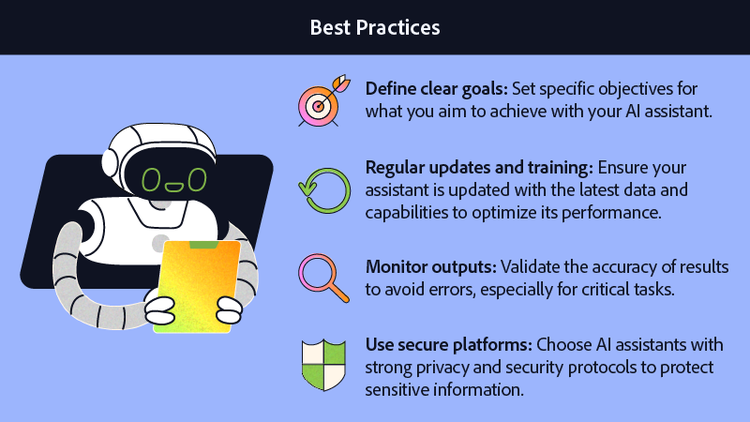
- Define Clear Goals: Set specific objectives for what you aim to achieve with your AI assistant.
- Regular Updates and Training: Ensure your assistant is updated with the latest data and capabilities to optimize its performance.
- Monitor Outputs: Validate the accuracy of results to avoid errors, especially for critical tasks.
- Use Secure Platforms: Choose AI assistants with strong privacy and security protocols to protect sensitive information.
Conclusion
AI assistants are powerful tools that can transform workflows and enhance productivity. By understanding the capabilities and limitations of AI assistants, users can harness this technology to create more time in their days and give greater focus to top priorities.
Frequently asked questions
AI assistants help with everyday tasks like managing schedules and retrieving information. They can also summarize documents, draft emails, and automate workflows to save time. Beyond productivity, they support research, generate creative content, and even analyze data for insights. In short, they act as versatile partners that boost efficiency, creativity, and decision-making.
Acrobat AI tools simplify collaboration by summarizing documents, analyzing PDFs, and providing actionable insights. With AI tools for PDFs, your document becomes a source of conversation and insights, as well as a starting point for content creation.
Users should ensure AI assistants are used responsibly, avoiding biases in data and maintaining transparency in their outputs. Ethical use also involves safeguarding user privacy and adhering to regulations.
Adobe Acrobat AI supports productivity by automating workflow tasks like document summarization, PDF analysis, and meeting note creation, enabling users to save time and focus on critical responsibilities.
You may also like
title
What is an AI assistant and top capabilities
cardImageAltText
An AI Assistant performs various tasks
cardImage
primaryTag
caas:content-type/article
Tags
caas:content-type/article,caas:products/acrobat,caas:topic/ai-chat-pdf,caas:topic/ai-assistant

