What is an AI writer and how to use one
Discover how an AI writer can help you draft professional documents faster, then refine and share your work with confidence.

What is an AI writer?
An AI writer is software that uses artificial intelligence to generate written content in response to a user prompt. The writer typically leverages large language models — sophisticated systems trained on vast amounts of text data — to understand context, recognize patterns, and produce human-like writing in response to instructions.

AI writers can assist writing in a variety of ways. The most obvious is to produce a draft of the desired document based on prompts and context. Beyond generating a complete finished product, they might also create outlines to help you organize your thoughts, refine specific sections of existing content, suggest ways to paraphrase, or help overcome writer's block when you're stuck on a particular passage. AI can even be used as a writing assistant to check grammar, spelling, and punctuation on your original content.
There are numerous use cases for AI writers that span professional, academic, and personal settings. Professionals can use AI writers to draft documents like a business letter or executive summary, communicating more efficiently with a polished template or draft. Students and researchers use AI to assist on academic papers like essays and research projects. Leveraging AI writers to accelerate the initial drafting phase frees up time for deeper analysis and revision. In daily life, uses range from resume clean-up to creative writing or everyday correspondence.
Acrobat AI Assistant represents one way to explore AI-powered writing support. Rather than generating documents from scratch, it helps you work more efficiently within your existing document workflows: summarizing content, answering questions about your files, and assisting with document-related tasks.
How to use an AI writer
Using an AI writer effectively involves more than simply asking it to generate text. The best results come from a combination of thoughtful prompting, iterative refinement, and collaboration with others. Follow these steps to help get quality results from your AI writer.
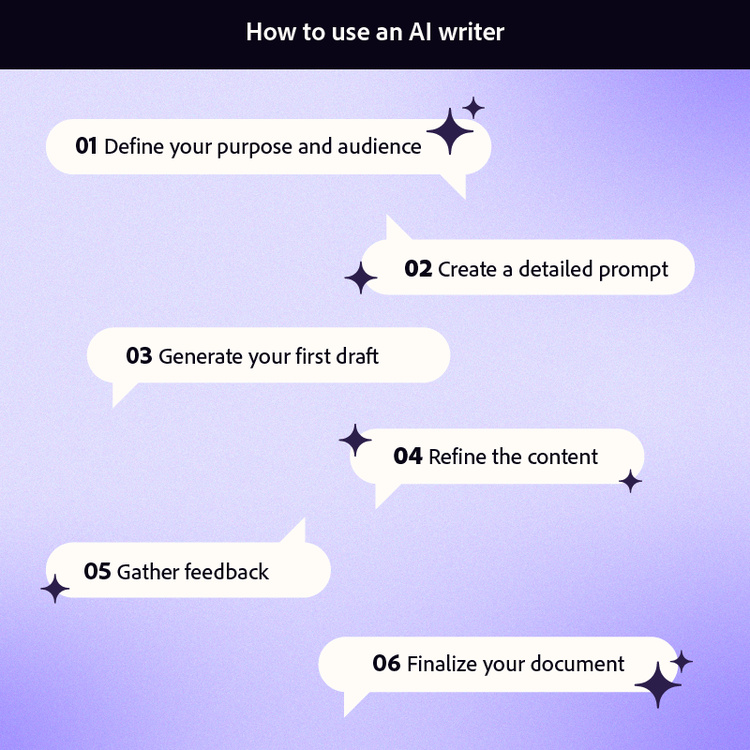
1. Define your purpose and audience
Before opening any AI writing tool, clarify exactly what document you need and who will read it. Consider requirements like tone and formality, length, and format. For example, an executive brief requires concise, polished communication, while something like a blog post might take a more conversational approach. Defining your parameters upfront helps you craft prompts that yield appropriate content.
2. Craft a detailed prompt
The quality of your AI-generated content depends heavily on the specificity of your prompt. Vague instructions produce generic results, while detailed prompts yield content tailored to your exact needs.
Include context about the situation, your organization, and any relevant background information the AI should consider. Specify your preferred structure, such as whether you want bullet points, numbered lists, or flowing paragraphs. Outline the key points you want covered and any information that must be included.
When you want AI to write content that sounds natural and human, include guidance about tone in your prompt. Mention that you prefer conversational phrasing, varied sentence lengths, and a warm but professional voice. Providing examples of the style you're aiming for helps the AI understand your expectations. Ask specifically for natural language patterns and suggest avoiding overly formal or robotic phrasing.
3. Generate your initial draft
With your detailed prompt ready, let the AI writer produce the first version of your content. This initial generation serves as raw material for refinement rather than a finished product. It can even be helpful at this stage to request an outline to review and approve rather than going directly to the full finished product.
Resist the urge to accept the first generation as final. Even well-crafted prompts rarely produce perfect content on the first attempt. The initial draft is a starting point for the collaborative process between you and the AI writer.
4. Refine and edit the content
Human review and editing transform AI-generated drafts into polished, professional documents. This step is where your expertise, judgment, and authentic voice shape the final product.
Review the output with a critical eye. Does the structure make sense for your purpose? Has the AI covered all the points you specified? Is the content relevant to your audience? Note areas that need expansion, sections that miss the mark, and passages that capture exactly what you wanted.
Check all facts, figures, and claims for accuracy, as AI writers can produce plausible sounding but incorrect information. Verify any statistics, dates, names, or technical details against reliable sources.
Evaluate clarity and flow by reading through the content; you may even consider reading it aloud. Adjust sentence structure where needed to improve readability. Ensure the content aligns with your brand voice and communication style.
Iterate with follow-up prompts to improve specific sections, asking the AI writer to expand underdeveloped areas, simplify complex passages, or rewrite sections in a different tone. This back-and-forth refinement process often produces the best results.
5. Collaborate and gather feedback
Writing rarely happens in isolation. Share your draft with colleagues, stakeholders, or trusted reviewers to get feedback from diverse perspectives and expertise.
There are several ways to collaborate on a document, but leaving comments is the most common, enabling discussions about content without extensive back-and-forth emails. In the era of AI, features like Acrobat PDF Spaces let you work with multiple files at one time, within one easy link. You can chat with your PDF to quickly search and find specific information that you need to review, or use chat to brainstorm revisions with an AI Assistant.
When you receive feedback, incorporate it thoughtfully. Not every suggestion will improve your document, but outside perspectives often catch issues you've overlooked. Balance multiple viewpoints to arrive at content that serves your audience effectively.
6. Finalize and format your document
With content refined and feedback incorporated, prepare your document for its intended use. Professional presentation reinforces the quality of your writing and affects how recipients perceive the message.
Ensure consistent formatting throughout — uniform heading styles, proper spacing, and aligned margins. Check that fonts, colors, and design elements match your organization's standards or the document's purpose. When distributing written content, converting to PDF can help to maintain your intended format.
What to do with your AI written document
Now that you have polished AI-generated content, the next step is preparing it for professional sharing. How you format and distribute your document affects how recipients perceive both the content and your professionalism.
Sharing a document in PDF format offers significant advantages. PDFs maintain consistent formatting across all devices and operating systems, ensuring your content appears exactly as intended regardless of how recipients view it. The format also prevents accidental edits, preserving your final version.
Acrobat tools can help you leverage your AI-written content to fit your needs:
- Convert Word files to PDF for accessible, professional sharing
- Add e-signatures to contracts and agreements without printing
- Edit text directly within PDFs when last-minute changes arise
- Manage access to sensitive information with password protection for your documents
- Combine multiple documents into a single file or an AI-powered PDF Space for comprehensive packages
- Use Acrobat AI Assistant for further refinement or to quickly extract key information from lengthy documents
PDF has become the professional standard for final documents across industries. Proposals, reports, contracts, and formal correspondence all benefit from the reliability and polish that PDF format provides. Acrobat and PDF format helps ensure your AI-written content reaches its audience in the best possible form.
How to stay professional when using an AI writer
AI writers are powerful productivity tools, but using them responsibly requires attention to quality, authenticity, and ethics. Following best practices protects your professional reputation and ensures your content serves its intended purpose.
Uphold high-quality standards by completing your own rounds of review for any AI-generated content. Always review and fact-check to weed out confident-sounding statements that are factually incorrect, outdated, or misleading. Verify any claims, statistics, or technical information against authoritative sources. Cite sources properly when AI helps with research-based content, to help maintain academic and professional integrity. If your name is attached to the final document then accuracy is your responsibility, regardless of how the initial draft was created.
Maintain your authentic voice throughout the editing process. It can be helpful to think of AI as a starting point that accelerates your work, not as a replacement for your expertise. The most effective AI-assisted documents blend efficient generation with human insight, judgment, and personality. Readers connect with genuine voices, so ensure your final content reflects your communication style.
From an ethical perspective, be transparent about AI use when appropriate. Many workplaces have policies about AI tool usage, and academic institutions increasingly require disclosure of AI assistance. Understand the guidelines that apply to your situation and follow them consistently. When in doubt, err on the side of transparency.
Protect confidential information by being mindful of what you enter into AI tools. Avoid inputting sensitive data, proprietary information, or personal details into public AI writers. Many organizations have approved tools and protocols for AI use — follow these guidelines to protect both your organization and the individuals whose information you handle.
Once your AI writer helps you produce a polished draft, how you deliver the content matters. Especially with proposals, reports, or client-facing materials, Adobe Acrobat helps you work with clean, professionally formatted PDFs that give your work a finished, credible appearance. If AI is the engine that speeds up your writing, Acrobat is the vehicle that makes it ready to share.
Frequently asked questions
Can AI write stories?
How do I prompt AI to write like a human?
How do I use AI to write?
What types of documents work best with an AI writer?
Is content from an AI writer free to use commercially?
How does Acrobat AI Assistant differ from other AI writers?
You may also like