


JUMP TO SECTION
In today’s ultra-competitive hiring market, chances are high that your resume will be evaluated by an applicant tracking system (ATS) when you submit your job application. That means that no matter how ideal a fit you are for the position, if your resume contains formatting errors that confuse the ATS, a human recruiter might not even have the opportunity to see, much less evaluate, your qualifications.
What happens to a resume that software can’t read.
No evidence shows one file format consistently parses better than another, but if your resume can’t be read by a machine, it likely won’t be read at all. What matters is whether the resume contains machine-readable text. A bad parse won’t delete you from the system, but it will turn you into a half-empty profile that someone has to retype by hand — and probably won’t.
The 2026 Jobscan ATS Usage report detected an ATS for 97.4% of Fortune 500 companies. Because ATS has been so widely adopted, we understand the most common formatting mistakes applicants make. When creating a resume from scratch, learn seven specific, fixable formatting faults and how to ensure a recruiter sees your resume.
How the software reads your resume.
An ATS extracts a file, passes the content into fields, and indexes it for recruiters to search. It doesn’t score you, and ATS rarely rejects anyone automatically. A common misconception is that 75% of resumes are never seen by a real person, though no relevant data supports this statement.
Adobe’s June 2024 resume survey found that hiring professionals spend an average of 8.48 minutes reviewing a resume and that only 15% thoroughly read it upon receiving it, which is why making your resume easy to scan matters. A study by Harvard Business School and Accenture reports that 88% of employers agree that qualified, high-skill candidates (rising to 94% for middle-skill roles) are vetted out because they don’t match the job description criteria.
Your resume may not be viewed because of a bad resume parse: the file gets attached, but the fields come through empty — it doesn’t get deleted or auto-rejected, but it does require manual entry, which a recruiter may not do. Empty fields can exist because of how PDFs store text. A PDF records individual characters at specific positions on the page, not words and sentences. A table is stored as line segments and separately positioned text, with no rows or columns behind it. So a parser reading a PDF is reconstructing structure that was never saved in the first place.
The 7 most common mistakes that lead to resume rejection.
These seven mistakes are ordered by consequence. The first three can empty out your candidate record entirely, while the remaining four degrade how well you match a job search.
1. Your name and phone number are in the header or footer.
This mistake has the worst consequence, as it creates a candidate record for an employer with no contact information. ATS does not read headers and footers, so keep these details in plain text within the body of the resume. If you include your address, only include your city and state.
2. You exported a picture of a resume, not a document.
Image uploads fail outright. Only uploads with text layers can be understood by ATS. To check whether your file contains a text layer, open it and try to highlight the text. If nothing selects, no system will read it.
3. Your text lives in text boxes and stacked layers.
ATS doesn’t often read text box contents because it isn’t designed to extract content from these boxes. Keep your content out of any stacked layout elements.
4. Your 2-column layout puts contact details in the narrow column.
Columns don't get you rejected, but they raise the odds that specific fields will be imported as a jumbled mess. However, strong efforts attempt to improve reading-order accuracy. For example, Textkernel noted a column-separator performance increase from 60% to 82% in column extraction, and in 2021, Microsoft Research built a 500,000-document dataset to teach models reading order that measurably improved commercial OCR engines.
Even after Textkernel’s improvements, roughly 1 in 10 resumes in their own evaluation still render poorly. Minimize your risk by designing your ATS resume without the two-column layout.
5. Your section headings are creative.
Creative section headers will work against you with ATS. As much as you might want to express yourself with wordplay, stick to recognizable, standard section labels like “Professional Summary,” “Work Experience,” “Education,” and “Skills.” Non-standard headers like “Achievements and Wins” or “My Success Stories” may get silently misfiled.
6. You adjusted letter spacing or used an icon font.
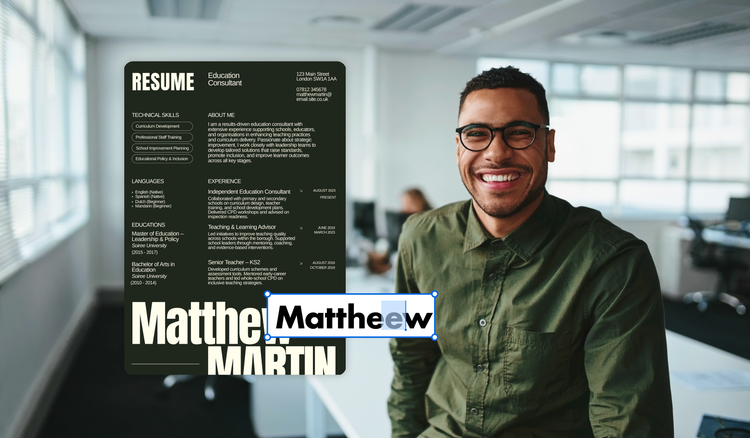
Design-tool users love to track text to adjust a line, but Greenhouse recruiting notes that “while it may appear cohesive to the naked eye, the parser won’t recognize the separate letters as a single word.” Letter spacing breaks parsing because the parser reads gaps to find word boundaries, and tracking widens those gaps until each letter looks like its own word. Similarly, ATS can struggle with custom or decorative fonts, which may map to private-use codepoints without Unicode and render inaccurately. Common fonts such as Arial, Helvetica, Times New Roman, or Calibri are the easiest for optical recognition software. Also avoid mixing fonts and excessively using italics or underlines.
7. Your job titles and employment information are incomplete, and your dates are inconsistent.
Greenhouse recruiting cites that job titles should never be shortened, such as “Sr. Account Exec” instead of “Senior Account Executive.” Additionally, company names should include identifying words such as Inc., Co., LTD, or LLC, and dates should always be formatted consistently.
PDF or DOCX: The question that isn’t the question.
No source demonstrates that extension determines parse success. The real variable is whether a text layer exists. With a text layer, every character is encoded as actual data. Software can select, search, copy, and extract it. Without a text layer, the page is simply a picture of text, with pixels arranged to look like letters. PDFs can hold text using either method, and both look identical on screen.
While ATS can read multiple file types, Adobe’s resume survey cites that three in four hiring professionals prefer PDF once a human sees it. So export a text-based PDF, verify the text layer, and keep a DOCX only for portals that demand one.
What looks wrong but breaks nothing.
Resume length, color, bold and italics, and margins under an inch don't affect parsing. Length and color are human preferences and are worth respecting as such — over half of hiring professionals prefer one page.
Fix your resume formatting in 10 minutes.
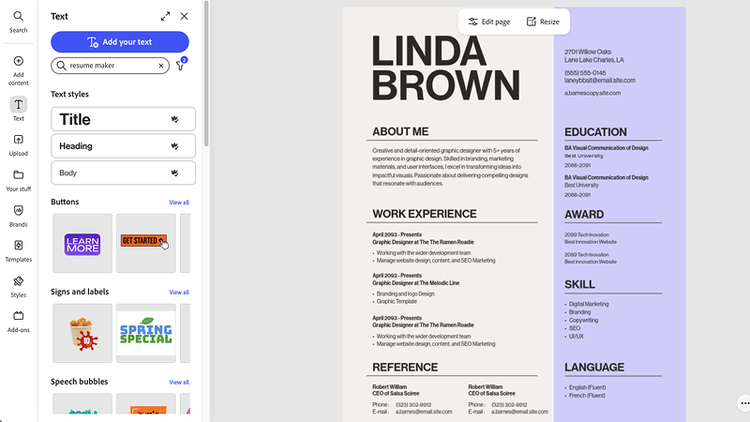
Tools can simplify the resume process by offering ATS-optimized templates that are easy to tailor for any job application. Simplify the process by uploading your current resume, or choose from an array of resume templates. Once you have a correctly formatted master resume template, you can make changes quickly without corrupting formatting.
Every mistake in this article is a formatting problem, not a content problem. Your existing resume is usually one clean export away from parsing correctly. Get started by uploading your resume using Adobe Acrobat.
Frequently asked questions
The best way to tell whether your file contains a text layer or an image is to open it and try to select the text. If the text is selectable, it has a text layer.
The only way to create a text-based PDF is by exporting from software that already contains real text.
Text layers are destroyed by any action that turns the document into a picture before it becomes a PDF. Examples include scanning a printout, taking a screenshot, photographing a page, reducing the file size or flattening a PDF, exporting a file with flattened layers (such as from Adobe Photoshop), or converting type to outlines in a design tool (such as in Adobe Illustrator).
The difference is in the tags. Save as PDF gives you selectable text and structural tags, meaning it can read headings, reading order, and lists. However, Print to PDF includes selectable text but is an untagged file, meaning it doesn’t include structural details. Use the Save as PDF option whenever possible.
Use a PDF tool like Adobe Acrobat OCR, which can attempt to recognize the text. However, OCR can introduce errors, so treat this option as a repair, not a solution. If the original file still exists, re-export from it instead.
You may also like
title
The 7 mistakes that make ATS reject a resume.
cardImageAltText
Smiling interviewee next to a resume.
cardImage

Tags
caas:content-type/article,caas:products/acrobat,caas:topic/job-search,topic/resume-ai

