
Creativity for all
Photography, video, graphic design, illustration and so much more. Everything you need, wherever your imagination takes you.


PHOTOGRAPHY
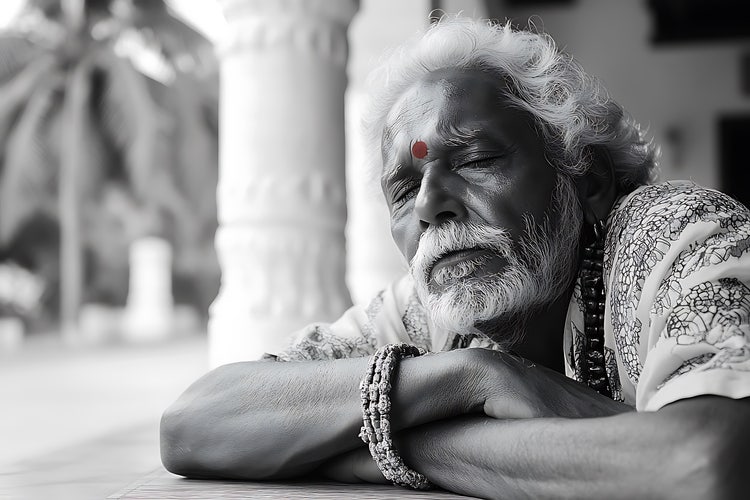
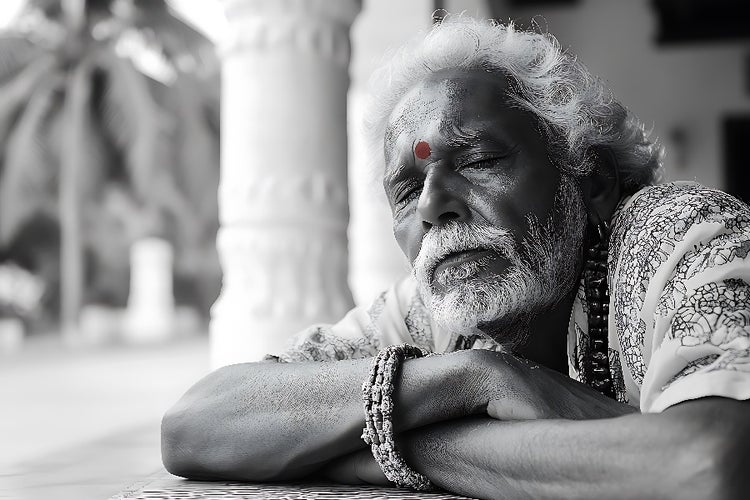
Black-and-white portraits are more than just a stylistic choice, they’re a way to focus on emotion, contrast, and mood without distraction. With Adobe Photoshop, transforming a standard portrait into a powerful black and white portrait doesn’t require complex edits or colour theory. Built-in AI tools like Style Transfer and Tone Mapping help you create polished, expressive black and white portraits in just a few clicks.
No matter the project, Adobe apps give you the flexibility to experiment, polish, and deliver stunning black and white portraits with confidence.
JUMP TO SECTION
Create striking black and white portraits with less effort
Tips for better black and white portrait photography
How to create your first black and white portrait in Photoshop
Why creatives across India use Photoshop for portrait black and white photography
A strong black and white portrait tells a story in tone and texture. But getting that timeless look right can be difficult without experience. Traditional portrait black and white photography required darkroom skills or manual curve adjustments now, Adobe Photoshop’s built-in AI features make it accessible for every creator.
Whether you’re a student in Delhi exploring black and white portrait photography or a working photographer in Chennai updating your portfolio, you can now create clean, moody, and powerful monochrome portraits using smart presets and tone-aware automation.
Photoshop gives you powerful tools to convert, stylise, and perfect your black and white portrait photography with guided support:
Choose from a range of professionally inspired black and white looks and instantly apply them to your image. Photoshop uses AI to adjust lighting, tones, and contrasts to reflect the mood of classic black and white portraits photography without starting from scratch.
Balance shadow, light, and detail with precision. Photoshop’s Tone Mapping tool recognises facial structure and texture, ensuring depth and realism in your portrait edits particularly in high-contrast lighting.
Apply clean, stylised black and white conversions in one click. Choose from a range of looks, matte film, editorial contrast, soft tone and fine-tune them as needed to match your subject or visual goal.
Make the most of Photoshop’s AI tools by following a few creative best practices:
A strong black and white portrait begins with good contrast. Use Tone Mapping to recover highlights and enrich shadows for emotional depth.
Use Style Transfer to test different black and white portrait photography moods, high drama, soft contrast, or textured vintage before you commit.
In black and white portraits, every edge counts. Use Photoshop’s crop guides to experiment with framing, tight for intensity, wide for space and quiet.
Avoid over-smoothing your subject’s skin, black and white portraits thrive on realism. Let Tone Mapping bring out the details that colour sometimes hides.
If you're just getting started, here’s a quick way to create your first black and white portrait:
This workflow helps you go from colour image to refined black and white portrait in just a few steps.
Creatives across different fields rely on Adobe Photoshop to bring out the best in their black and white portraits. It delivers:
Photoshop makes it possible to turn everyday portraits into striking black and white visuals that connect with viewers on a deeper level.
Want to push your portraits further? Adobe Creative Cloud apps work seamlessly with Photoshop:
Creative Cloud Pro brings together AI-driven editing and streamlined workflows, giving you everything you need to craft striking black and white portraits.


“I work across multiple apps for my branding projects. With Illustrator and Photoshop, I can move seamlessly between the two, without hampering my productivity.”
Nisha Droch, Designer & Co-founder, Creative Hatti
Photography, video, graphic design, illustration and so much more. Everything you need, wherever your imagination takes you.
Based on your location, we think you may prefer the United States website, where you'll get regional content, offerings, and pricing.



