Adobe Connect transforms virtual sessions from one-way presentations to dynamic, interactive experiences using personalized rooms and powerful engagement tools.
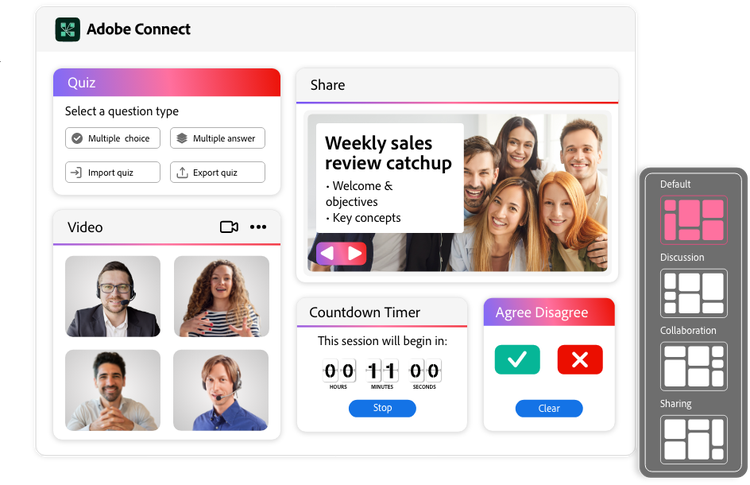
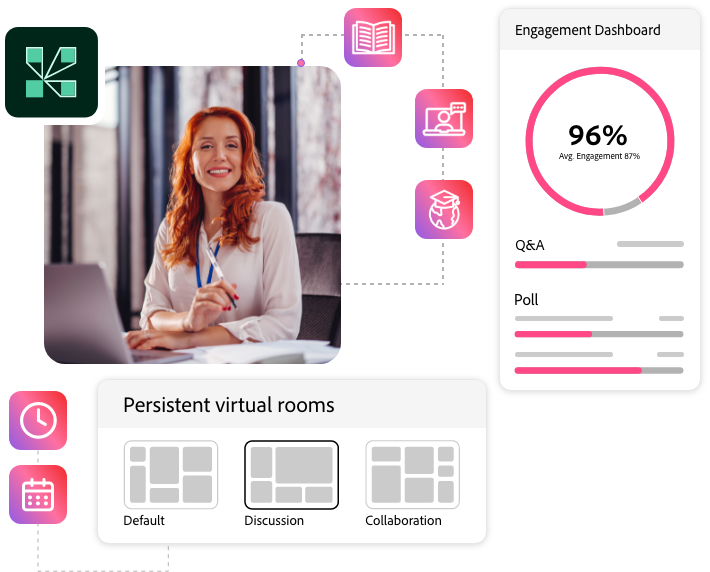
Adobe Connect uses Pods and Layouts to transform static online meetings into dynamic flexible virtual rooms where your content truly shines and stays persistent.
Pods:Use resizable, modular windows to add, arrange, and customize elements within your space.
Layouts: Use these pre-configured Pod arrangements to create structured flows and dynamic transitions for your content.
style
Divider, container
Versatile engagement tools
Ever feel like your virtual sessions are just monologues? Design precisely timed interactions to create an engaging presentation flow that sustains focus and boosts retention.
Custom pods library: Add interactive tools, games, and unique features beyond the standard pods to enhance your sessions.
Breakout rooms: Split your audience into smaller groups for focused discussions. You control who goes where or let them pick their own breakout.
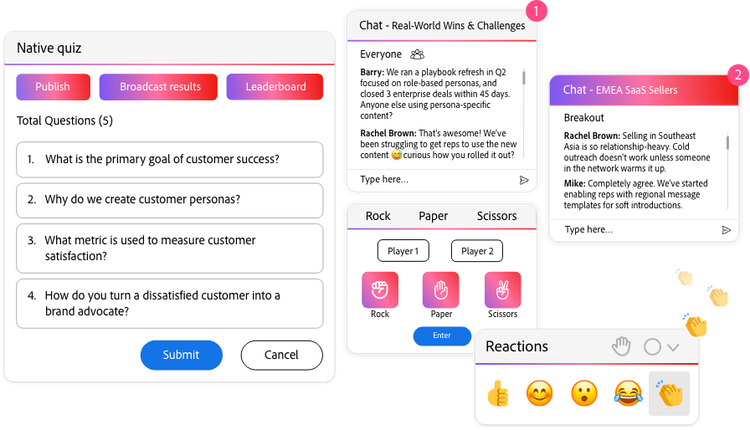
Native Quizzes, Polls, and [New] Surveys: Run interactive tests & surveys with real-time results, gamification (leaderboards), and proctoring tools, all supported by comprehensive post-session reporting.
Moderated Q&A: Filter and manage incoming questions in real-time to ensure discussions stay focused and professional.
Multiple screens & chats: Showcase multiple content types and manage several chats simultaneously for an organized session.
Interactive whiteboard: Draw, write, and brainstorm together on a shared virtual canvas.
Live video overlay & pause: Overlay the presenter or interpreter video on slides and content across all layouts. You can pause the video anytime for deeper dives and interaction.
style
Divider, container
Post-session content access
Extend the value of every session by making content, materials, and assessments persistently accessible in the virtual room for participants to revisit after the live event.
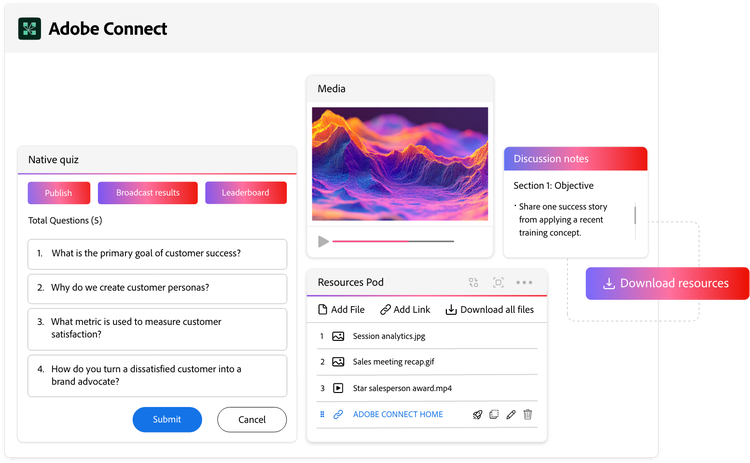
File Share & Weblinks Pods: Easily share and link to downloadable resources for participants to revisit anytime.
Resources Pods: Easily share and link to downloadable resources for participants to revisit anytime.
Asynchronous browse: Allow attendees to explore shared content at their own pace, while the live session continues.
Adobe Captivate Project Import: Upload interactive modules directly into Adobe Connect rooms for both live and on-demand access.
[New] Interactive Recordings: Give recording viewers full access to all session resources and links. Extend content value long after the live event, with hosts retaining granular control over resource and transcript download availability.
style
container
Let’s talk about what Adobe Connect can do for your business.
You can control how Adobe websites use cookies and similar technologies by making choices below. But note that if you disable cookies and similar technologies entirely, Adobe websites may not function properly.
Cookies are small text files stored by your web browser when you use websites. There are also other technologies that can be used for similar purposes like HTML5 Local Storage and local shared objects, web beacons, and embedded scripts. These technologies help us do things like remembering you and your preferences when you return to our sites, measure how you use the website, conduct market research, and gather information about the ads you see and interact with.
You can make choices in the menu below about what cookies and other technologies you want us to use on Adobe sites when you visit them from this browser. You can always change those choices later by clicking on the Cookie Preferences link at the bottom of the page.
If enabled:
We can improve your experience by tailoring the site and the content to things we think might be of interest
We can better keep track of your preferences — like what language you prefer to use
We will better understand your likely interests so we can provide you more relevant Adobe ads and content on non-Adobe websites and in non-Adobe apps
It will help us improve the performance of our website and those of our partners who use the Adobe Experience Cloud
If disabled:
We won’t be able to remember you from session to session so the experience may not be tailored to your interests
You’ll still have access to the content of the site but certain features that depend on cookies may not function
You’ll still see ads, they just may not be as relevant to you
General information
You can control how Adobe websites use cookies and similar technologies by making choices below. But note that if you disable cookies and similar technologies entirely, Adobe websites may not function properly.
Cookies are small text files stored by your web browser when you use websites. There are also other technologies that can be used for similar purposes like HTML5 Local Storage, web beacons, and embedded scripts. These technologies help us do things like remembering you and your preferences when you return to our sites, measure how you use the website, conduct market research, and gather information about the ads you see and interact with.
You can make choices in the menu below about what cookies and other technologies you want us to use on Adobe sites when you visit them from this browser. You can always change those choices later by clicking on the Cookie Preferences link at the bottom of the page.
If enabled:
We can improve your experience by tailoring the site and the content to things we think might be of interest
We can better keep track of your preferences — like what language you prefer to use
We will better understand your likely interests so we can provide you more relevant Adobe ads and content on non-Adobe websites and in non-Adobe apps
It will help us improve the performance of our website and those of our partners who use the Adobe Experience Cloud
If disabled:
We won’t be able to remember you from session to session so the experience may not be tailored to your interests
We’ll still count your use of our site and services
You’ll still have access to the content of the site but certain features that depend on cookies may not function
You’ll still see ads, they just may not be as relevant to you
Operate the site and core servicesOperate site and measure engagement
Always active
These cookies are required, and they are used to enable the site and related services core functionality. Without them the site could not operate, so they cannot be disabled.
These cookies enable the site and related services’ core functionality and collect statistics about user engagement, such as counting active use to help us understand trends. These cookies cannot be disabled.
Measure performance
These cookies are used to analyze site usage to measure and improve performance. Without them Adobe cannot know what content is most valued and how often unique visitors return to the site, making it hard to improve information we offer to you.
These cookies are used to analyze site usage to measure and improve performance. Without them Adobe cannot know what content is most valued, making it hard to improve information we offer to you.
Extend functionality
These cookies are used to enhance the functionality of Adobe sites such as remembering your settings and preferences to deliver a personalized experience; for example, your username, your repeated visits, preferred language, your country, or any other saved preference.
Personalize advertising
These cookies are used to enable Adobe and our partners to serve ads more relevant to your interests. Without them you will still see ads, but they might not be as relevant to you.