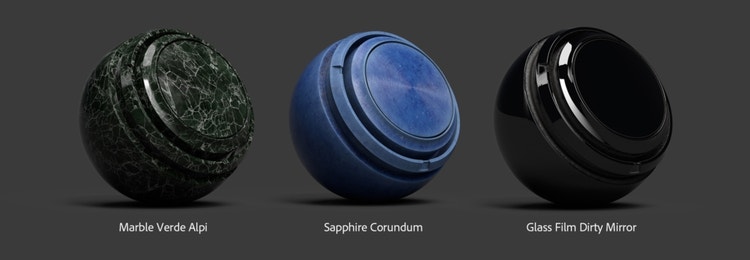
Substance Painter Summer 2019: Let’s Play With Faster Bakers and Smart Materials!
After Spring and the burgeoning trees, Summer brings ripened fruit. In our case, it means you can texture even faster, with massive bakers improvement, and a batch of 40 new smart materials and 20 new smart masks.
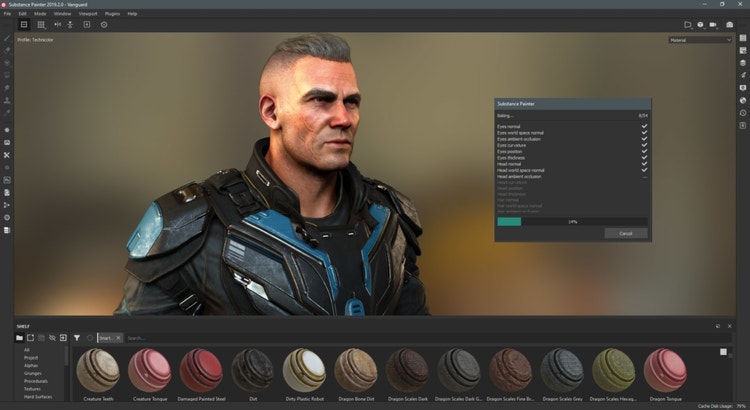
Baking allows you to record surface details from your model and transfer them into your texture. With the introduction of procedural texturing, baking has become an essential part of any texturing pipeline, and truth be told, the bakers in Substance Painter have been dormant for a while. This new release breaks that trend and it’s a game-changer!
Bakers: up to 200 times faster!
The new bakers in Substance Painter take full advantage of high-end GPUs to deliver up to 200x the speed of our former bakers, with the same high quality you’ve come to expect from the Substance bakers.
If you are the lucky owner of an NVIDIA GTX 10xx or any RTX GPU, the new bakers fully leverage the DXR raytracing API, allowing you to bake high-resolution maps in a couple of seconds instead of minutes!
Ambient Occlusion maps bake up to 193 times faster: 1 bake on 2019.1 = 60 bakes on 2019.2!
On RTX 2060
And Thickness maps bake up to 100 times faster!
1 bake on 2019.1 = 60 bakes on 2019.2!
For those of you with an older Nvidia GPU, Substance Painter now uses the Optix API to accelerate raytracing and still deliver much higher baking speed than previously possible. And if you’re using CPU, you will also benefit from a very noticeable baking speed improvement!
The speedup is so impressive, we thought it would be cool to be able to visualize the baking process in real-time. Not only seeing the bake materialize in front of your eyes is utterly satisfying, it also allowed us to revamp the progress dialog and add an additional speed boost to the overall baking process.
And what better way to explore just how far these bakers will take you than to play with smart materials? That’s what we thought, too.
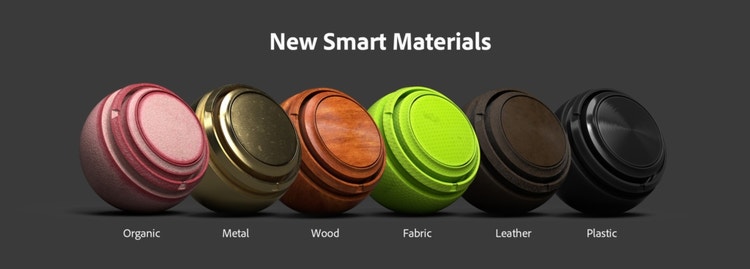
40 new Smart Materials
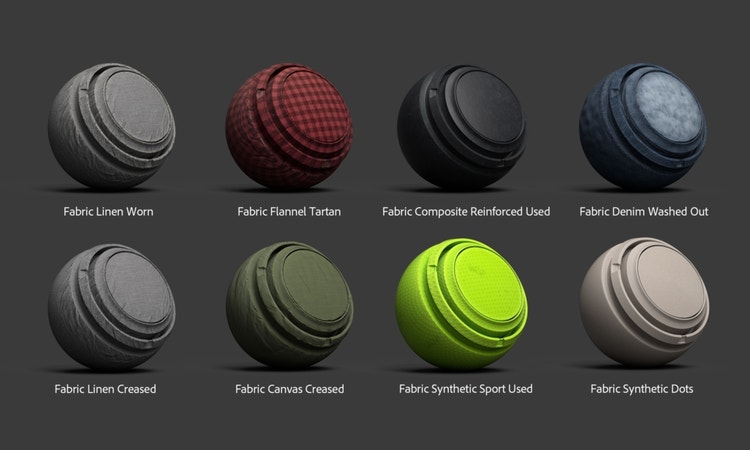
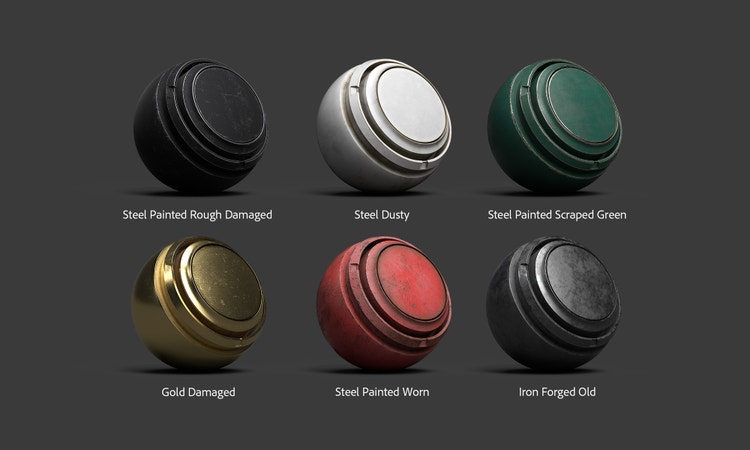
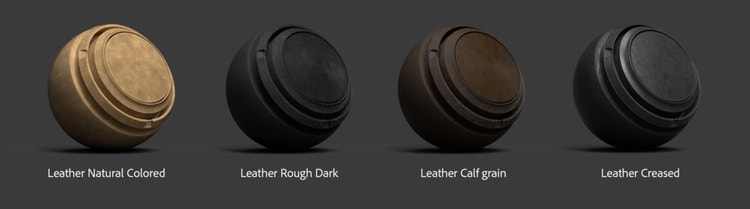
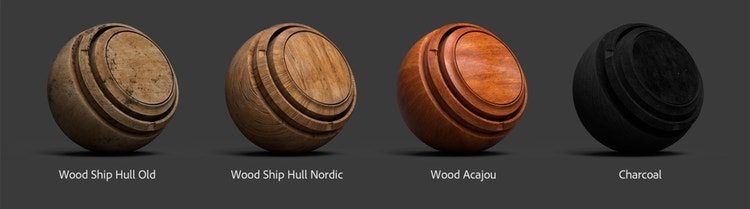
Today, your shelf content doubles its number of smart materials, bringing the total to over 80 assets to explore.
You may have seen some of those on Substance Share or as part of the now discontinued Mood Packs before; we updated them with the latest mask generators and added support for both Metal/Roughness and Specular/Gloss workflows.
Other smart materials were created by artists in the Substance team, who spent a few days focusing only on content creation for Substance Painter. Notable participants were members of the QA team, and demo artists from all over the world. We raise our hats to each of them!
Here is an overview of these new smart materials:
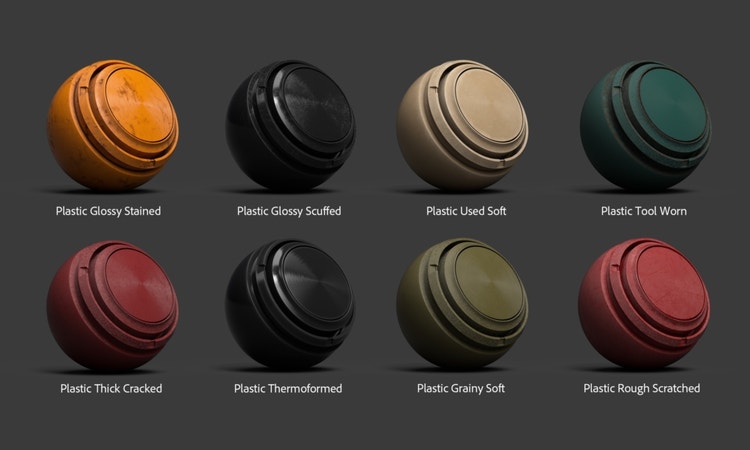
Plastic – Rubber
Fabric
Metal
Leather
Wood
Organic
And More
Also, 20 new smart masks are joining your shelf — including damages, splashes, leaks, dust and edges.
And that’s not all!
The team improved the scripting API with features like the ability to change your texture resolution. And to improve the experience even further, we added this really cool plugin which allows you to launch the scripting API function directly within Substance Painter. Download it for free right here – and let us know what you think!
There’s a lot more in this new Substance Painter release. All the details are in the documentation, check it out right here.
Today’s release concludes with a big thanks to our users, beta testers, and studios. Your input always helps us make Substance better. Please keep telling us how we can improve!

Share this page
style
grid width 8, M spacing
ContentType
Article
CardImage
CardImageAltText
Immersive 3D Painting - Adobe Substance 3D
Details
Jul. 25 2019
Title
Immersive 3D Painting - Adobe Substance 3D
Description
Texture even faster, with massive bakers improvement, and a batch of 40 new smart materials and 20 new smart masks. Try it today!
You can control how Adobe websites use cookies and similar technologies by making choices below. But note that if you disable cookies and similar technologies entirely, Adobe websites may not function properly.
Cookies are small text files stored by your web browser when you use websites. There are also other technologies that can be used for similar purposes like HTML5 Local Storage and local shared objects, web beacons, and embedded scripts. These technologies help us do things like remembering you and your preferences when you return to our sites, measure how you use the website, conduct market research, and gather information about the ads you see and interact with.
You can make choices in the menu below about what cookies and other technologies you want us to use on Adobe sites when you visit them from this browser. You can always change those choices later by clicking on the Cookie Preferences link at the bottom of the page.
If enabled:
We can improve your experience by tailoring the site and the content to things we think might be of interest
We can better keep track of your preferences — like what language you prefer to use
We will better understand your likely interests so we can provide you more relevant Adobe ads and content on non-Adobe websites and in non-Adobe apps
It will help us improve the performance of our website and those of our partners who use the Adobe Experience Cloud
If disabled:
We won’t be able to remember you from session to session so the experience may not be tailored to your interests
You’ll still have access to the content of the site but certain features that depend on cookies may not function
You’ll still see ads, they just may not be as relevant to you
General information
You can control how Adobe websites use cookies and similar technologies by making choices below. But note that if you disable cookies and similar technologies entirely, Adobe websites may not function properly.
Cookies are small text files stored by your web browser when you use websites. There are also other technologies that can be used for similar purposes like HTML5 Local Storage, web beacons, and embedded scripts. These technologies help us do things like remembering you and your preferences when you return to our sites, measure how you use the website, conduct market research, and gather information about the ads you see and interact with.
You can make choices in the menu below about what cookies and other technologies you want us to use on Adobe sites when you visit them from this browser. You can always change those choices later by clicking on the Cookie Preferences link at the bottom of the page.
If enabled:
We can improve your experience by tailoring the site and the content to things we think might be of interest
We can better keep track of your preferences — like what language you prefer to use
We will better understand your likely interests so we can provide you more relevant Adobe ads and content on non-Adobe websites and in non-Adobe apps
It will help us improve the performance of our website and those of our partners who use the Adobe Experience Cloud
If disabled:
We won’t be able to remember you from session to session so the experience may not be tailored to your interests
We’ll still count your use of our site and services
You’ll still have access to the content of the site but certain features that depend on cookies may not function
You’ll still see ads, they just may not be as relevant to you
Operate the site and core servicesOperate site and measure engagement
Always active
These cookies are required, and they are used to enable the site and related services core functionality. Without them the site could not operate, so they cannot be disabled.
These cookies enable the site and related services’ core functionality and collect statistics about user engagement, such as counting active use to help us understand trends. These cookies cannot be disabled.
Measure performance
These cookies are used to analyze site usage to measure and improve performance. Without them Adobe cannot know what content is most valued and how often unique visitors return to the site, making it hard to improve information we offer to you.
These cookies are used to analyze site usage to measure and improve performance. Without them Adobe cannot know what content is most valued, making it hard to improve information we offer to you.
Extend functionality
These cookies are used to enhance the functionality of Adobe sites such as remembering your settings and preferences to deliver a personalized experience; for example, your username, your repeated visits, preferred language, your country, or any other saved preference.
Personalize advertising
These cookies are used to enable Adobe and our partners to serve ads more relevant to your interests. Without them you will still see ads, but they might not be as relevant to you.