
PDF is an abbreviation that stands for Portable Document Format. It's a versatile file format created by Adobe that gives people an easy, reliable way to present and exchange documents — regardless of the software, hardware, or operating systems being used by anyone who views them.
The PDF format is now an open standard, maintained by the International Organization for Standardization (ISO). PDF docs can contain links and buttons, form fields, audio, video, and business logic. They can be signed electronically and can easily be viewed on Windows or macOS using Adobe Acrobat Reader.
Adobe Acrobat
Create a free account and try these tools for free.
In 1991, Adobe co-founder Dr. John Warnock launched the paper-to-digital revolution with an idea he called The Camelot Project. The goal was to enable anyone to capture documents from any application, send electronic versions of these documents anywhere, and view and print them on any machine. By 1992, The Camelot Project had developed into PDF. Today, the PDF is a file format used and trusted by businesses around the world.
PDF document conversion made easy.
Warnock’s vision continues to shape the way we work. When you create an Adobe PDF from documents or images, it looks just the way you intended it. While many PDFs are simply pictures of pages, Adobe PDFs preserve all the data in the original file format — even when text, graphics, spreadsheets, and more are combined in a single file.
PDF features that help you work smarter.
PDF files meet high standards.
You can be confident your PDF file meets ISO 32000 standards for electronic document exchange, including special-purpose standards such as PDF/A for archiving, PDF/E for engineering, and PDF/X for printing. You can also create PDFs to meet a range of accessibility standards that make content more usable for all people.
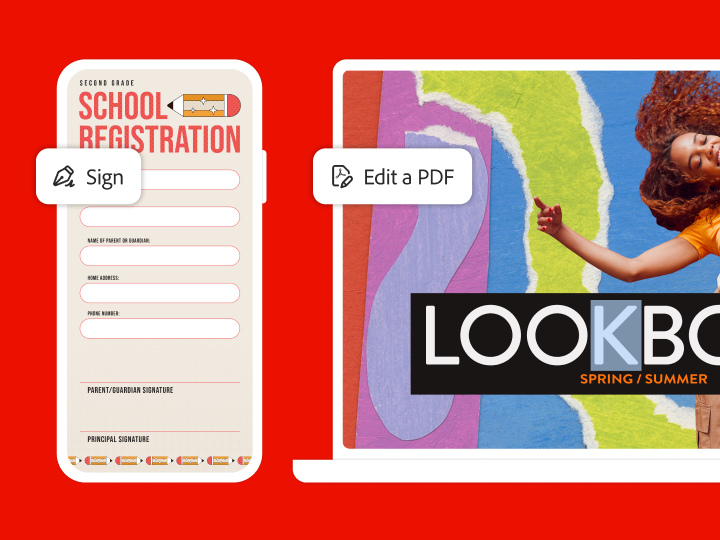
It's easy to electronically sign a PDF using the Adobe Acrobat Reader mobile app or the Acrobat Sign mobile app. Access your PDFs from any web browser or operating system. To manage legally-binding electronic or digital signature processes, try Adobe Acrobat or Acrobat Sign.
When you work with electronic documents, it’s important to make protection a part of your routine. You can password protect your PDF files to prevent others from copying and editing. Redact them to permanently delete sensitive information. You can even find and remove hidden data.
You can scan paper documents and forms to save as Adobe PDFs that are easy to search, share, and store. With optical character recognition (OCR) technology, you can edit text and make comments in the documents you've scanned. More than a PDF viewer, Adobe Acrobat Pro is the advanced PDF solution that lets you create, edit, and convert PDF files to other formats.
We partner with leading companies so you can add Adobe Document Cloud’s PDF tools to the applications your teams already use. With PDF tools embedded in Microsoft 365, you can instantly convert Microsoft Word documents, Excel files, or PowerPoint presentations to PDF for simpler, more streamlined workflows.
You can control how Adobe websites use cookies and similar technologies by making choices below. But note that if you disable cookies and similar technologies entirely, Adobe websites may not function properly.
Cookies are small text files stored by your web browser when you use websites. There are also other technologies that can be used for similar purposes like HTML5 Local Storage and local shared objects, web beacons, and embedded scripts. These technologies help us do things like remembering you and your preferences when you return to our sites, measure how you use the website, conduct market research, and gather information about the ads you see and interact with.
You can make choices in the menu below about what cookies and other technologies you want us to use on Adobe sites when you visit them from this browser. You can always change those choices later by clicking on the Cookie Preferences link at the bottom of the page.
If enabled:
We can improve your experience by tailoring the site and the content to things we think might be of interest
We can better keep track of your preferences — like what language you prefer to use
We will better understand your likely interests so we can provide you more relevant Adobe ads and content on non-Adobe websites and in non-Adobe apps
It will help us improve the performance of our website and those of our partners who use the Adobe Experience Cloud
If disabled:
We won’t be able to remember you from session to session so the experience may not be tailored to your interests
You’ll still have access to the content of the site but certain features that depend on cookies may not function
You’ll still see ads, they just may not be as relevant to you
General information
You can control how Adobe websites use cookies and similar technologies by making choices below. But note that if you disable cookies and similar technologies entirely, Adobe websites may not function properly.
Cookies are small text files stored by your web browser when you use websites. There are also other technologies that can be used for similar purposes like HTML5 Local Storage, web beacons, and embedded scripts. These technologies help us do things like remembering you and your preferences when you return to our sites, measure how you use the website, conduct market research, and gather information about the ads you see and interact with.
You can make choices in the menu below about what cookies and other technologies you want us to use on Adobe sites when you visit them from this browser. You can always change those choices later by clicking on the Cookie Preferences link at the bottom of the page.
If enabled:
We can improve your experience by tailoring the site and the content to things we think might be of interest
We can better keep track of your preferences — like what language you prefer to use
We will better understand your likely interests so we can provide you more relevant Adobe ads and content on non-Adobe websites and in non-Adobe apps
It will help us improve the performance of our website and those of our partners who use the Adobe Experience Cloud
If disabled:
We won’t be able to remember you from session to session so the experience may not be tailored to your interests
We’ll still count your use of our site and services
You’ll still have access to the content of the site but certain features that depend on cookies may not function
You’ll still see ads, they just may not be as relevant to you
Operate the site and core servicesOperate site and measure engagement
Always active
These cookies are required, and they are used to enable the site and related services core functionality. Without them the site could not operate, so they cannot be disabled.
These cookies enable the site and related services’ core functionality and collect statistics about user engagement, such as counting active use to help us understand trends. These cookies cannot be disabled.
Measure performance
These cookies are used to analyze site usage to measure and improve performance. Without them Adobe cannot know what content is most valued and how often unique visitors return to the site, making it hard to improve information we offer to you.
These cookies are used to analyze site usage to measure and improve performance. Without them Adobe cannot know what content is most valued, making it hard to improve information we offer to you.
Extend functionality
These cookies are used to enhance the functionality of Adobe sites such as remembering your settings and preferences to deliver a personalized experience; for example, your username, your repeated visits, preferred language, your country, or any other saved preference.
Personalize advertising
These cookies are used to enable Adobe and our partners to serve ads more relevant to your interests. Without them you will still see ads, but they might not be as relevant to you.