How to convert PSD to PDF online
Convert your Adobe Photoshop files into easy-to-share PDFs in just a few steps with free Acrobat online tools. Whether you’re presenting designs, preparing proofs or archiving creative work, knowing how to export Photoshop to PDF without extra software can save you both time and effort.
Follow these simple steps to convert PSD to PDF:
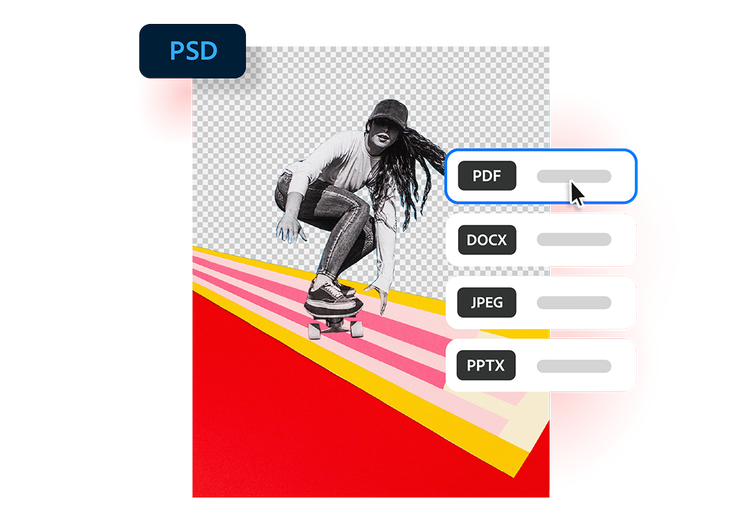
- Upload a source: Upload or drag and drop your PSD file into the converter tool above.
- Convert the file: Watch as your PSD file is processed and converted into a PDF in seconds.
- Download your document: Download your newly converted PDF file, then save, print or share.
Why use our PSD to PDF converter?
Using our tool to convert your PSD files to PDF can simplify your creative workflow. Here’s how:
https://main--da-dc--adobecom.aem.page/dc-shared/assets/images/frictionless/icons/share.svg

Share designs with ease
PDFs are an accessible cross-team tool. PDFs can be viewed without access to Adobe Photoshop, making it simple to send mock-ups, drafts and final artwork to clients, teammates and stakeholders.
https://main--da-dc--adobecom.aem.page/dc-shared/assets/images/frictionless/icons/image-quality.svg

Preserve your visuals
When you convert Photoshop PSD to PDF, you can ensure that the appearance of your design is maintained, including images, typography, colours and layout details. This helps to ensure your work is displayed exactly as intended across all platforms.
https://main--da-dc--adobecom.aem.page/dc-shared/assets/images/frictionless/icons/comment.svg

Collaborate and coordinate
PDFs are ideal for reviews and collaboration. Clients and coworkers can open, comment on and annotate your files without needing design software. So, it makes working as a team much simpler and more convenient.
https://main--da-dc--adobecom.aem.page/dc-shared/assets/images/frictionless/icons/print.svg

Create print-ready files
Turn layered Photoshop projects into polished PDFs that are easier to print and distribute for presentations, posters, packaging and marketing materials.
https://main--da-dc--adobecom.aem.page/dc-shared/assets/images/frictionless/icons/compress.svg

Reduce file complexity
PSD files often contain layers and editing data that make them large and difficult to share. PDFs, on the other hand, offer a cleaner, more portable version of your design.
https://main--da-dc--adobecom.aem.page/dc-shared/assets/images/frictionless/icons/more.svg

Do it all with your PDFs
Edit, organise and sign your PDFs with all the online tools that Acrobat has to offer. You can combine multiple files into a single PDF, compress large documents and protect sensitive information by adding password protection.
More ways to work with PDFs
Try our online tools to convert, compress and merge PDF files — Acrobat can do it all.

Try our free PDF to Word converter

Try our free JPG to PDF converter

Try our free Word to PDF conversion tool

Combine PDF files any time, anywhere
Questions about converting PSD to PDF? We have answers.
A PSD file is the file format used by Adobe Photoshop. It stores image layers, masks, text effects and other editable design elements used in creative projects like photo editing, digital art, web design and marketing graphics.
They’re useful for saving work-in-progress digital designs for ongoing projects, collaboration, and professional design workflows. Once the design is complete, it can be converted to other formats like PDF for sharing, printing or presenting.
Yes, you can easily export a Photoshop PSD file as a PDF. Just follow these simple steps:
- Open the file in Adobe Photoshop
- Go to File > Save As (or Save a Copy)
- Choose Photoshop PDF from the format menu, then hit Save.
Alternatively, you can use Adobe Acrobat’s free online PSD to PDF converter – just upload the document, then download your new PDF.
There are a few reasons why you may not be able to export your Photoshop file as a PDF. Common causes include using a modern version of Photoshop, as this gives you the option to Save a Copy instead of Save As for certain file formats – in which case just select Photoshop PDF from the list of options.
You may also have trouble exporting your PSD as a PDF if your file exceeds size limits, uses an unsupported colour mode, or requires a legacy preference to be enabled.
More resources

How to Open and Edit PDF on iPhone and Android
Understanding how to open and edit PDFs on your iPhone and Android can be useful for making changes on the fly. Find out how to edit and open PDFs on your smartphone.
How to Post a PDF to Facebook
PDFs are a great way to share information. While you can’t share PDFs on your personal Facebook page, posting a PDF on a Facebook group is a great way to share information in an easy, readable format.

Document Sharing and Distribution
Secure document sharing is a useful digital skill to have. Knowing how to share important documents between digital devices and over the cloud provides a convenient, safe option for transferring your essential files.
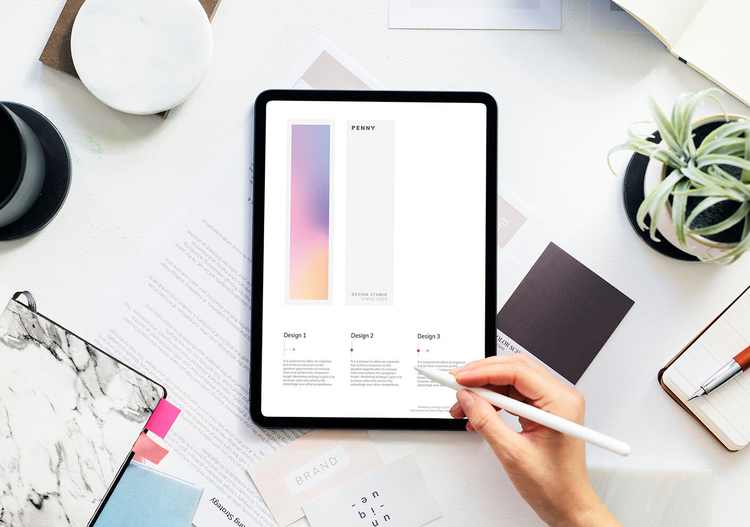
How to Draw on PDF
A picture is worth a thousand words. Sometimes, it’s just not enough to annotate PDFs - and who wants to look at all that extra text when a simple arrow would do the trick?
Use Acrobat tools for free
- Sign in to try 25+ tools, like convert or compress
- Add comments, fill in forms and sign PDFs for free
- Store your files online to access from any device
Create a free account | Create a free account Adobe Acrobat Sign in


