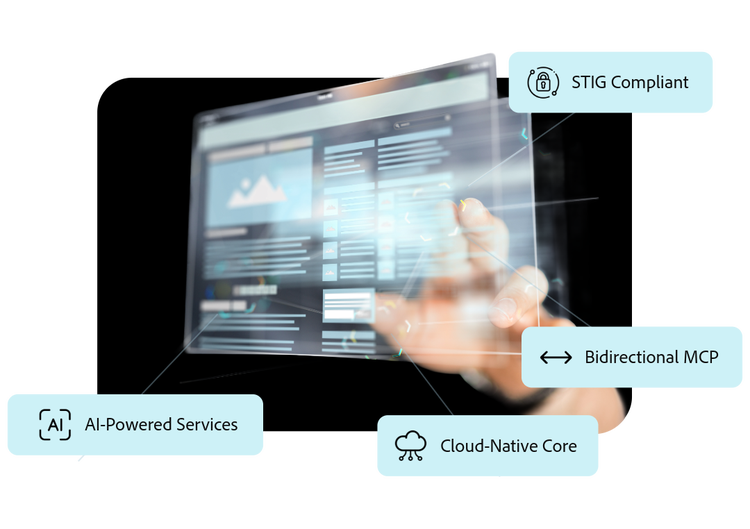
Bring AI into your applications faster and easier.
Build and deliver modern applications faster with a single platform that brings built-in AI, seamless integrations, and a simplified development experience together. Enhance applications with intelligent features, streamline development, and deploy new functionality without the overhead of managing multiple tools or frameworks.
We've redefined what's possible in application development; Adobe ColdFusion empowers you to tackle the toughest challenges in building and scaling modern web applications.
Build intelligent, AI-powered applications with enterprise-ready capabilities
ColdFusion provides a unified framework for developing AI-driven applications that connect models, enterprise data, and business workflows. With native support for LLM integrations, document processing, RAG, MCP connectivity, and vector databases, teams can build and deploy intelligent features faster while maintaining security, reliability, and control.
Connect to leading AI models and enterprise data to power intelligent features across applications.
Deliver context-aware, accurate experiences using retrieval, embeddings, and semantic search.
Scale AI-driven workflows with built-in security, governance, and enterprise-grade performance.
Simplify coding and accelerate your development cycles
ColdFusion Standard Edition delivers high productivity with intuitive tools and out-of-the-box features, enabling you to build and deploy applications faster with minimal effort.
Accelerate development with CFML, an easy-to-learn, tag-based scripting language.
Streamline workflows using over 800 built-in functions and reusable functions and intuitive tooling.
Boost productivity through Adobe ColdFusion Builder extension for VS Code IDE with intelligent code assist, debugging, and testing tools.
ColdFusion Standard Edition makes it easy to connect with databases, APIs, and external services, offering deployment flexibility across various platforms.
Easily connect to major databases like MySQL, PostgreSQL, and Microsoft SQL Server.
Leverage built-in support for REST and SOAP APIs to enable seamless integration with external systems.
Deploy applications anywhere with cross-platform support for Windows, Linux, and macOS.
Use containerization with Docker for consistent, scalable deployments.
Integrate third-party services like cloud storage, FTP, and payment gateways effortlessly.
Adobe ColdFusion Standard is a rapid application development platform designed for developers who need to build and deploy modern web applications quickly, with built-in tools for productivity, security, and integration.
ColdFusion Standard is ideal for small to mid-sized teams and applications that require fast development, strong security, and reliable performance without the complexity of enterprise-scale infrastructure.
ColdFusion Standard is designed for single-server deployments and moderate workloads, while Enterprise includes advanced capabilities like clustering, high availability, and deeper performance tuning for large-scale systems.
Yes. ColdFusion Standard supports APIs, integrations, and modern development workflows, making it suitable for building dynamic, data-driven web applications.
ColdFusion Standard includes built-in security features such as server lockdown, protection against common vulnerabilities, and secure session management.
ColdFusion Standard supports cost-effective scalability for moderate workloads, making it suitable for growing applications without requiring enterprise-level infrastructure.
Web applications and portals
APIs and backend services
Data-driven dashboards
Mobile backends and integrations
style
m-spacing-bottom
Let’s talk about what Adobe ColdFusion can do for your business.
You can control how Adobe websites use cookies and similar technologies by making choices below. But note that if you disable cookies and similar technologies entirely, Adobe websites may not function properly.
Cookies are small text files stored by your web browser when you use websites. There are also other technologies that can be used for similar purposes like HTML5 Local Storage and local shared objects, web beacons, and embedded scripts. These technologies help us do things like remembering you and your preferences when you return to our sites, measure how you use the website, conduct market research, and gather information about the ads you see and interact with.
You can make choices in the menu below about what cookies and other technologies you want us to use on Adobe sites when you visit them from this browser. You can always change those choices later by clicking on the Cookie Preferences link at the bottom of the page.
If enabled:
We can improve your experience by tailoring the site and the content to things we think might be of interest
We can better keep track of your preferences — like what language you prefer to use
We will better understand your likely interests so we can provide you more relevant Adobe ads and content on non-Adobe websites and in non-Adobe apps
It will help us improve the performance of our website and those of our partners who use the Adobe Experience Cloud
If disabled:
We won’t be able to remember you from session to session so the experience may not be tailored to your interests
You’ll still have access to the content of the site but certain features that depend on cookies may not function
You’ll still see ads, they just may not be as relevant to you
General information
You can control how Adobe websites use cookies and similar technologies by making choices below. But note that if you disable cookies and similar technologies entirely, Adobe websites may not function properly.
Cookies are small text files stored by your web browser when you use websites. There are also other technologies that can be used for similar purposes like HTML5 Local Storage, web beacons, and embedded scripts. These technologies help us do things like remembering you and your preferences when you return to our sites, measure how you use the website, conduct market research, and gather information about the ads you see and interact with.
You can make choices in the menu below about what cookies and other technologies you want us to use on Adobe sites when you visit them from this browser. You can always change those choices later by clicking on the Cookie Preferences link at the bottom of the page.
If enabled:
We can improve your experience by tailoring the site and the content to things we think might be of interest
We can better keep track of your preferences — like what language you prefer to use
We will better understand your likely interests so we can provide you more relevant Adobe ads and content on non-Adobe websites and in non-Adobe apps
It will help us improve the performance of our website and those of our partners who use the Adobe Experience Cloud
If disabled:
We won’t be able to remember you from session to session so the experience may not be tailored to your interests
We’ll still count your use of our site and services
You’ll still have access to the content of the site but certain features that depend on cookies may not function
You’ll still see ads, they just may not be as relevant to you
Operate the site and core servicesOperate site and measure engagement
Always active
These cookies are required, and they are used to enable the site and related services core functionality. Without them the site could not operate, so they cannot be disabled.
These cookies enable the site and related services’ core functionality and collect statistics about user engagement, such as counting active use to help us understand trends. These cookies cannot be disabled.
Measure performance
These cookies are used to analyze site usage to measure and improve performance. Without them Adobe cannot know what content is most valued and how often unique visitors return to the site, making it hard to improve information we offer to you.
These cookies are used to analyze site usage to measure and improve performance. Without them Adobe cannot know what content is most valued, making it hard to improve information we offer to you.
Extend functionality
These cookies are used to enhance the functionality of Adobe sites such as remembering your settings and preferences to deliver a personalized experience; for example, your username, your repeated visits, preferred language, your country, or any other saved preference.
Personalize advertising
These cookies are used to enable Adobe and our partners to serve ads more relevant to your interests. Without them you will still see ads, but they might not be as relevant to you.