
Your solution is GPU ready with Adobe PDF Print Engine

Smart GPU acceleration. Trusted CPU execution. End-to-end Adobe intelligence.

From CPU to GPU: the next leap in production print performance

Your customers are running more jobs per shift, serving more market segments, and taking on work from a wider range of creative and enterprise sources than ever. Transparency handling, spot color management, variable data, step-and-repeat, high-resolution imagery, complex vector art: the workloads hitting your DFE or RIP keep getting harder, and the pressure to increase throughput, cut idle press cycles, and lower cost per job never lets up.

For decades, the answer to "make the RIP faster" was "add more CPU horsepower." That still matters. But the hardware landscape underneath your solution has shifted: from single-core to multi-core, from one box to distributed environments, and now to heterogeneous CPU+GPU platforms that ship standard in more of the systems your customers already own. That's an opportunity for you, but only if the acceleration lands in the right places.
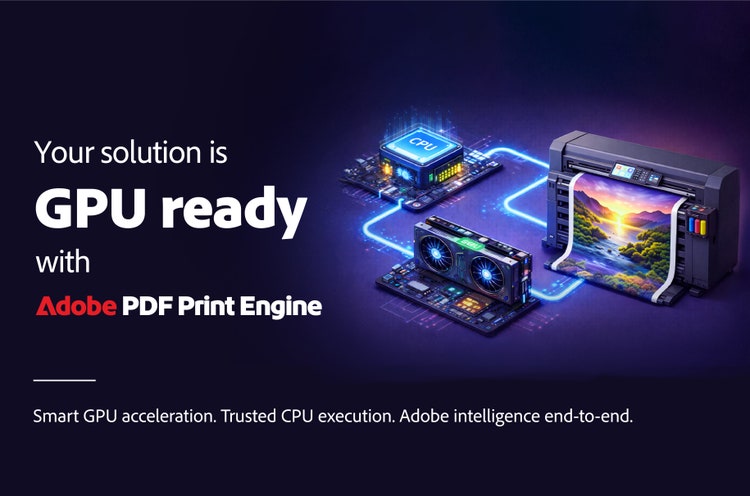
CPU to GPU

The honest truth about GPUs

Before building GPU acceleration into Adobe PDF Print Engine, it's worth clearing up a few claims that get repeated across the industry. None of them hold up under real production workloads, and they matter to how you evaluate any GPU-accelerated RIP technology you bring into your solution.

The reality is more nuanced, and more useful. The ideal approach isn't "GPU instead of CPU." It's CPU and GPU, each doing what it does best. Keep the sequential, logic-driven work on the CPU. That's what protects color fidelity and faithful reproduction of the designer's intent. Then selectively accelerate the highly parallel, compute-heavy operations on the GPU: image processing, color conversion, and the reuse of cached rasters. When a job doesn't clear the bar for meaningful acceleration, it just stays on the CPU. No drama, no penalty.

That's the approach Adobe has taken to bring GPU acceleration to Adobe PDF Print Engine: CPU and GPU, each doing what it does best. For you, the payoff is a solution that helps your customers run more jobs per shift, drive presses at their rated speeds, and get more return out of the press investments they've already made.

How Adobe PDF Print Engine puts GPUs to work

Where it pays off in your customers' workloads

Where it pays off in your customers' workloads

VARIABLE DATA

Reuses cached elements constantly, exactly the kind of repeating raster work that parallel processing eats for breakfast.

HIGH-RES PHOTO

Leans on image upsampling and color conversion, the two operations that hand off cleanest to a GPU.

STACKED JOBS
Stack two or three of those characteristics in a single job and the gains compound, particularly on image-heavy, color-managed work like digital color on demand, promotional, and packaging and label jobs.

GPU presence and class vary widely across systems in the field, from an integrated chip to a discrete card with thousands of cores. Adobe PDF Print Engine adapts to whatever hardware is actually present, so you're not locked into a specific configuration.

GPUs won't make every job faster, and we won't tell you otherwise. Applied where they belong, alongside the CPU work that protects color fidelity and workflow intent, they're one of the most accessible performance levers available to your solution today. Your customers' presses are ready. With Adobe PDF Print Engine, so is everything in front of them.

linkedin facebook youtube .

Join the conversation

If you have any questions, write to us at pdfprintengine@adobe.com


Save today