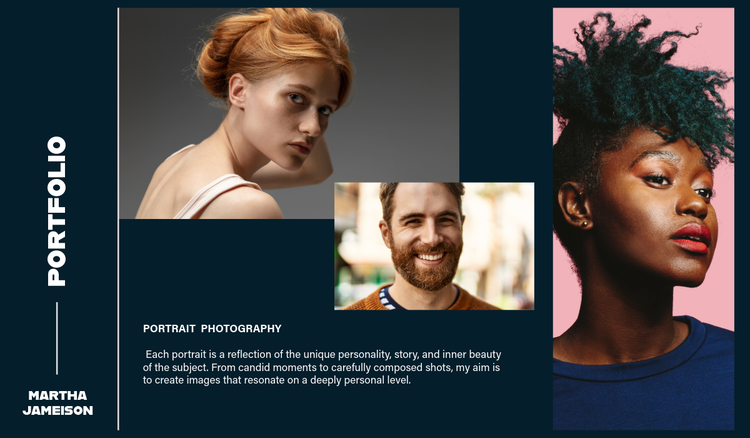
Tips for designing a professional portfolio cover page.
You want to ensure your professional portfolio cover page is the best it can be to help you land those all-important jobs or help you achieve top marks if you’re still studying.
Here are a few useful practical design tips and considerations for your portfolio.
Typography hierarchy
Use font size, weight, and style to clearly differentiate between elements featured on your portfolio cover page, like your name, portfolio title, and any supporting text. This helps to guide the viewers around the page and adds structure to your layout.
Visual balance and spacing
Unless you’re going for a collage-style cover, you should avoid overcrowding your content to stop viewers from being overwhelmed. Aim to use generous margins and whitespace to create breathing room between elements. This helps to establish a clean, well-organised layout that’s easy and enjoyable to look at.
Grid alignment
Another key method of keeping your portfolio cover page cohesive and well-organised is grid alignment. Whether you’re going minimal or want something more illustrative, using a grid can help you align everything from text to images and logos.
Colour palettes and consistency
Think about the mood of your portfolio and ensure this is reflected in the cover page. Muted tones often work well for formal or architectural portfolios, while bold colours can add personality and energy for creative industry portfolios like fashion or graphic design.
Will your portfolio be print or digital? Or, if you really want to push the boat out, you can format for both so they’re always ready to send or showcase, no matter the setting. For print, make sure your resolution is 300 DPI and that bleed and margin settings are set accordingly. For digital, always optimise for screen readability and file size to ensure an enjoyable and easily digestible experience across different devices.