What is a vision board and how can it spark action?
Learn the basics of a vision board, what they include, and how to create one to identify and visualise your goals.
Sometimes having a clear picture of your goals can be the first step to achieving them. That’s where vision boards come in, offering a motivating way to turn aspirations into actionable goals. This collage of images, drawings, and other visuals represent your goals, dreams, and ambitions – whether it’s a marketing project or room décor inspiration.
Whatever your ambitions, a vision board can help you keep them top of mind. Discover how to make a vision board and turn passive manifesting into active goal-setting with vision board ideas and templates from Adobe Express.
What’s the meaning of a vision board?
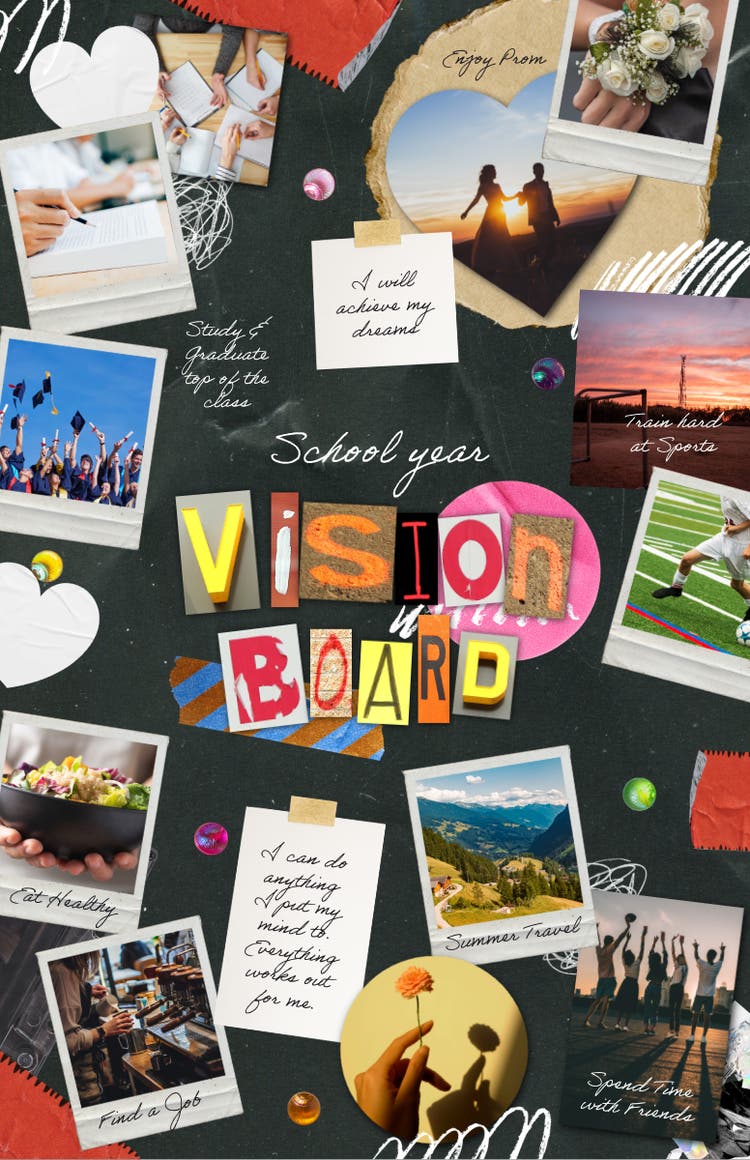
A vision board is a collection of images, illustrations, and other visual elements that symbolise your goals and ambitions. It’s used to clarify your goals, inspire action, and promote a positive mindset.
Also called dream boards or goal boards, vision boards help you manifest your ambitions and bring them to life so they’re easier to work towards. They can be physical or digital.
You might use a vision board for several reasons, such as:
- Planning a dream holiday. You might include images or postcards of dream destinations in your vision board to clarify your travel goals, stay motivated, and inspire action.
- Launching a new business venture/project. Every business venture has multiple moving parts. Transform vague ideas into concrete visuals and make your goals easier to follow.
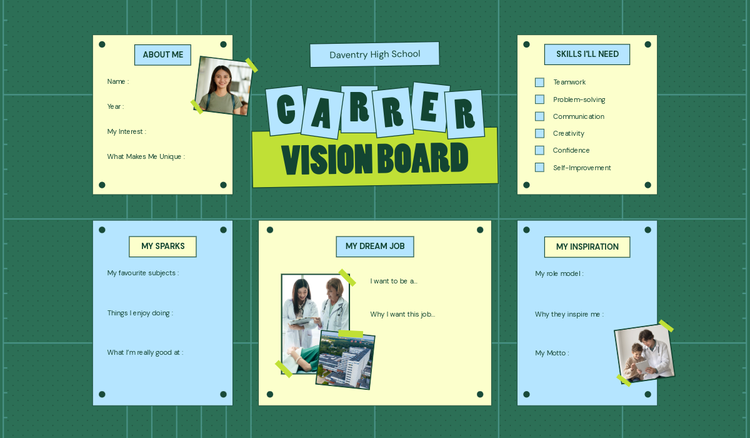
- Aiming towards a dream career. A vision board can help you define your career goals, desired work environment, and overall career vision.
- Visualising your perfect home. Make a vision board with images and quotes to map out your architectural style, interior design, and more.
- Keep track of your financial goals. Include affirmations and images related to income, investments and other long-term financial goals.
Template IDs
(To pull in manually curated templates if needed)
Orientation
(Horizontal/Vertical)
Width
(Full, Std, sixcols)
Limit
(number of templates to load each pagination. Min. 5)
Sort
Most Viewed
Rare & Original
Newest to Oldest
Oldest to Newest
Premium
(true, false, all) true or false will limit to premium only or free only.
How to make a vision board.
Creating a vision board can be fun and simple. As it’s personal to you, there’s no pressure to make it perfect. All that matters is that it accurately reflects your goals and how you want to achieve them.
Get started on a vision board that speaks to your creativity and aspirations with these steps:
1. Set a clear vision or goal.
Vision boards allow you to reflect on your ambitions and desires. This is the foundation of your vision, so be as clear as possible. Consider what you want to manifest with your board and describe how to get there in detail. For example, if your goal is a new car, think about the make, model, and colour.
2. Decide on a physical or digital board.
Your medium will determine how you shape the rest of your board. Physical boards can include collages, posters, a corkboard, or canvas as a base. For a digital vision board, you have handy tools and vision board ideas on Adobe Express.
3. Gather vision board inspo.
With your goals and format covered, you’ll need materials to bring your vision board to life. If you’re going physical, gather items such as glue sticks, markers, pictures, stickers, and stamps. For a digital board, you’ll need images, quotes, and other visual items ready to place.
4. Get the layout right.
Your vision board is unique to you, so you can arrange it however you like. Use a grid section into categories to create a seamless flow. Or randomly arrange your images for artistic flair. Other vision board templates have a central image that depicts a key aspect of your goal.
5. Keep updating your vision board.
As your goals change, so should your vision board. Refresh old pictures with new ones that match your updated vision, and remove elements of goals you’ve already achieved. Your vision board is a living document, so don’t be afraid to update and refine as you go along.
What to put on a vision board.
The elements you include in your vision board will depend on your goal, the medium, and whether it’s for business or personal use. But you can afford to get as creative as possible.
For a physical vision board, you might include:
- Photos and drawings.
- Motivational quotes.
- Newspaper or magazine cutouts.
- Fabrics and textures.
- Postcards.
- Natural items (e.g., leaves).
- Decorative stickers.
- Glitter.
- Ribbons or trims.
- Souvenirs and mementos.
For a digital vision board, you can incorporate:
- Images or screen captures.
- Links to websites, articles, or resources.
- Stickers and icons.
- Videos or GIFs.
- Motivational quotes or captions.
- Music.
How can Adobe Express help you create a vision board?
Creating a vision board is easy with Adobe Express. Whether you’re building a physical or digital vision board, we have a range of tools and resources available to help you visualise your goals.
1. Get inspiration for your next vision board.
Stuck for vision board inspo? Get inspired by examples that can turn a rough concept into a real-life vision. Explore vision board ideas and discover fun and exciting ways to organise your dreams.
2. Use a poster to show off your vision.
Not only are posters a great base for your vision board, but they are also a traditional foundation for vision boards. Create a dynamic poster with gripping visual elements that speak to your vision.
3. Plan things step by step with an infographic.
Infographics present information in a visual way, helping to organise and visualise your goals. Build an infographic with a structured layout of images, texts, and more to present your aspirations.
Bring your vision board to life with AI text effects.
No vision board is complete without some eye-catching fonts. Adobe Express’s AI Text Effects tool can transform plain text into striking visual elements. Enter a motivational quote or phrase, choose a style, and watch the AI generate unique text designs in minutes. Opt for patterns and textures that add a dynamic effect to your vision board. Or play around with colours that breathe more life into your vision board. With several stylistic options available to suit your goals and vision, you can make sure every word counts.
Good to know.
Do vision boards really work?
While vision boards aren’t a guaranteed path to success, they can be effective in visualising your goals and the necessary steps to achieve them. A vision board can be a powerful tool to inspire and motivate, with visual elements that add clarity and focus.
What should you not put on a vision board?
A vision board is what you make it, but it’s worth avoiding certain elements when creating yours. You want to generally steer clear of:
- Goals that aren’t truly yours.
- Unclear or vague aspirations.
- Too many images or words.
- Negative or limiting beliefs.
- Images that show the outcome without the effort.
Should I let others see my vision board?
Whether you share your vision board or not is entirely up to you. If you do decide to share with others, you can create a sense of accountability, spark inspiration, and foster connection or collaboration. If you choose to keep it private, it might be to protect your goals and avoid distractions – and that’s fine too.
Is Adobe Express free?
Yes, our free plan offers many core features including thousands of templates, photo editing and effects, animation, and 5 GB of storage. See our pricing page for details and to compare plans.