How to create a photography mood board.
Create a standout photography mood board to communicate your vision and inspire your next photoshoot.
Got an upcoming photoshoot in the calendar? Pin your ideas down with a custom photography mood board. Mood boards for photography can be used to define and refine the vision for your next project and help you nail your brief.
If you’re looking for photography mood board ideas, this guide from Adobe Express is a great place to start. Explore what a photography mood board is, why it’s useful, and browse a range of examples to help plan and visualise your next shoot.
Jump to this section:
What is a photography mood board?
Free photography mood board examples.
Why use a mood board for your photo shoots?
How to make a photography mood board with Adobe Express.
Get inspired for your next shoot with photography mood board ideas.
What is a photography mood board?
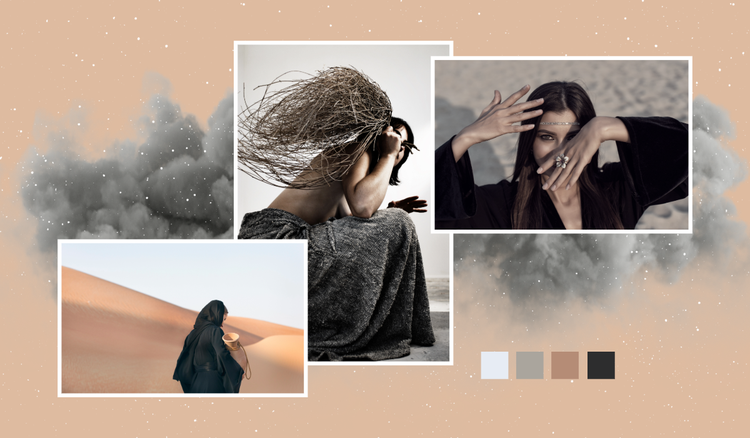
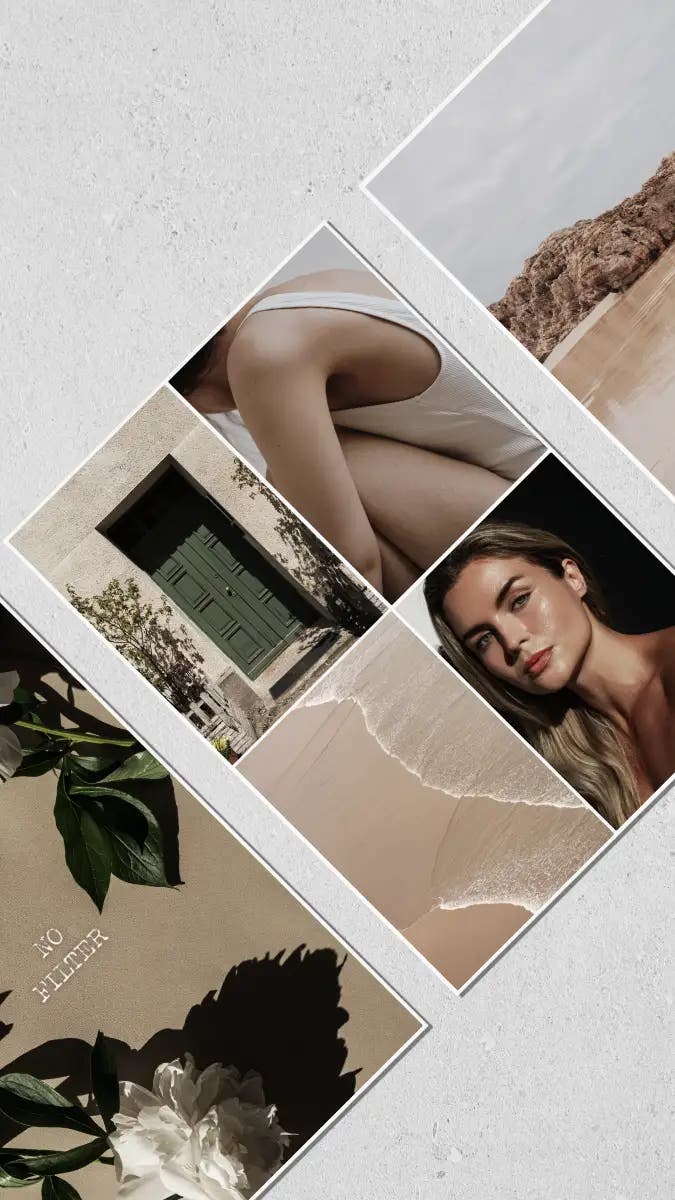
A photography mood board is a visual planning tool used to communicate the look, feel, and direction of a professional or personal photoshoot. Commonly used by photographers, creative directors, stylists, and clients, mood boards for photography feature a collection of images and other visual elements. This can include images of similar photoshoots, along with colour palettes, textures, poses, locations, lighting references, and styling ideas.
Photography mood boards help to ensure that everyone is aligned on a shared vision before the shoot takes place. They’re particularly beneficial when working with clients on professional projects, or shoots with multiple stakeholders. They’re also useful for various photography projects, lookbooks and brand campaigns.
Free photography mood board examples.
Collection ID
(To pull in manually curated templates if needed)
Orientation
(Horizontal/Vertical)
Width
(Full, Std, sixcols)
Limit
(number of templates to load each pagination. Min. 5)
Sort
Most Viewed
Rare & Original
Newest to Oldest
Oldest to Newest
Premium
(true, false, all) true or false will limit to premium only or free only.
Why use a mood board for your photo shoots?
Using a photography mood board can help make your photoshoot run more smoothly. From providing a clear vision to helping your team align on what is needed on the day, your mood board can bring a host of benefits to your project.
Here are a few more ways a mood boards are useful for photography:
- Make a clear plan for the shoot. A photography mood board can help you get your ideas down, taking your plan from an initial concept to a concrete strategy. It can include what will be needed to get the perfect shot, from equipment and outfits to makeup and locations.
- Get ideas for posing, positioning and shooting angles. Collating images from existing shoots or projects can provide you with great inspiration for your own work, giving you examples to reference to for things such as framing, lighting and poses.
- Get everyone on the same page. Your photography mood board can serve as a shared point of reference for all members of your team. From photographers, lighting technicians and stylists to clients. You can ensure everyone has one clear goal to work towards.
- Make the process more efficient. When everyone’s on the same page for your photoshoot, you can avoid hiccups and miscommunications which could otherwise result in delays. You can also make decisions more confidently knowing everyone involved is aligned with your vision.
- Refine your aesthetic. Not only can a photography mood board help you define your style, but it can also help you refine it too. Seeing everything in one place can identify a consistent artistic approach and improve on it by refining the elements that make your photography successful.
How to make a photography mood board with Adobe Express.
Adobe Express can help you create an inspiring photography mood board for your next photoshoot. Our innovative tools are designed to make creating every type of mood board quick and easy. Below, we’ll take you through the steps you’ll need to take to design your own mood board for photography, plus outline a few ways Adobe Express can help.
1. Choose the theme or direction for you shoot.
The first thing you need to do is select the theme or direction you want to take for your photoshoot. This will influence every decision you make for your project. There are plenty of themes to choose, from minimalistic neutrals to retro bold. It all depends on what and who the photoshoot is for.
2. Look for inspiration and ideas online.
It’s a good idea to spend some time researching existing trends and shoots for inspiration for your photography mood board. Take a look at different poses, angles, edits, effects, filters, backdrops, props, outfits, and so on. Check out photography blogs, magazine editorials and movies for images that spark creativity. You don’t have to stick to online research either – magazines, books and prints from other photoshoots can be just as beneficial.
3. Choose your mood board template.
You don’t have to start the mood board for your photography project from scratch. There are plenty of mood board templates available to help make the process simpler and more convenient. Adobe Express offers a variety of mood board templates for all kinds of projects, from photography to fashion and weddings.
4. Factor in any colour palettes.
Choosing a suitable colour palette can define the aesthetic of your entire photography mood board. Select a colour scheme that fits your theme, for example – if you’re going for a minimalistic vibe, whites and other neutrals could work best. Or if you’ve chosen a bold theme, opt for vibrant colours like yellows, greens and reds. Seeing your colour choices in one place can help identify any potential clashes and ensure your shoot is visually cohesive.
5. Edit and refine your photography mood board.
Last but certainly not least, take some time to edit and refine your photography mood board. Does it look the way you envisioned it? Does it inspire you for your next shoot? You’re likely to identify a few things that can be improved – from additions to omissions, colour changes and more. You can even share your mood board with others for feedback. A mood board should evolve throughout its creation and taking time to reflect will help keep your vision clear.
Get inspired for your next shoot with photography mood board ideas.
Collection ID
(To pull in manually curated templates if needed)
Orientation
(Horizontal/Vertical)
Width
(Full, Std, sixcols)
Limit
(number of templates to load each pagination. Min. 5)
Sort
Most Viewed
Rare & Original
Newest to Oldest
Oldest to Newest
Premium
(true, false, all) true or false will limit to premium only or free only.
Tips for making a photography mood board.
There are a few things you can do to elevate your photography mood board and ensure it’s fit for purpose. Whether you’re creating the mood board for a personal project or as part of a client brief, here are some tips and tricks for making it as effective as possible.
- Collaborate with your clients and models. To make sure your photography mood board is aligned with the overall goal, collaborate with the client and get them involved in the early stages so it fits in with their vision. You can also engage with your models to ensure they know what to expect on the day.
- Add notes and instructions where needed. Your mood board doesn’t have to be all visual, you can add in some notes, annotations and instructions to make it as detailed as possible. This makes it easier to understand for others. Consider adding details like camera model, lenses, shutter speed and aperture.
- Tailor to your audience. Define your audience and ensure the photography mood board fits their needs. For example, if it’s for a client, take time to understand their goals and let this drive every decision for the mood board and photoshoot. If it’s for an academic assignment, ensure you communicate your concept clearly and demonstrate your creative thinking.
- Don’t overload with images. Avoid picking a bunch of random images and adding them your mood board. You board should be made up of carefully selected images that meet your theme and communicate key messages. Too many visuals can overwhelm and confuse viewers.
- Add in some of your own work. Don’t be afraid to show off some of your best work, if it fits your theme. It’s a great way to showcase previous work and demonstrate growth.
Resize photos and images with the AI Image Resizer.
Need to resize some images for your photography mood board? You can do all that and more using Adobe Express’ AI Image Resizer. Make photos smaller or larger, landscape or portrait with just a few clicks Our AI-powered image resizer makes it easy to crop and position your images with precision. It automatically fills in empty areas, helping you create a smooth, well-balanced layout—without the hassle of awkward shapes or manual adjustments. Master image resizing from websites to social media. No design experience needed.
Good to know.
What do you need to plan a photoshoot?
To plan a photoshoot, you’ll need a clear concept, a photography mood board for visual direction, and a shot list or creative brief to work towards. These are the initial factors you’ll need to organise, from there you can begin to arrange elements such as location, permits and wardrobe.
How many pictures should a mood board have?
A photography mood board typically has around 5-15 images in total. The exact number will depend on your brief and goal, but you should aim to include enough to communicate your vision – but not too many, as this can overwhelm viewers.
Is Adobe Express free?
Yes, our free plan offers many core features including thousands of templates, photo editing and effects, animation, and 5 GB of storage. See our pricing page for details and to compare plans.