How to create a wedding mood board.
Planning a wedding is fun and exciting. Get creative by making a wedding mood board to capture all your ideas.
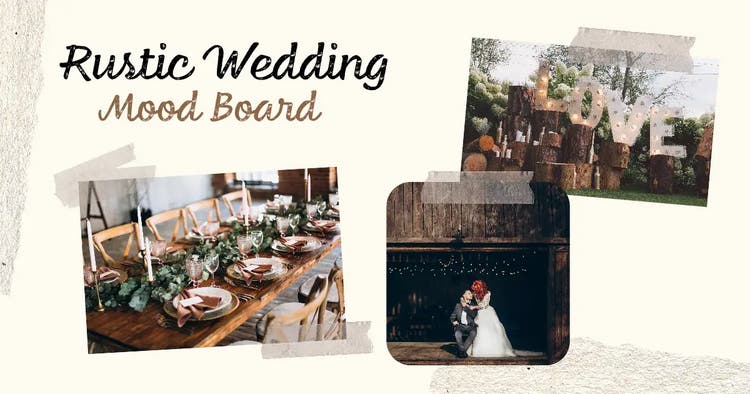




A wedding is one of the most exciting days in a person’s life and planning it should be just as joyful. But let’s be honest—it can also be overwhelming. The good news? With the help of a well-crafted wedding mood board, you can take the stress out of planning and actually enjoy the process.
Don’t miss a single detail from the bouquet to the banquet by creating a mood board for your wedding with help from Adobe Express. Read our guide below to discover wedding mood board examples.
What is a wedding mood board?
A wedding mood board is a space that collates every detail and idea you have for your wedding. It typically features materials, images, colours, text and sometimes even video (if you choose to create a digital mood board). The possibilities are endless when it comes to creating a wedding mood board.
A wedding mood board is a great way to bring all your planning ideas into one place. It lets you visualize different options side by side, making it easier to choose the perfect elements for your special day
On your wedding mood board you can include:
- Colour pallets
- Styles of wedding stationery (invitations, seating plan, welcome sign etc.)
- Dress ideas (bride and bridesmaids)
- Suits
- Different flowers
- Music options
- Different entertainment.
recipe
What are the benefits of making a mood board for a wedding?
There is so much that goes into planning a wedding. Whether it’s an intimate ceremony or you plan on inviting many people, it’s an orchestrated event that should run smoothly. Below are some benefits of making a mood board.
- Can be customised to suit your wedding aesthetic. You can tailor a mood board to your wedding style. Traditional, modern, or a themed – your wedding aesthetic can start when the planning begins.
- Helps you express your vision to vendors. You might have big visions of flowers cascading down staircases or how you want every strand of hair placed. A mood board will help you showcase your thoughts to vendors so they can clearly see the vision too.
- Helps keep you organised and on track. As we’ve said before, there is a lot that goes into planning a wedding, a wedding mood board can keep you on track. Try adding a checklist or schedule to see what’s booked and what still needs organising.
- Helps with decision making. Unsure of what matches or whether something has a place on your wedding day? Your wedding mood board is here to help. With carefully curated images, textures, fabrics and more, you can narrow down your choices and make final decisions.
- Allows you to visualise the big day. ‘ Big day’ is an understatement, so it can be hard to picture it. A wedding mood board pulls different elements of a wedding together, bringing the vision to life. You can see what the flowers look like against the dress, and where all your guests will sit, long before the big day.
- Can promote collaboration. The mood board isn’t just your mood board (even if you have done most of the planning!) You can get your intended to work on it, your bridesmaids, groomsmen and parents. Everyone involved can easily see elements that include them.
How to make a wedding mood board with Adobe Express.
Want to know how to make a wedding mood board? Below are our tips to help you create the best mood board that captures your colour scheme, theme and much more.
1. Discuss your vision with your partner.
Talk to your partner about the vision for the mood board, this gives the both of you an opportunity to share your expectations for the wedding. You can discuss whether you plan on sending save the dates, or if you want to send physical or digital invitations. You can decide if you want to provide a menu or is it a set meal? These initial conversations will help establish the priorities and direction of the wedding mood board.
2. Look for ideas online.
Now is the time to gather inspiration and ideas. Social media is a great place to find real-life weddings and celebrations. Have a dream venue? Head to their accounts and see how other couples styled that location. You can check out Instagram, Facebook, TikTok and don’t forget Pinterest.
3. Choose your mood board template.
Once you’ve gathered some ideas, you can now choose a wedding mood board template. Adobe Express has hundreds to choose from – pick a mood board that suits your wedding aesthetic. There are sleek, rustic and elegant mood board templates to choose from. Your mood board should reflect you, so choose a template that fits.
4. Decide on your wedding colour palette.
Did you know humans can see around one million different colours? We can register 100 different shades, which can then turn to a million combinations. You can narrow this down to two or three colours to create your wedding colour scheme. Think about the hero colour and then any accent colours, consider the time of the year, your venue and your overall theme.
5. Build out your mood board.
Once you’ve gathered your research and ideas for your dream wedding, you can collate them on your mood board. You could have a general mood board and then separate ones for key areas of planning.
How to bring your wedding mood board to life.
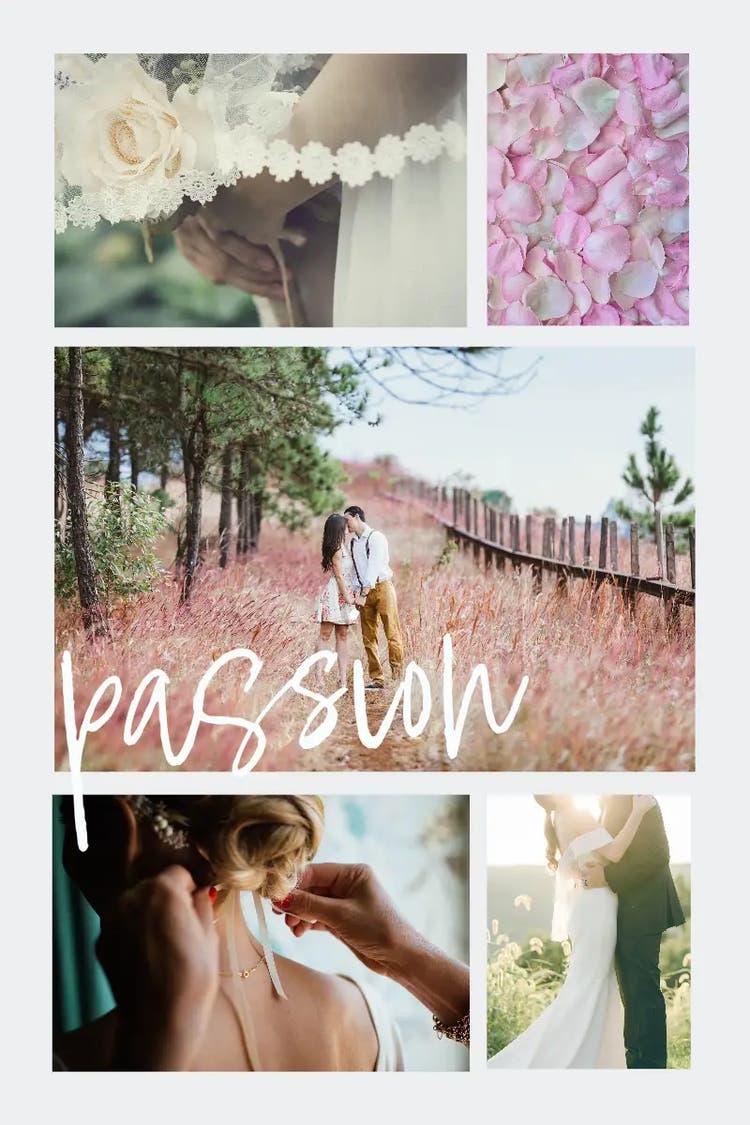
Wedding mood board ideas.
You don’t need to have just one wedding mood board. You can make a few so all areas of your wedding planning are covered. Below are some mood board ideas to get you started.
- Interior design and décor. From chair sashes to candles, there are a lot of decorations to consider for a wedding. Create a mood board just for décor and craft the ideal aesthetic.
- Colour palettes, patterns and designs. Include images of your colour palette. This can be visualised as paint swatches or captured through collages of images.
- Flowers and table settings. Do you want real flowers or silk flowers? Consider the colours, and arrangements you want. Are you having flowers as the table centrepieces, do you want them adorning a staircase or at the entrance? Keep in mind not all flowers are available year-round, so your wedding season could impact your choice.
- Dream outfit inspiration. There are likely two very important outfits you need to plan: the happy couple. You can then plan any other outfits for the wedding party. Piece together options for dresses, suits, hats and accessories and make sure everyone looks their best.
- Locations. There are so many locations to get married. From local village churches, grand country estates, castles, barns or even a destination abroad – add all your favourite locations and venues to your wedding mood board to see which one suits the other mood board themes. Just be sure to check the weather when deciding.
Free wedding mood board templates from Adobe Express.
recipe
Resize different images for your wedding mood board with AI.
With Adobe Express, you can use AI to effortlessly design your wedding mood board. Our AI image resizer helps you crop and structure your images just right, making it easy to arrange them exactly where you want. No need to stress about awkward shapes—AI will intelligently fill in any gaps to create a seamless, polished look.
You might also like...