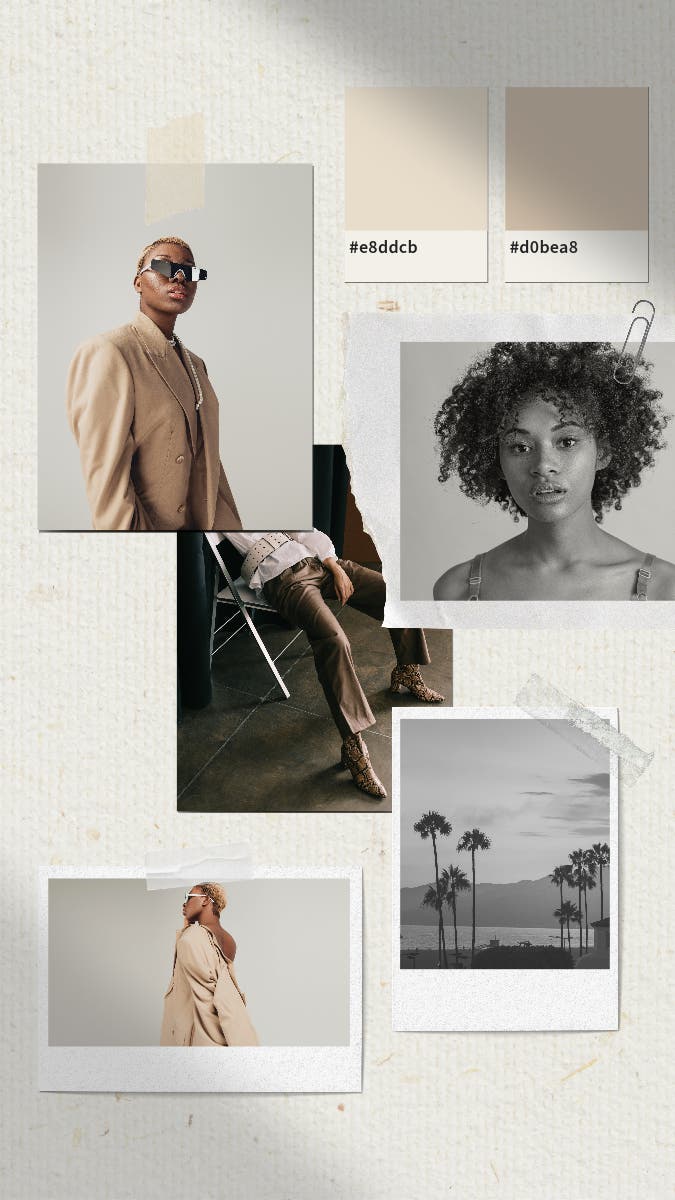
How to make a fashion mood board with Adobe Express.
Adobe Express can help you put together an inspiring fashion mood board to ensure your designs are organised and presented in the best way possible.
Follow these quick and easy steps to create one of your own.
1. Pick your theme.
First things first, you’ll need to select a theme for your fashion mood board. Brainstorm some ideas around what inspires your designs – for example, are you focused on 90s fashion or a clean, minimalist aesthetic? You should also consider what you want your end-product to look like. This can include everything from colours to textures and embellishments.
2. Choose a fashion mood board template or start from scratch.
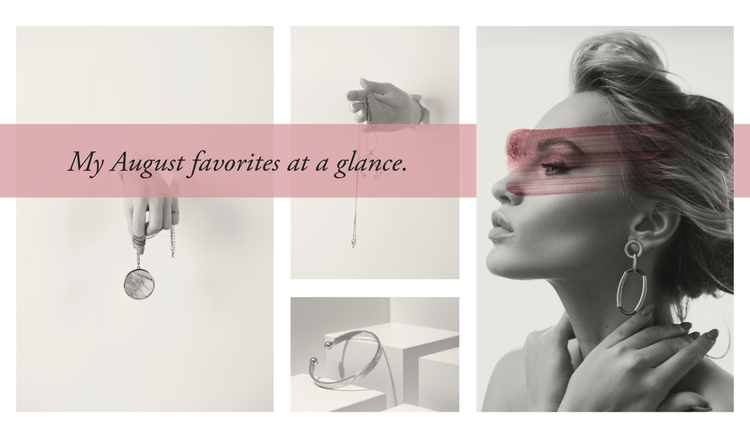
Next, pick a suitable fashion mood board template to help you nail your design. Choose from simple styles to focus on your designs or complement your work with an equally quirky collage design. Alternatively, you can create your mood board from scratch to take full creative control of the process and showcase your unique style.
3. Select your favourite images for inspiration.
Browse the web for some image inspiration for your fashion design mood board. This can include anything from photos featuring inspiring people and iconic outfits to existing trends and movements that drive your creative vision. Consider whether and where you plan on publishing your fashion mood board – if you’re sharing it online, you might need to stick with royalty-free stock images..
4. Layer with different icons, colour schemes and patterns.
A colour palette can help to convey the mood of your fashion idea and create a consistent theme across the board. Select colours that align with a certain era or season, or pull out colours from what’s already on your board and see how they contrast with other tones.
Once you’re happy with your colour scheme, you can add some extra details that catch your eye. Think textured imagery, interesting fabrics, fun patterns or icons that you could use in your designs.
5. Add some texture with AI text effects.
Take your fashion mood board to the next level with AI text effects. Make headings, quotes, and product details pop with exciting textures and styles. You can even use attention-grabbing effects like fabrics, petals and sequins to put the spotlight on your theme.
6. Download, save and share your fashion mood board.
Once you’re happy with the final mood board, you can download your file for free with Adobe Express. Share your board with colleagues to kick off the designing process or pitch your vision for an upcoming fashion brand collection. Mood boards can also be a useful addition to your fashion portfolio for any upcoming projects, courses or job applications.