Industrial Printing - Technology, Innovation & The Future
style
left
background
#fff
What is Industrial Print?
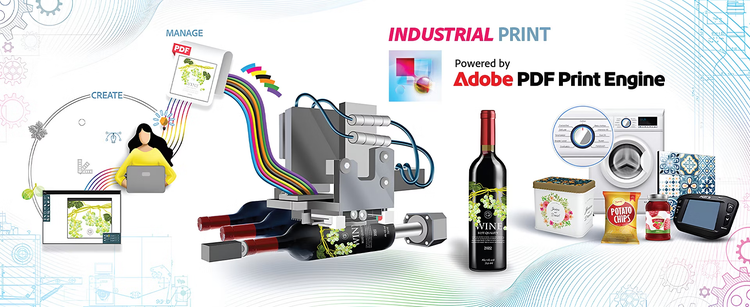
The print industry has been around for hundreds of years. But “industrial print” is relatively new. What does it mean? Industrial printing refers to ink imprinted onto a product as part of a manufacturing process. Print adds significant value, but its contribution is secondary to the innate value of the product itself. By way of comparison, this definition excludes all types of page printing (e.g. flyers, publications, books, booklets, forms, customer correspondence), and most other types of commercial printing (e.g. brochures, photographs, signage, blueprints, security) – all the familiar “ink-on-paper” products, which are typically produced on offset presses by commercial printers. Industrial print jobs may employ offset lithography. For example: printing a design onto heavyweight card stock, before it is converted into a folded carton, which is then filled with the actual product. However, for many industrial print categories, the ink is deposited onto costly non-paper surfaces. Until recently, the main techniques employed were: flexography, rotary screen printing, gravure and indirect pad printing. Over the last decade, digital inkjet technology has made significant inroads into the industrial print landscape, disrupting long-standing businesses, and opening new horizons for product makers (manufacturers).
style
left
background
#fff
Industrial Print Job Examples
style
left
background
#fff
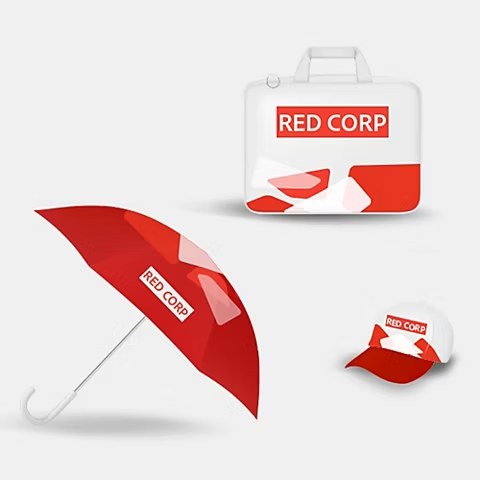
Promotional itemsCylindrical products
Flexible packagingLids and caps
style
M-spacing, L gap, two up
Wallpapers and flooringParts
LabelsFolded cartons
style
M-spacing, L gap, two up
Fabrics – for decor and apparelShipping boxes
Ceramic tilesTeam branded uniforms
style
M-spacing, L gap, two up
style
center
background
#ffffff
Design for Manufacturing
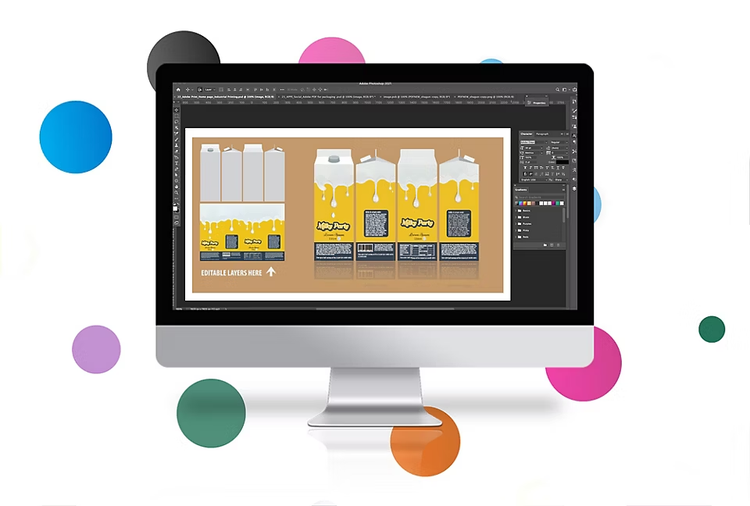
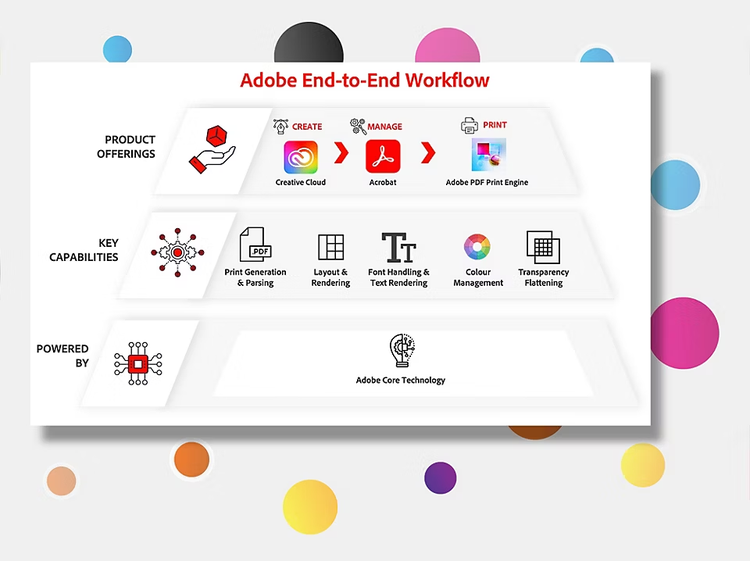
Like other forms of graphic reproduction, content is the essence of industrial printing. Whether it is functional (e.g. serial number), or decorative (e.g. artwork), or a combination of both, the design must be carefully crafted to produce the intended visual effect. Graphic artists will usually create an industrial print job using Adobe Photoshop or Adobe Illustrator. They know that these applications have the power, precision and versatility to build the best possible design, while working within the constraints of the physical product, and the intended printing process (e.g. available inks). At key points in the workflow, the designer will generate an Adobe PDF file to share the job with other stakeholders. Using Adobe Acrobat, all participants will collaborate to build consensus, and ultimately approve the design, before production begins.
Adobe PDF Print Engine
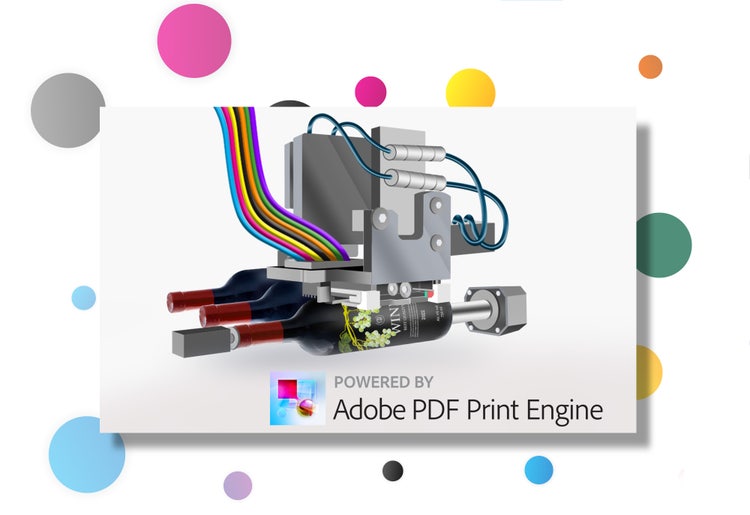
The final critical step before printing is RIP’ing the job. Raster Image Processing converts text, images and graphics into a pixel map which specifies exactly where the ink is to be printed on the product. Adobe PDF Print Engine is the RIP software which today powers most of the world’s print workflows in every industry segment. In particular, PDF Print Engine dominates inkjet printing – the non-contact technology that is transforming industrial print, driving its growth, and expanding its application to new product categories. The stakes are high, so aligning software across the industrial print workflow is the strongest guarantee of consistency and predictability. The Adobe PDF Print Engine uses the same core Adobe technologies built into Photoshop, Illustrator and Acrobat, which is key to ensuring reliability at every stage.
style
left
background
#FFFFFF
Adobe PDF Print Engine – Powering Inkjet Workflows
In 2010, Adobe launched version 2.0 of PDF Print Engine. It built on the success of version 1.0, adding a set of new capabilities to optimize output for digital presses, while raising the bar on quality and performance. It quickly became the market leader in digital print production, powering prepress workflows driving every type of inkjet press (also electrostatic and nanographic presses). Since then, inkjet technology has rapidly evolved – smaller footprint ink arrays, greater precision, variable-sized droplets, single-pass operation, new ink types, and much faster jetting. These developments opened the door to novel implementations in a variety of manufacturing environments. Subsequent versions of the PDF Print Engine delivered the latest advancements in imaging science to capitalize on the potential of these hardware innovations, and to incorporate them into industrial production.
You can control how Adobe websites use cookies and similar technologies by making choices below. But note that if you disable cookies and similar technologies entirely, Adobe websites may not function properly.
Cookies are small text files stored by your web browser when you use websites. There are also other technologies that can be used for similar purposes like HTML5 Local Storage and local shared objects, web beacons, and embedded scripts. These technologies help us do things like remembering you and your preferences when you return to our sites, measure how you use the website, conduct market research, and gather information about the ads you see and interact with.
You can make choices in the menu below about what cookies and other technologies you want us to use on Adobe sites when you visit them from this browser. You can always change those choices later by clicking on the Cookie Preferences link at the bottom of the page.
If enabled:
We can improve your experience by tailoring the site and the content to things we think might be of interest
We can better keep track of your preferences — like what language you prefer to use
We will better understand your likely interests so we can provide you more relevant Adobe ads and content on non-Adobe websites and in non-Adobe apps
It will help us improve the performance of our website and those of our partners who use the Adobe Experience Cloud
If disabled:
We won’t be able to remember you from session to session so the experience may not be tailored to your interests
You’ll still have access to the content of the site but certain features that depend on cookies may not function
You’ll still see ads, they just may not be as relevant to you
General information
You can control how Adobe websites use cookies and similar technologies by making choices below. But note that if you disable cookies and similar technologies entirely, Adobe websites may not function properly.
Cookies are small text files stored by your web browser when you use websites. There are also other technologies that can be used for similar purposes like HTML5 Local Storage, web beacons, and embedded scripts. These technologies help us do things like remembering you and your preferences when you return to our sites, measure how you use the website, conduct market research, and gather information about the ads you see and interact with.
You can make choices in the menu below about what cookies and other technologies you want us to use on Adobe sites when you visit them from this browser. You can always change those choices later by clicking on the Cookie Preferences link at the bottom of the page.
If enabled:
We can improve your experience by tailoring the site and the content to things we think might be of interest
We can better keep track of your preferences — like what language you prefer to use
We will better understand your likely interests so we can provide you more relevant Adobe ads and content on non-Adobe websites and in non-Adobe apps
It will help us improve the performance of our website and those of our partners who use the Adobe Experience Cloud
If disabled:
We won’t be able to remember you from session to session so the experience may not be tailored to your interests
We’ll still count your use of our site and services
You’ll still have access to the content of the site but certain features that depend on cookies may not function
You’ll still see ads, they just may not be as relevant to you
Operate the site and core servicesOperate site and measure engagement
Always active
These cookies are required, and they are used to enable the site and related services core functionality. Without them the site could not operate, so they cannot be disabled.
These cookies enable the site and related services’ core functionality and collect statistics about user engagement, such as counting active use to help us understand trends. These cookies cannot be disabled.
Measure performance
These cookies are used to analyze site usage to measure and improve performance. Without them Adobe cannot know what content is most valued and how often unique visitors return to the site, making it hard to improve information we offer to you.
These cookies are used to analyze site usage to measure and improve performance. Without them Adobe cannot know what content is most valued, making it hard to improve information we offer to you.
Extend functionality
These cookies are used to enhance the functionality of Adobe sites such as remembering your settings and preferences to deliver a personalized experience; for example, your username, your repeated visits, preferred language, your country, or any other saved preference.
Personalize advertising
These cookies are used to enable Adobe and our partners to serve ads more relevant to your interests. Without them you will still see ads, but they might not be as relevant to you.