Change what you want.
Keep what you love.
Tell AI Assistant in Photoshop what you need. It edits just what you ask for and keeps the rest of your image intact. Now available on web and mobile.





Craft something truly unique with the all-new, free Photoshop on mobile for iPhone or Android. Combine and edit photos, graphics, and Adobe Stock images. It’s easy to learn.
Scan QR code to get the free app.



Tell AI Assistant in Photoshop what you need. It edits just what you ask for and keeps the rest of your image intact. Now available on web and mobile.
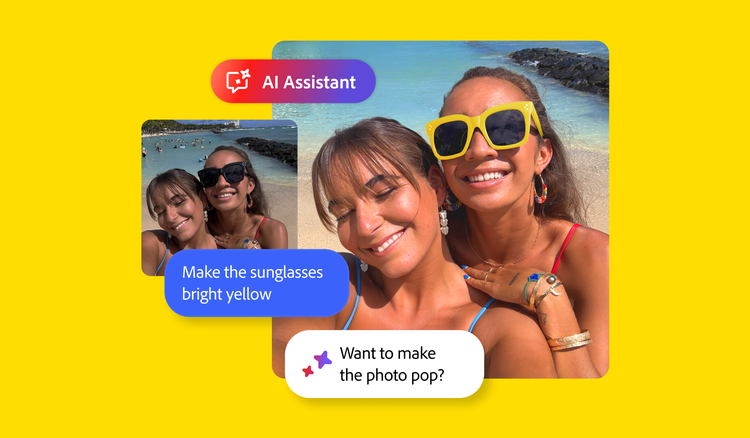
Now you can do all your image edits all in one app. Add new objects, make targeted adjustments, replace backgrounds, and remove unwanted elements. That’s the power of Photoshop on mobile.
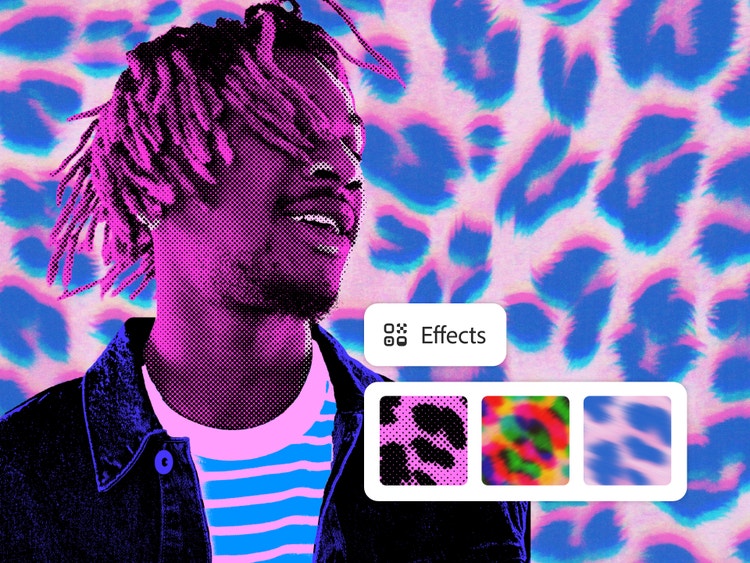
Create things the world’s never seen with the power of Photoshop on mobile. Combine photos, graphics, Adobe Stock images, and more. Add effects in a click. Collage. Retouch. Turn inspiration into amazing anywhere, anytime.
Quickly and easily add objects, change backgrounds, and blend the subject with the background in a blink with the new Harmonize feature.

Take your creativity to new places. Crop and expand images, adjust color, add and remove objects, and more with Photoshop on desktop, web, and mobile. Get them all with a Photoshop plan or download the mobile app for free.




Create gorgeous images, rich graphics, and incredible art on desktop, web, mobile, and iPad.


