

Photoshop
Crop, straighten, remove objects, and more.



Try any of our Creative Cloud apps — including Photoshop and Illustrator. Start free trial

Learn how to import, straighten, crop, remove objects, and adjust light and color in the Lightroom.

Use basic shapes and high-quality typefaces from Illustrator and Adobe Fonts to design a logo that looks good on screen and in print.

Use Content-Aware technology in Photoshop to remove unwanted elements and blend backgrounds.

Choose a theme, upload a photo, and add your message to create attention-grabbing social media graphics with Adobe Express.

Use InDesign to create a professional-looking postcard with images and text.
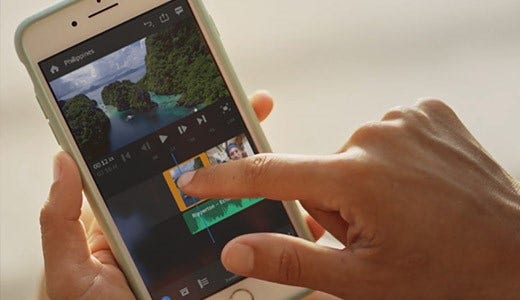
Use Premiere Rush to shoot, edit, and share an online video from anywhere you are.
Crop, straighten, remove objects, and more.

Edit, organize, store, and share photos on desktop, mobile, and the web.

Create graphics and illustrations to use in your projects.

Play with layouts, page designs, and more for publishing.

Create and share online videos anywhere.

Video production and editing.

Design and prototyping user experiences.

Quickly and easily make standout content from thousands of templates.

Create websites and apps for the web, tablets, and smartphones.
Students and teachers get Creative Cloud for just US$19.99/mo.
That's

Try any of our Creative Cloud apps for free, including Photoshop and Illustrator.

