
Get an instant glow-up with Premium Presets.
Enhance portraits in a flash with presets for every skin tone. Creative Cloud subscribers have access to a growing number of professionally created presets for every type of photo.


Tap to upload an image.
By uploading your image or video, you agree to the Adobe
Terms of Use and Privacy Policy.
Tap to upload an image.
By uploading your image or video, you agree to the Adobe
Terms of Use and Privacy Policy.
Drag and drop an image
to get started for free.
JPEG files only, 40MB max,
8000x8000 max dimensions
By uploading your image or video, you agree to the Adobe
Terms of Use and Privacy Policy.
Simplify your post-processing with Lightroom presets. You can even use our growing number of Premium Presets from top photographers to turn ordinary snapshots into something amazing.

Enhance portraits in a flash with presets for every skin tone. Creative Cloud subscribers have access to a growing number of professionally created presets for every type of photo.
Find your favorite Lightroom presets and make them your own. With all the adjustments exposed, you can make changes to presets and achieve exactly the look you’re going for.
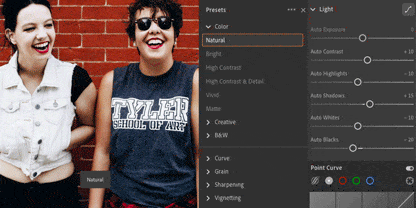
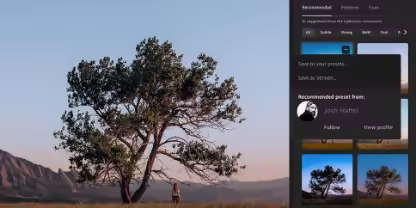
Make your photos pop, fast, with Recommended Presets, which uses artificial intelligence to search through thousands of Lightroom presets to find the best one for your photo.
Use Lightroom Mobile presets to create stunning images wherever you are. Desktop and mobile presets sync automatically so you always have access to your favorites.

Create Lightroom presets of your own to share. Or find and save presets that deliver stunning new looks from a community of photographers like you.
Kick things off with hundreds of free presets from the community or play with professionally created Premium Presets with your Lightroom subscription.
Save your own photo adjustments as a Lightroom preset you can use on mobile and desktop.
Find amazing presets online for free or purchase presets from talented photographers and vendors.
Get presets directly from friends or fellow photographers, or create and share your own.
Presets make your life easier, whether you’re a beginner or a professional photographer. Here’s how you can start using them for your own photos:
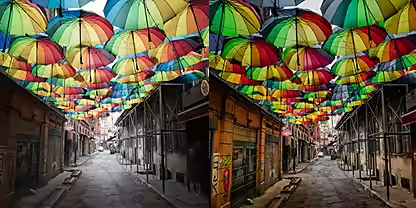
Start using presets right away by trying the ones that are already available in Lightroom.

Even though Lightroom comes with presets already installed, you can import new presets directly from participating photographers.
Learn how to work with presets in Lightroom Classic or Lightroom for mobile.
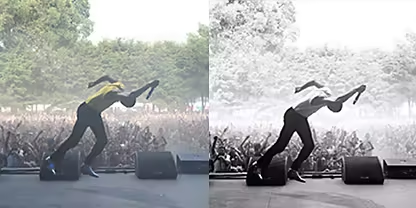
Applying imported Lightroom presets works a lot like using the built-in ones.

The Discover tab in Lightroom puts in-app learning and inspiration at your fingertips. Plus, you can save other photographers’ edits as presets you can use for your own photos.
Level up your photo editing with over 40 free Lightroom presets. Predefined settings allow you to transform your photos into a certain style or aesthetic with a single click filter. Easy to install, use and edit on the go.

From food photography to portraits – get your free bundle with nine essential presets.
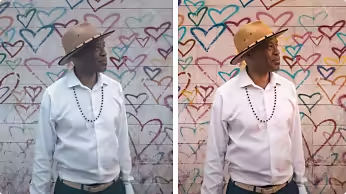
Highlight your model's unique features with three free portrait presets.

This bundle contains four presets. Dive into the night and edit your photos to a professional level.
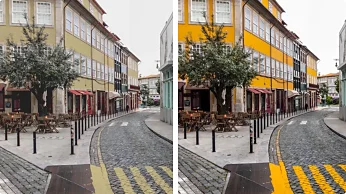
This bundle contains three presets to emphasise the vibrant colours and unique shades of your photos.
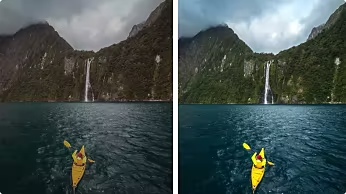
Bring out the breathtaking beauty of nature and fine-tune your photos with this free preset.
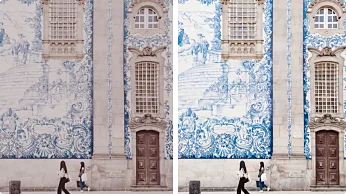
Enhance the aesthetics of architecture and give your photos a unique look with 18 architecture presets.
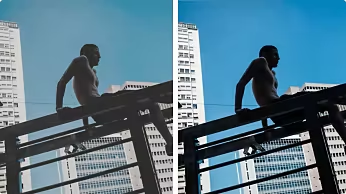
Moody cityscapes and dramatic lighting – give your street photos an atmospheric feel with this preset.

Put your dog or cat in the spotlight with just a few clicks – with four free presets for animal lovers.

Get all 43 free Lightroom presets in one bundle and have fun experimenting with your photos.

Learn how to install and use Lightroom presets with these resources and tutorials.
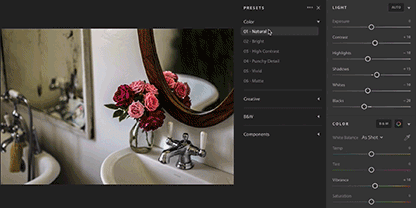
Hone your Lightroom editing skills, including how to use and create presets.
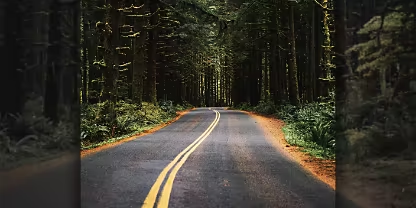
Discover how presets can help you fine-tune photos for Instagram.
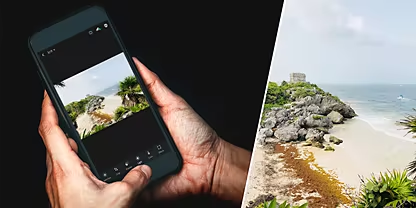
Follow these steps to sync Lightroom presets to your mobile device for editing flexibility.
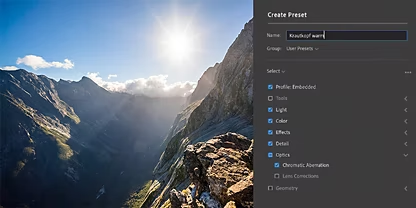
Learn how to install Lightroom presets, whether they're custom or third-party.

US$11.99/moAnnual, billed monthly
Edit photos from anywhere you are with easy ways to adjust exposure, color, and more.
Make your best photos even better with editing tools designed for your desktop.
Tutorials, fonts, templates, and more
1TB of cloud storage
250 monthly generative credits
Lightroom for mobile, desktop, and web, plus Lightroom Classic.

US$19.99/moAnnual, billed monthly
Edit photos from anywhere you are with easy ways to adjust exposure, color, and more
Make your best photos even better with editing tools designed for your desktop
Create gorgeous images, rich graphics, and incredible art
Tutorials, fonts, templates, and more
1TB of cloud storage
1,000 monthly generative credits
Lightroom for mobile, desktop, and web, plus Lightroom Classic and Photoshop.

Edit photos from anywhere you are with easy ways to adjust exposure, color, and more
20+ apps for photo, design, and video
Unlimited access to standard creative AI image and vector features like Text to Image and Generative Fill
4,000 monthly generative credits for premium creative AI video and audio features like Text to Video.
Unlimited access to Firefly Boards for exploring ideas and developing storyboards
Access to non-Adobe Generative AI models in Firefly
Adobe Express Premium, Frame.io for Creative Cloud, tutorials, fonts, templates, and 100GB of cloud storage
Join over 7 million Creative Cloud Pro subscribers worldwide. Save 50% for the first 3 months on the full version of Lightroom, plus Adobe Firefly creative AI. Pay US$34.99/mo for the first 3 months and US$69.99/mo after that. New subscribers only.
Edit photos from anywhere you are with easy ways to adjust exposure, color, and more
20+ photo, graphic design, and video apps including Lightroom
Unlimited access to standard creative AI image and vector features like Text to Image and Generative Fill
4,000 monthly generative credits for premium creative AI video and audio features like Text to Video
Access to industry-leading AI models from Adobe, Google, OpenAI, and more
Unlimited access to Firefly Boards for exploring ideas and developing storyboards
Access to non-Adobe generative AI models in Firefly
Adobe Express Premium, Frame.io for Creative Cloud, tutorials, fonts, templates, and 100GB of cloud storage
Save 71% on 20+ apps, including Lightroom, plus Adobe Firefly creative AI for images, video, and audio. Pay US$19.99/mo the first year and US$39.99/mo after that.
US$37.99/moper licenseAnnual, billed monthly
Edit photos from anywhere you are with easy ways to adjust exposure, color, and more
Quickly and easily make standout social content, flyers, templates, and more with the all-in-one Adobe Express
Fonts, images, tutorials, and more
250 monthly generative credits
1 TB of cloud storage
Exclusive business features
The full version of Lightroom plus the Adobe Express Premium plan, plus exclusive business features.
US$99.99/moper licenseAnnual, billed monthly
Edit photos from anywhere you are with easy ways to adjust exposure, color, and more
20+ apps for photo, design, and video
Unlimited access to standard creative AI image and vector features like Text to Image and Generative Fill
4,000 monthly generative credits for premium creative AI video and audio features like Text to Video
Unlimited access to Firefly Boards for exploring ideas and developing storyboards
Access to non-Adobe generative AI models in Firefly
Adobe Express Premium, Frame.io for Creative Cloud, tutorials, fonts, templates, and 100GB of cloud storage
20+ apps, including Lightroom, and Firefly creative AI for images, video, and audio, plus exclusive business features.
