Create unique soundscapes with the free AI sound effect generator.
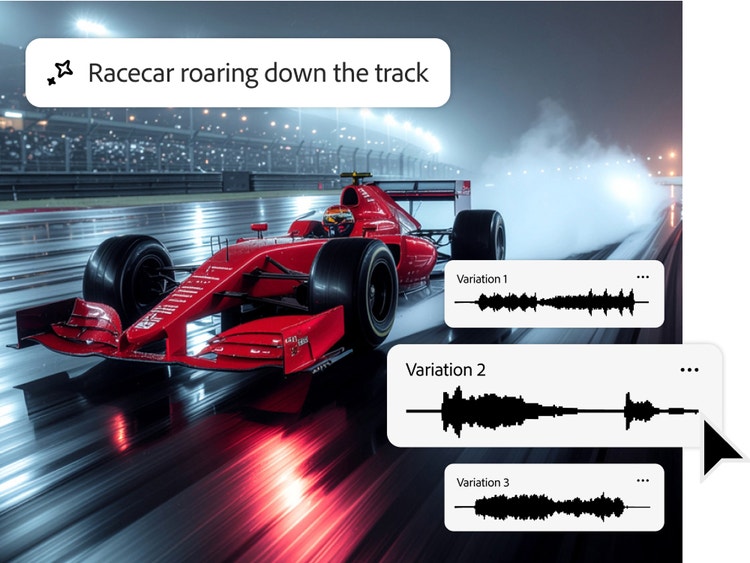
Imagine any sound effect and create it with the Adobe Firefly sound effect generator. Just describe the effect, upload reference audio, or act it out into your mic — then easily generate a high-quality effect and add it to any video.
As a web-based AI sound generator, Adobe Firefly lets you create custom sound effects for any creative project for free. And with intuitive input and adjustment controls, it’s easy to get started and get showstopping results.
Pair your existing sound library with custom audio created in the AI sound effect generator. When you need a sound that creates a specific ambiance, Firefly makes it easy to generate exactly what you’re looking for.
Describe the sound or sound it out.
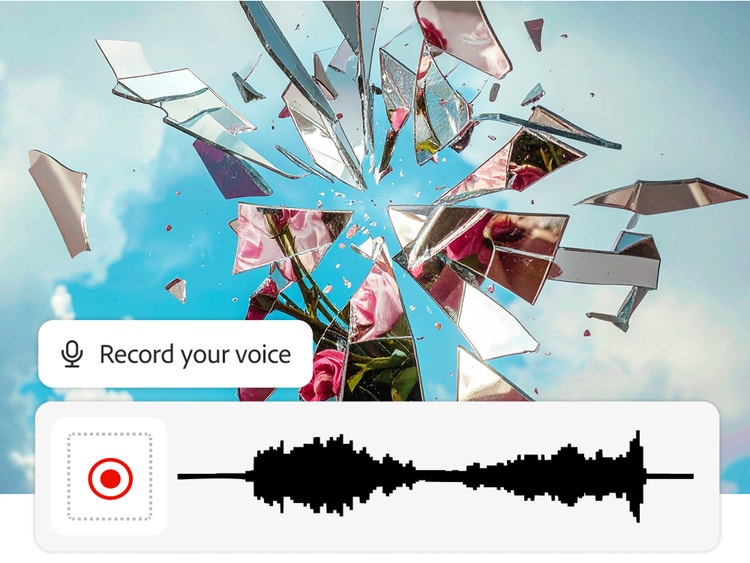
Type in your description — glass shattering, a lion’s roar, animal sounds, thunder clapping — or act it out into your mic alongside a text prompt to get the timing and intensity just right.
Upload and level it up.
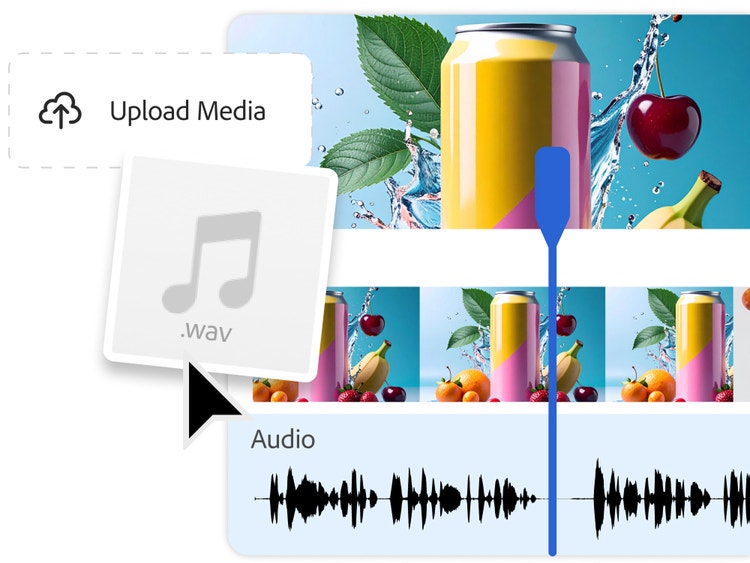
Upload your own video or audio files and use the AI sound generator to add effects precisely where you want in your media. You can even layer multiple sounds to create a richer, more immersive soundscape and ambiance.
Captivate in a sound-on world.
From podcasts and games to films and social media, the Firefly AI sound effect generator can supplement your audio library and help you explore and create your most impactful work. Whether you need laughing crowds, sci-fi lasers, custom foley, or sound effects for a product drop — make some noise with Firefly.
Professional sound, no strings attached.
The Firefly AI sound effect generator creates royalty-free audio using models trained on licensed and public domain content. That means no copyright risks, no attribution hurdles, and no costly licensing. Every effect you produce is commercial-ready, giving you the freedom to use it across any project with confidence.
style
xl-bottom-rounded-corners
How to generate sound effects in Adobe Firefly.
On the Adobe Firefly homepage, go to the Audio module and select Voice to sound effects.
On the Generate sound effects page, upload a video or audio file that you want to add sound effects to.
Position the playhead where you need your effect, select Record voice and wait for the countdown — then act out your sound effect into your mic. This will help the model gauge timing, volume, and intensity.
Preview your recording, add a text description for additional context, and select Generate.
Preview output variations, select your favorite, and it’ll be added to the timeline at your playhead. Repeat the process to layer in more sound effects.
Make easy adjustments right from the timeline — reposition, mute, change volume, and more.
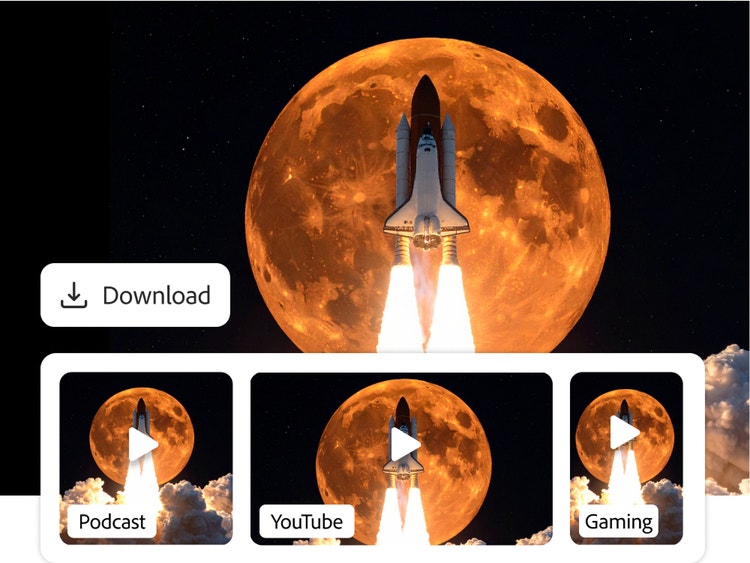
Preview and download your final composition for any creative project.
Quickly and easily create custom sound effects that perfectly match your scene with the Firefly AI sound effect generator. Use a description, your own voice, or a reference sound to generate high-quality soundscapes.
Generate unique foley, ambience, and sound effects from a short text description — no recording setup or sound design skills required.
Sounds that match your video
Shape timing, intensity, and energy to fit specific moments in your edit and mix multiple sound effects together to build richer, more immersive audio.
Faster creative workflows
Skip hours of searching, downloading, and licensing audio. Firefly helps you generate, refine, and reuse sounds in minutes.
style
Three up, s spacing top, xxl spacing bottom, show-2-desktop
background
#FFF
Commercially safe
Content created with Adobe Firefly models is safe for commercial use, so you can use it in your professional and client projects with confidence.
style
two up, s spacing top, l spacing bottom, show-2-desktop
Yes, you can use the Adobe Firefly AI sound effect generator for free with an Adobe account. If you have a free account, you’ll get free daily generations to create custom sound effects from text prompts, voice recordings, or reference audio. Learn more about using Adobe Firefly for free. A paid plan is available for higher-volume generation.
The Adobe Firefly AI sound effect generator creates custom, studio-grade audio from a simple text prompt or uploaded audio reference. You can place sounds precisely in your media timeline, layer multiple effects, and use them across videos, podcasts, games, social content, and more. And because Adobe Firefly is trained only on licensed and public domain data, every output is commercially safe, so you can use generated sound effects in your projects without worrying about copyright or licensing issues.
AI sound effects provide creators with a versatile, cost-effective way to generate custom audio for a wide range of creative needs. For example:
In games, AI sound effects can be used for footsteps, hits, pickups, ambient loops, and UI clicks that react to player actions.
For video and animation, generative AI makes it possible to create foley and ambient audio — like wind, rain, and nature sounds — in a matter of seconds.
In apps and product UI, AI sound effects can be used to create micro-interactions, notifications, and accessibility cues that reinforce brand identity.
In podcasts, AI sound effects can be used for stingers, bumpers, and setting a scene.
Across all of these workflows, AI sound effects help creators work faster, stay flexible, and enhance the overall quality of their projects.
Adobe Firefly unlocks new audio storytelling possibilities by allowing users to generate custom sound effects that enhance video generation. Creators can now produce audio through dual-input control methods, using both text prompts and recorded audio hints to guide generation while preserving intended sound characteristics.
The Adobe Firefly AI sound effect generator can be used to create royalty free sound effects for commercial use, provided you adhere to Adobe guidelines and the audio produced is developed using the commercially released version of Adobe Firefly. All Adobe Firefly tools are designed to be safe for commercial use.
The Adobe Firefly sound effect generator currently supports audio downloads in WAV format for audio-only files and MP4 for video files with audio.
Users can use their voice and audio recordings alongside text prompts to guide the AI sound effect generator — giving you a fast, cost-effective way to create sound effects without needing to go out and record sound.
AI sound effect generators work by using a large dataset of audio to learn how to create new sounds from scratch. When you provide a text prompt, Adobe Firefly analyzes the words to understand and shape the tone, texture, and movement in your audio — functioning much like a virtual synthesizer that builds new sounds from scratch rather than sampling existing ones.
Share this page
style
l spacing bottom
Explore more Firefly tools.
style
Show-4-desktop, s spacing top, xxl spacing bottom
background
#F0F0F7
Adobe Firefly
The next evolution of creative AI is here for all your ideas, with image, video, audio, and vector tools.
You can control how Adobe websites use cookies and similar technologies by making choices below. But note that if you disable cookies and similar technologies entirely, Adobe websites may not function properly.
Cookies are small text files stored by your web browser when you use websites. There are also other technologies that can be used for similar purposes like HTML5 Local Storage and local shared objects, web beacons, and embedded scripts. These technologies help us do things like remembering you and your preferences when you return to our sites, measure how you use the website, conduct market research, and gather information about the ads you see and interact with.
You can make choices in the menu below about what cookies and other technologies you want us to use on Adobe sites when you visit them from this browser. You can always change those choices later by clicking on the Cookie Preferences link at the bottom of the page.
If enabled:
We can improve your experience by tailoring the site and the content to things we think might be of interest
We can better keep track of your preferences — like what language you prefer to use
We will better understand your likely interests so we can provide you more relevant Adobe ads and content on non-Adobe websites and in non-Adobe apps
It will help us improve the performance of our website and those of our partners who use the Adobe Experience Cloud
If disabled:
We won’t be able to remember you from session to session so the experience may not be tailored to your interests
You’ll still have access to the content of the site but certain features that depend on cookies may not function
You’ll still see ads, they just may not be as relevant to you
General information
You can control how Adobe websites use cookies and similar technologies by making choices below. But note that if you disable cookies and similar technologies entirely, Adobe websites may not function properly.
Cookies are small text files stored by your web browser when you use websites. There are also other technologies that can be used for similar purposes like HTML5 Local Storage, web beacons, and embedded scripts. These technologies help us do things like remembering you and your preferences when you return to our sites, measure how you use the website, conduct market research, and gather information about the ads you see and interact with.
You can make choices in the menu below about what cookies and other technologies you want us to use on Adobe sites when you visit them from this browser. You can always change those choices later by clicking on the Cookie Preferences link at the bottom of the page.
If enabled:
We can improve your experience by tailoring the site and the content to things we think might be of interest
We can better keep track of your preferences — like what language you prefer to use
We will better understand your likely interests so we can provide you more relevant Adobe ads and content on non-Adobe websites and in non-Adobe apps
It will help us improve the performance of our website and those of our partners who use the Adobe Experience Cloud
If disabled:
We won’t be able to remember you from session to session so the experience may not be tailored to your interests
We’ll still count your use of our site and services
You’ll still have access to the content of the site but certain features that depend on cookies may not function
You’ll still see ads, they just may not be as relevant to you
Operate the site and core servicesOperate site and measure engagement
Always active
These cookies are required, and they are used to enable the site and related services core functionality. Without them the site could not operate, so they cannot be disabled.
These cookies enable the site and related services’ core functionality and collect statistics about user engagement, such as counting active use to help us understand trends. These cookies cannot be disabled.
Measure performance
These cookies are used to analyze site usage to measure and improve performance. Without them Adobe cannot know what content is most valued and how often unique visitors return to the site, making it hard to improve information we offer to you.
These cookies are used to analyze site usage to measure and improve performance. Without them Adobe cannot know what content is most valued, making it hard to improve information we offer to you.
Extend functionality
These cookies are used to enhance the functionality of Adobe sites such as remembering your settings and preferences to deliver a personalized experience; for example, your username, your repeated visits, preferred language, your country, or any other saved preference.
Personalize advertising
These cookies are used to enable Adobe and our partners to serve ads more relevant to your interests. Without them you will still see ads, but they might not be as relevant to you.