


Precision editing, simplified
Create the picture you pictured.
Remove what doesn't belong. Recover lost details. Refine your images with AI-powered editing that helps you spend less time fixing photos and more time perfecting them.


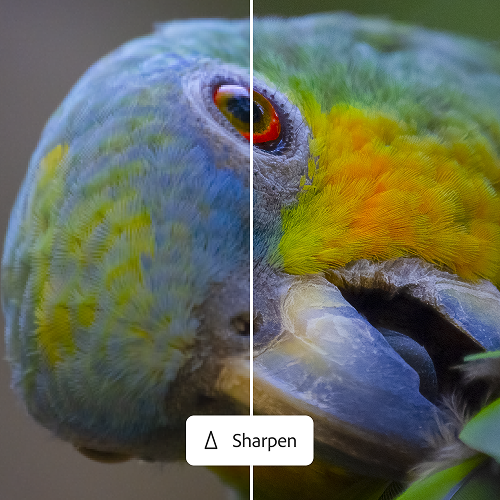
Precision editing, simplified
Remove what doesn't belong. Recover lost details. Refine your images with AI-powered editing that helps you spend less time fixing photos and more time perfecting them.
Speed, scale, and style
Create work that's distinctly yours, every time. Start with beautiful built-in presets, or build a library of your own. Apply them across all your photos in seconds. Make your selects and fine-tune fast without missing a beat — or a deadline.
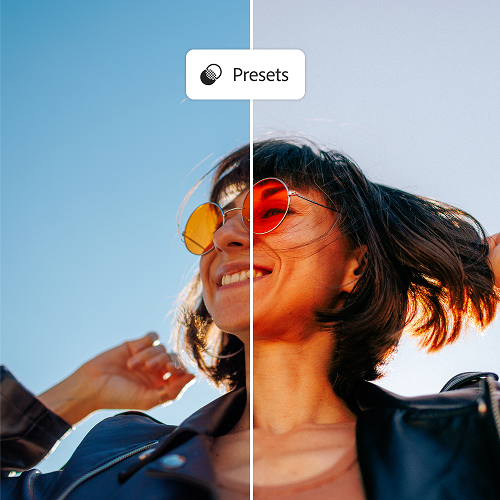

Intelligent photo management
Sorting through hundreds of photos to find the best one shouldn’t take forever. Lightroom keeps your growing library organized and searchable, so it’s always easy to find the perfect shot.
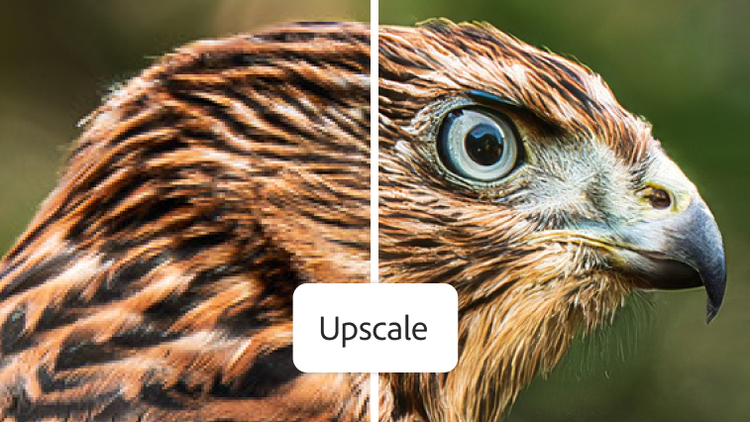
Save time using generative upscale with Topaz Gigapixel, now including powerful 4x upscaling. Easily crop into images without losing detail, and recover clarity in low-resolution photos.
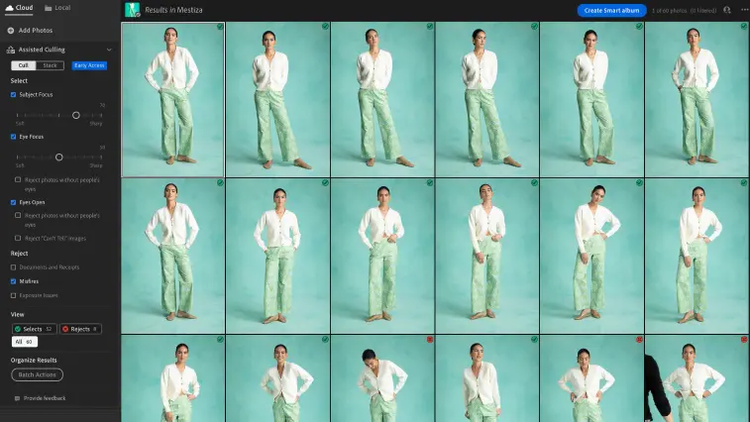
Set your criteria for sharpness, focus, and open eyes and Assisted Culling scores every photo, leaving the decision of final selects in your hands.
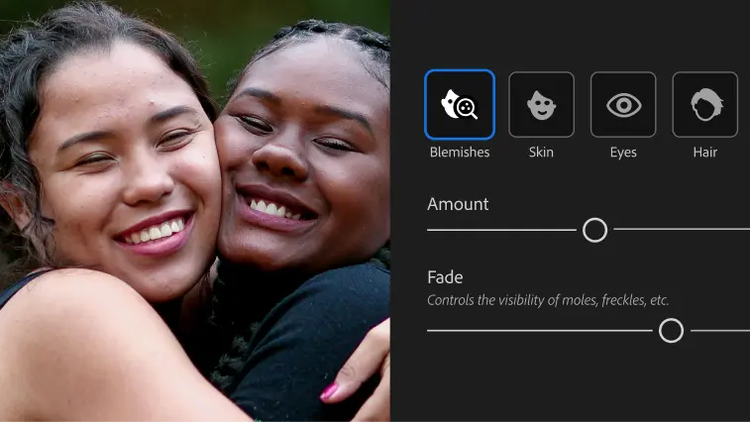
Go from a quick touch-up to a full glow-up with Quick Actions. Easily retouch skin, remove blemishes, whiten teeth, and more.
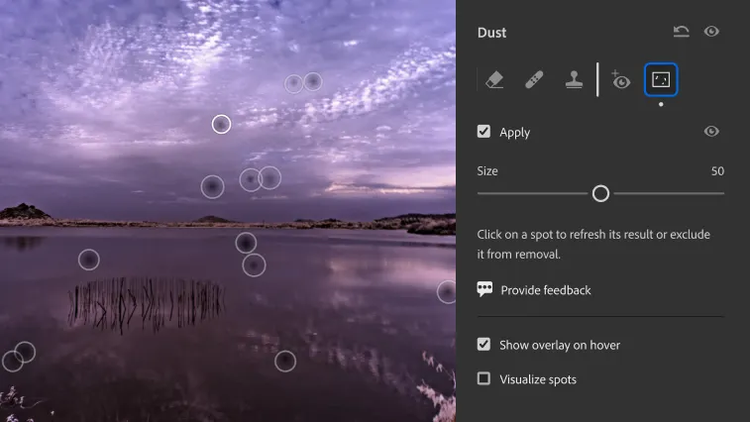
New Dust Removal quickly recognizes and removes sensor dust from your photos with incredible precision.

Instantly create a stunning portrait effect in any photo with Lens Blur, powered by AI. Use new one-tap presets to easily focus on your subject and blur out everything else.

Easily edit parts of your photo with Adaptive Presets. Whiten teeth and smooth skin in seconds, enhance the sky, or blur the background in a single click.

US$11.99/moAnnual, billed monthly
Edit photos from anywhere you are with easy ways to adjust exposure, color, and more.
Make your best photos even better with editing tools designed for your desktop.
Tutorials, fonts, templates, and more
1TB of cloud storage
250 monthly generative credits
Lightroom for mobile, desktop, and web, plus Lightroom Classic.

US$19.99/moAnnual, billed monthly
Edit photos from anywhere you are with easy ways to adjust exposure, color, and more
Make your best photos even better with editing tools designed for your desktop
Create gorgeous images, rich graphics, and incredible art
Tutorials, fonts, templates, and more
1TB of cloud storage
1,000 monthly generative credits
Lightroom for mobile, desktop, and web, plus Lightroom Classic and Photoshop.

Edit photos from anywhere you are with easy ways to adjust exposure, color, and more
20+ apps for photo, design, and video
Unlimited access to standard creative AI image and vector features like Text to Image and Generative Fill
4,000 monthly generative credits for premium creative AI video and audio features like Text to Video.
Unlimited access to Firefly Boards for exploring ideas and developing storyboards
Access to non-Adobe Generative AI models in Firefly
Adobe Express Premium, Frame.io for Creative Cloud, tutorials, fonts, templates, and 100GB of cloud storage
Join over 7 million Creative Cloud Pro subscribers worldwide. Save 50% for the first 3 months on the full version of Lightroom, plus Adobe Firefly creative AI. Pay US$34.99/mo for the first 3 months and US$69.99/mo after that. New subscribers only.
Edit photos from anywhere you are with easy ways to adjust exposure, color, and more
20+ photo, graphic design, and video apps including Lightroom
Unlimited access to standard creative AI image and vector features like Text to Image and Generative Fill
4,000 monthly generative credits for premium creative AI video and audio features like Text to Video
Access to industry-leading AI models from Adobe, Google, OpenAI, and more
Unlimited access to Firefly Boards for exploring ideas and developing storyboards
Access to non-Adobe generative AI models in Firefly
Adobe Express Premium, Frame.io for Creative Cloud, tutorials, fonts, templates, and 100GB of cloud storage
Save 71% on 20+ apps, including Lightroom, plus Adobe Firefly creative AI for images, video, and audio. Pay US$19.99/mo the first year and US$39.99/mo after that.
US$37.99/moper licenseAnnual, billed monthly
Edit photos from anywhere you are with easy ways to adjust exposure, color, and more
Quickly and easily make standout social content, flyers, templates, and more with the all-in-one Adobe Express
Fonts, images, tutorials, and more
250 monthly generative credits
1 TB of cloud storage
Exclusive business features
The full version of Lightroom plus the Adobe Express Premium plan, plus exclusive business features.
US$99.99/moper licenseAnnual, billed monthly
Edit photos from anywhere you are with easy ways to adjust exposure, color, and more
20+ apps for photo, design, and video
Unlimited access to standard creative AI image and vector features like Text to Image and Generative Fill
4,000 monthly generative credits for premium creative AI video and audio features like Text to Video
Unlimited access to Firefly Boards for exploring ideas and developing storyboards
Access to non-Adobe generative AI models in Firefly
Adobe Express Premium, Frame.io for Creative Cloud, tutorials, fonts, templates, and 100GB of cloud storage
20+ apps, including Lightroom, and Firefly creative AI for images, video, and audio, plus exclusive business features.

