From tutorials to partner perks, your membership has more than great apps.


Learn all about the tools and techniques you can use to create gorgeous photos, rich graphics, and incredible art.

Mock up new directions quickly with Rotate Object. Tilt, rotate, and scale objects in real time — without rebuilding all the details.
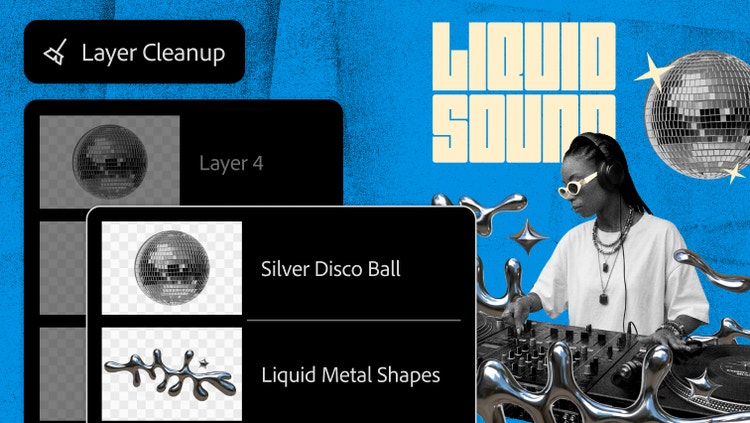
Organize your stack with Layer Cleanup. Automatically add descriptive labels and remove empty layers. Declutter quickly so you can hand off files with clarity.
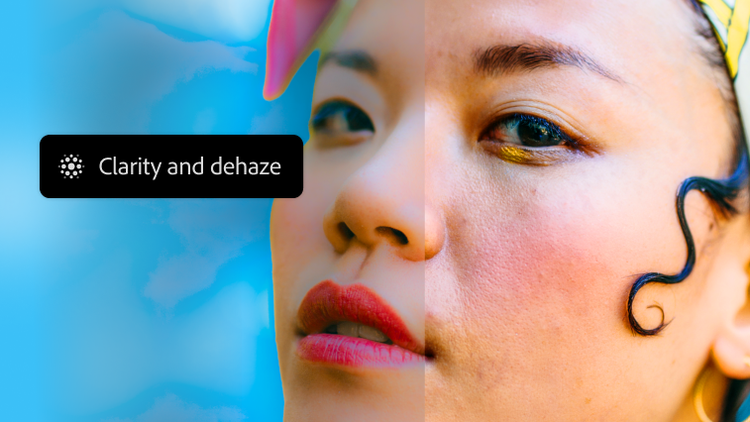
Now you can adjust texture, atmosphere, and sharpness nondestructively right in the Layers panel, and apply masks for pinpoint control.

Upscale images with unmatched power and flexibility using partner AI models from Topaz Labs in Photoshop. Instantly boost quality, clarity, and sharpness.

Instantly blend people and objects into any background. Harmonize matches the lighting, shadows, colors, and other details for a seamless scene in seconds.

Generate multiple images and iterations all on one canvas in Firefly Boards. Then take your images further, refining them with precise tools in Photoshop.
Mock up new directions quickly with Rotate Object. Tilt, rotate, and scale objects in real time — without rebuilding all the details.

Experiment with color faster than ever, right from your canvas. Plus, larger swatches offer more visibility and greater control.
Upscale images with unmatched power and flexibility using partner AI models from Topaz Labs in Photoshop. Instantly boost quality, clarity, and sharpness.


Use over 30 Adjustment Presets to change images in one click. Create and save custom presets, export them to share, and import new favorites. Plus, apply presets to multiple images at once.
Now you can adjust texture, atmosphere, and sharpness nondestructively right in the Layers panel, and apply masks for pinpoint control.
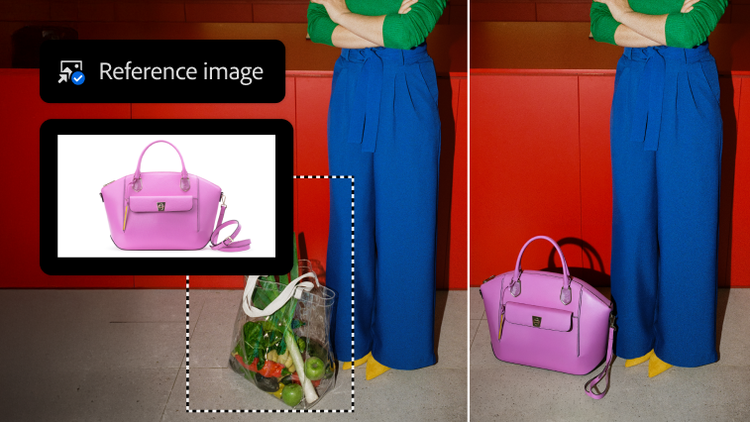
Reference Image now adjusts the scale, rotation, lighting, color, and perspective of an object to match your scene.
Select part of your image with the Patch tool, then drag the selection to another area to replace it with.
Enhance image clarity with the Sharpen tool. Click and drag over unclear areas to highlight details and define edges.
Use the Clone Stamp tool to copy content from one part of your image and paint it into a new area.
Click and drag the Spot Healing Brush tool over small objects or flaws in your image to remove them.
Bring focus, amplify motion, and add other artistic elements to your images with the Blur tool.

Select complex subjects and remove backgrounds with greater precision, speed, and control — now improved for higher quality results, online or off.
Reference Image now adjusts the scale, rotation, lighting, color, and perspective of an object to match your scene.

Upscale images with unmatched power and flexibility using partner AI models from Topaz Labs in Photoshop. Instantly boost quality, clarity, and sharpness.

Instantly blend people and objects into any background. Harmonize matches the lighting, shadows, colors, and other details for a seamless scene in seconds.

Build text layouts in fewer steps and try multiple options faster, with Dynamic Text that automatically resizes to fit as you adjust the shape of its boundary.
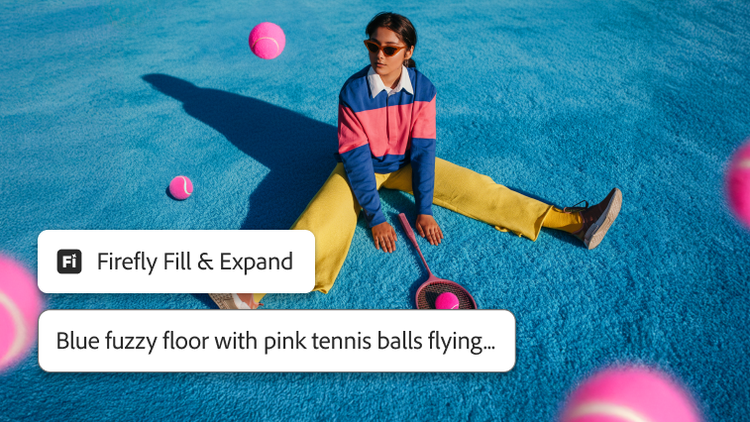
Higher resolution. Cleaner edges. Sharper details. Get more realistic results with the latest Generative Fill, Expand, and Remove Tool models.
Change parts of your image to the background color or make them transparent with the Eraser tool.
Create multiple canvases within the same workspace with the Artboard tool so you can view your designs side by side.
Use the Brush tool to make artwork from thousands of preset brushes based on mediums like watercolor and oil or make your own.
Click and drag to create precise rectangles, ellipses, lines, and even custom shapes with the Shape tools.
Membership plans
Start with just Photoshop, or get Photoshop and 20+ other apps with the Adobe Creative Cloud Pro plan.

US$22.99/moAnnual, billed monthly
Create gorgeous images, rich graphics, and incredible art with Photoshop
Use thousands of templates to make standout content with an Adobe Express Premium plan
Fonts, images, tutorials, and more
100GB cloud storage
25 monthly generative credits
Photoshop on desktop, web, and mobile plus the Adobe Express Premium plan.

Create gorgeous images, rich graphics, and incredible art with Photoshop
20+ apps for photo, design, and video
Unlimited access to standard creative AI image and vector features like Text to Image and Generative Fill
4,000 monthly generative credits for premium creative AI video and audio features like Text to Video.
Unlimited access to Firefly Boards for exploring ideas and developing storyboards
Access to non-Adobe Generative AI models in Firefly
Adobe Express Premium, Frame.io for Creative Cloud, tutorials, fonts, templates, and 100GB of cloud storage
Join over 7 million Creative Cloud Pro subscribers worldwide. Save 50% for the first 3 months on the full version of Photoshop, plus Adobe Firefly creative AI. Pay US$34.99/mo for the first 3 months and US$69.99/mo after that. New subscribers only.
Create gorgeous images, rich graphics, and incredible art with Photoshop
20+ photo, graphic design, and video apps including Photoshop
Unlimited access to standard creative AI image and vector features like Text to Image and Generative Fill
4,000 monthly generative credits for premium creative AI video and audio features like Text to Video
Access to industry-leading AI models from Adobe, Google, OpenAI, and more
Unlimited access to Firefly Boards for exploring ideas and developing storyboards
Access to non-Adobe generative AI models in Firefly
Adobe Express Premium, Frame.io for Creative Cloud, tutorials, fonts, templates, and 100GB of cloud storage
Save 71% on 20+ apps, including Photoshop, plus Adobe Firefly creative AI for images, video, and audio. Pay US$19.99/mo the first year and US$39.99/mo after that.
US$37.99/moper licenseAnnual, billed monthly
Create gorgeous images, rich graphics, and incredible art with Photoshop
Use thousands of templates to make standout content with an Adobe Express Premium plan
Tutorials, fonts, templates, and more
25 monthly generative credits
100GB cloud storage
Exclusive business features
Photoshop on desktop, web, and mobile, Adobe Express Premium plan, plus exclusive business features.
US$99.99/moper licenseAnnual, billed monthly
Create gorgeous images, rich graphics, and incredible art with Photoshop
20+ apps for photo, design, and video
Unlimited access to standard creative AI image and vector features like Text to Image and Generative Fill
4,000 monthly generative credits for premium creative AI video and audio features like Text to Video
Unlimited access to Firefly Boards for exploring ideas and developing storyboards
Access to non-Adobe generative AI models in Firefly
Adobe Express Premium, Frame.io for Creative Cloud, tutorials, fonts, templates, and 100GB of cloud storage
20+ apps, including Photoshop, and Firefly creative AI for images, video, and audio, plus exclusive business features.
Find out how to use the tools and features to make dramatic changes to your images and create incredible artwork.

Photoshop features

Photoshop features

Photoshop features

Photoshop features

Photoshop features

Photoshop features

Photoshop features
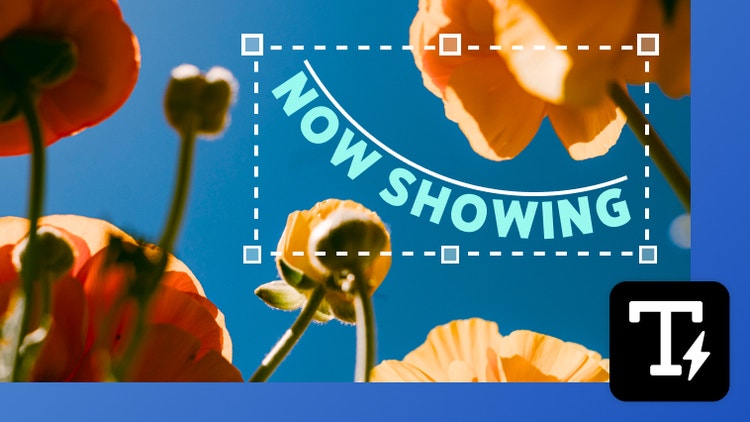
Create shaped, editable text directly in Photoshop without jumping into Illustrator. With Dynamic Text, your type automatically reflows as you adjust the shape, so you can find the right fit faster.

You can now easily bring Illustrator vectors into After Effects. Create keyframes for animation and bring complex artwork to life without losing fidelity or layer structure.
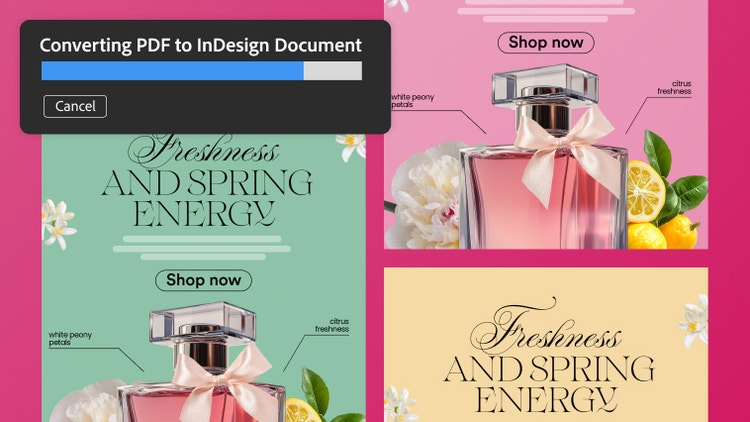
Turn PDFs into editable InDesign files while preserving everything in the original document. Retain tables, hyperlinks, fonts, and other elements, and fine-tune each piece in InDesign.