Adobe Photoshop
Make your mark with Photoshop brushes
Whether you want a spray paint or ink wash effect, find the exact brush you need to let your creativity flow with digital drawing, painting, and lettering in Adobe Photoshop.


Adobe Photoshop
Whether you want a spray paint or ink wash effect, find the exact brush you need to let your creativity flow with digital drawing, painting, and lettering in Adobe Photoshop.
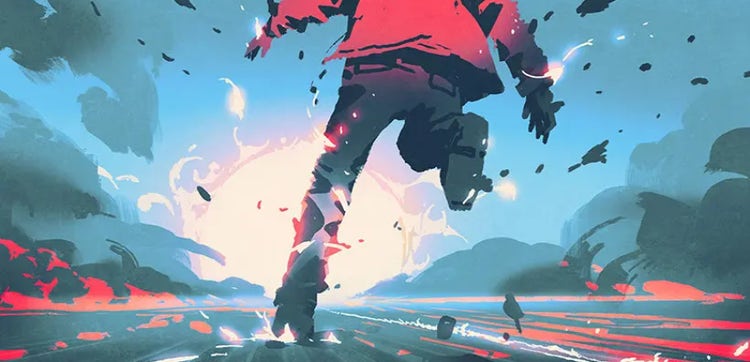
Elevate your digital art with custom drawing brushes or jump-start your work with preset Photoshop brushes.

Perfect your hand lettering and calligraphy brushstrokes with high-quality Photoshop brush sets.
Create the exact linework and shading you want. Bring your digital drawings to life with pencil, ink, and charcoal brushes.


Experiment with everything from watercolor brushes to splatter effects and explore thousands of preset tools.
Create a unique toolkit with custom Photoshop brushes that can help you achieve any effect you want.

Create a unique toolkit with custom Photoshop brushes that can help you achieve any effect you want.
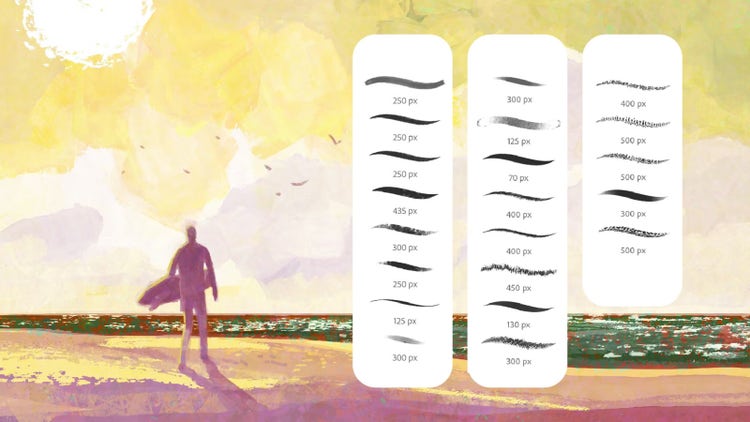
Exclusive Photoshop brushes
Download the brushes you want and save them along with your other Adobe brush files (ABRs) on your laptop or iPad. For Photoshop desktop, click on the ABR while Photoshop is running and they’ll be automatically added to your Brushes panel. For Photoshop on iPad and Adobe Fresco, open the brush panel and click on the + button, navigate to your ABR file, and select it to add the brushes.
Quickly render your idea with highly realistic digital markers. This focused set features subtle paper texture, faintly bleeding edges, and color that darkens with multiple strokes.
Create rich, textured charcoal drawings with a variety of tools, including two charcoal pencils and five variations of vine charcoal. Every tool in this set responds naturally to both tilt and pressure, to give you realistic results.
Designed for special effects, textures, and fast renderings, these brushes allow you to paint foliage, rocks, flocks of birds, clouds, and more with just a few strokes of your stylus.
These brushes mimic artwork that has been reproduced on an old photocopy machine, creating interesting and irregular textures when you vary pen pressure.
Contains 50 different crosshatching tools to add tone or detail work. Also includes tilt- and pressure-responsive brushes.
Chalk, pastel, pencil, and other brushes with pronounced textures. Also includes smudge tools.
Inspired by Golden Books artists of the 1950s and '60s who worked primarily in gouache and made use of both wet and dry brush effects. Golden subset lets you control the amount of dry brush with the tilt of your stylus (must have pen tablet that recognizes tilt).
Over 100 pressure-sensitive tools that let you control the density of a halftone pattern. Also includes a small selection of simple screentone brushes that do not respond to pen pressure, so you can quickly fill an area with an even tone.
Inspired by the work of the French Impressionists, these brushes allow you to quickly paint with subtle color variation in every stroke, as well as varied and energetic marks. You can even emulate pointillism in a matter of minutes.
Over 100 tools for lettering artists who want to produce calligraphy, signage, comics dialogue, and lettering illustrations. Use the smoothing feature in Photoshop to get extra brush stroke control.
Brushes for finer line work and a few practical halftone brushes for adding tone. Also includes effects brushes, sketch pencil, and eraser.
Create unique multiline strokes, similar to a rake being dragged through sand. Includes many sizes, shapes, and textures ideal for illustration work.
A small set for those who want blotty, dotty line work. Most brushes draw from fine line to thicker line, depending on the pressure of your stylus. No two lines are ever alike.
Over 40 unique brushes that let you control the amount of spatter, density, and direction with the pressure of your stylus. Get effects ranging from toothbrush-sprayed dots to paint dripping on wet paper.
Wet media brushes for broad washes, detail work, spatter, and other effects. Every brush makes use of built-in textures to further enhance the look of your brush strokes.
Over 300 tools covering a wide range of media, including pencils, pastels, charcoal, inks, oils, and watercolors. Also contains smudge tools (blenders) and erasers. Explore each category separately to find your favorites. Already have it? Install updates.
This summer set gives you inking tools with personality, wash brushes with randomized streaks and stains, stony texture brushes, and more.
Pump up the personality in your drawings with organic textures and unpredictable patterns. This winter set includes Photoshop inks, paints, and cool brushes called Scribblers.
Find your perfect summer color with brushes that take advantage of the unique color mixing effects in Photoshop. Also included in this set: a tribute brush to the great Ben Shahn, an updated China Marker, and great new pattern brushes.
Spring blooms with 30 colorful brushes that celebrate happy accidents, including large splashes, random flower petals, and leaves and twigs. Plus, realistic inking tools and versatile paintbrushes.
Have fun with effects brushes that range from multicolored splashes and pebbly patterns to bricks and scattered twigs. Plus, impressionist brushes straight out of Monet paintings, and for drawing, a set of tools inspired by Golden Age greats.
Cozy up to cool painting options with several frost brushes, snow brushes, and snowy hill brushes, and a nice assortment of decorative halftones.
Spring has sprung with all things leafy, including fresh foliage brushes, stippling and special effects brushes, inking tools, and more fun surprises.
Lush vegetation, soft grassy fields, dynamic brushes with shifting hues, and new inks fill out this verdant summer set.
This fall brush set delivers rich textures borrowed from natural materials, new decorative patterns, soft graphite pencils, and a variety of new inkers.
Wintry wonders in this set include stylized trees inspired by mid-century minimalism and picture books, responsive and realistic pencils, and a textured background brush.
Spring busts out with a variety of fresh new charcoals, paintbrushes, special effects brushes, foliage brushes, foliage, and very smooth inkers.
Summer shines with new watercolors and paints, unique inkers, a pixelated blender tool, a grainy airbrush, gridding brushes, and more.
Fall flutters in with 25 new seasonal brushes, including textures galore, dried grass, fall leaves, and mid-century Warhol-style inkers.
Create chilly winter landscapes and more with this 20 brush pack. Draw evergreens, icy textures, and snowy patterns in seconds. New inkers and rakes round out the frostbitten set.
Grow your art in new directions with a brush set that celebrates the boundless energy of the season. Find brushes for creating foliage and texture, fresh approaches to spatter and inks, and rich color dynamics in this well-rounded pack.
This summer set has some of the most experimental brushes in the Adobe collection, with an assortment of weird and wonderful scribble and design brushes, some stylized foliage, new dynamic paints, and unique textures.
Like the leaves, new colorful brushes are gently FALLING into your creative toolbox this season. Inks, textures, realistic paint, foliage, and patterns — all are brimming with personality and possibility. Get cozy and make art!
Warm up your chilly drawing tablets with the Winter 2024 brush set! Included this season: new painterly brushes with realistic paint buildup and textures, some unique special FX brushes, inkers, foliage, and more!
Bright multicolor brushes, fresh foliage brushes, new inking tools, a new drawing brush, and plenty of textures can be found in this huge Spring update (30 brushes!) for 2024. May your creativity bloom!
Bask in the warm glow of new brushes for Summer! Painterly flashes of color, new textures, a bit of foliage, and more await. Dive in and get playful!
One of the amazing things about working with brushes in Photoshop is that you can create and share your own. Whether you’re just getting started or you’re an experienced digital artist, it can be fun to download and import brushes straight from Adobe or your favorite creators.
If you can’t find the exact right brush in Photoshop or in a brush pack, good news — you can make your own. Think ahead about what look you’re going for and what kind of brush will help you achieve that effect. Then go ahead and experiment with settings in the Brushes panel and save your new custom brush.


