
Contrast
Adjust contrast and pivot for customized, fluid balance between shadows and highlights.

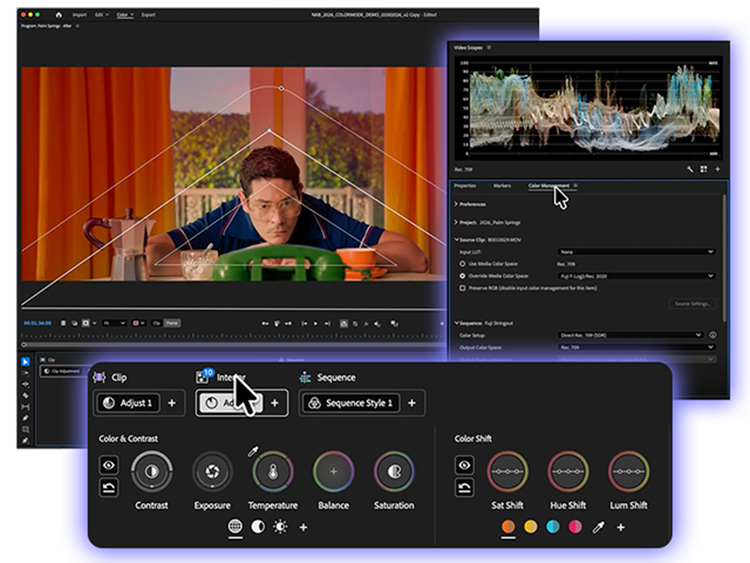
Switch into Color Mode — a first-of-its-kind color grading system in Adobe Premiere (beta) designed from the ground up for video editors. With all-new tools that work the way you think, you can finally craft brilliant color with confidence and control — right next to your edit.
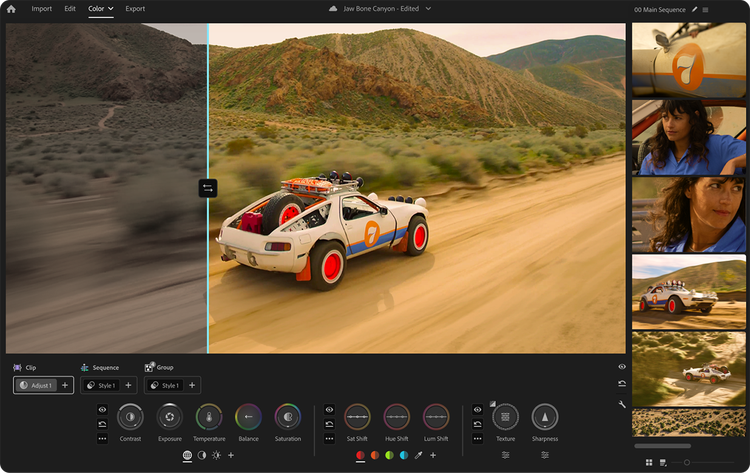
Every control, layout, and interaction in Color Mode was built for video editors. You don’t need to learn a new workflow — it works the way you think, from the tools you use to how color moves across your timeline.
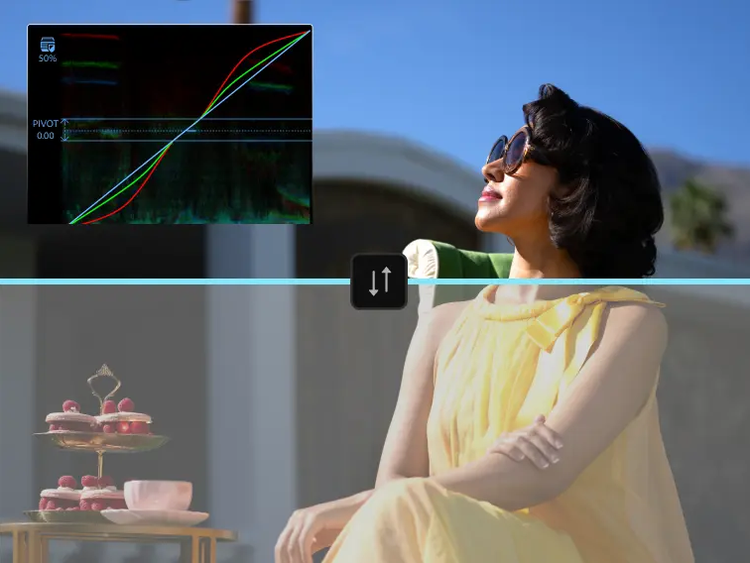
Whether you’ve been grading for years or you’re just getting started, Color Mode turns what you see in your head into what you see on screen. The gap between how you wish your video looked and your finished result just got a lot smaller.
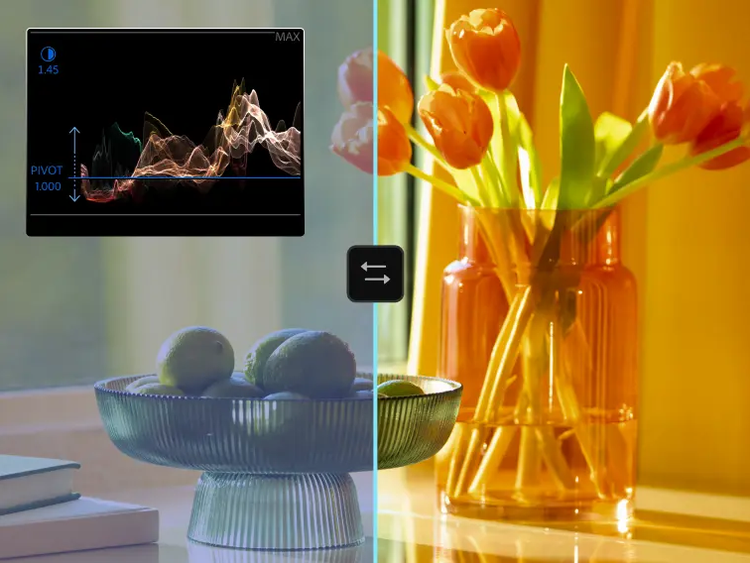
Color Mode rewards curiosity. Push a look to its limits, move it anywhere, and get lost in your creative flow — the whole system is built to make exploration feel effortless and fun. Get familiar with it in days, not weeks or months.
Brand-new systems for grading make Color Mode unique. From intuitive controls to new inventions for moving work, you've never graded like this before.
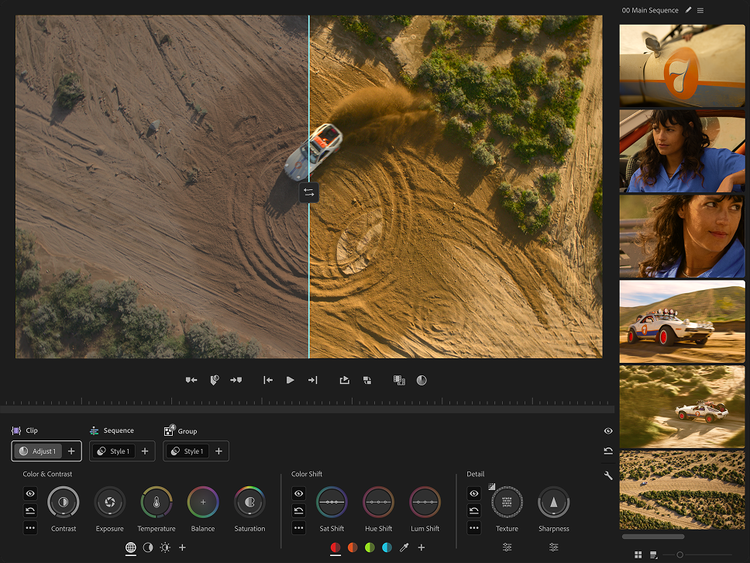
Color Mode maximizes your monitor and puts the image first on any screen. The Clip Grid gives you a visual map of your entire sequence. Panels move, layouts flex, and a contextual heads-up display shows you what you need as you need it — then gets out of the way.
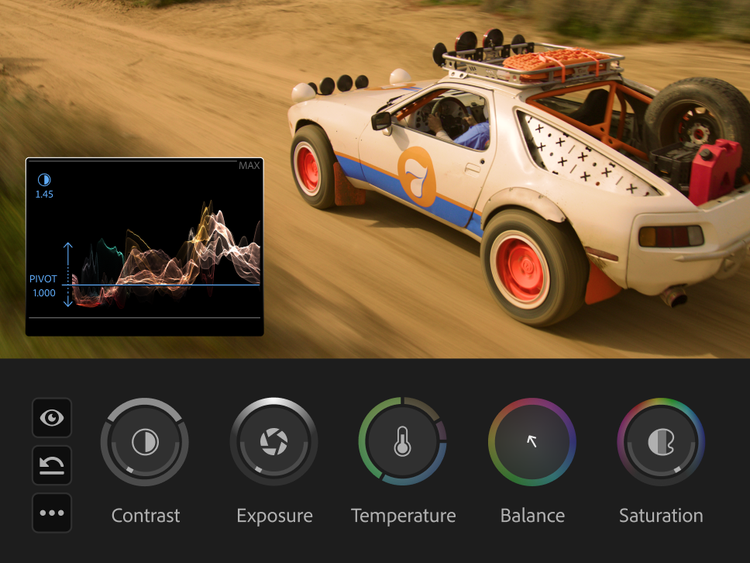
All-new bi-directional controls animate as you use them, giving you instant visual feedback on every adjustment. Shape contrast and pivot, temperature and tint — two dimensions at once with a single gesture. Zones let you target shadows and highlights for precise adjustment.
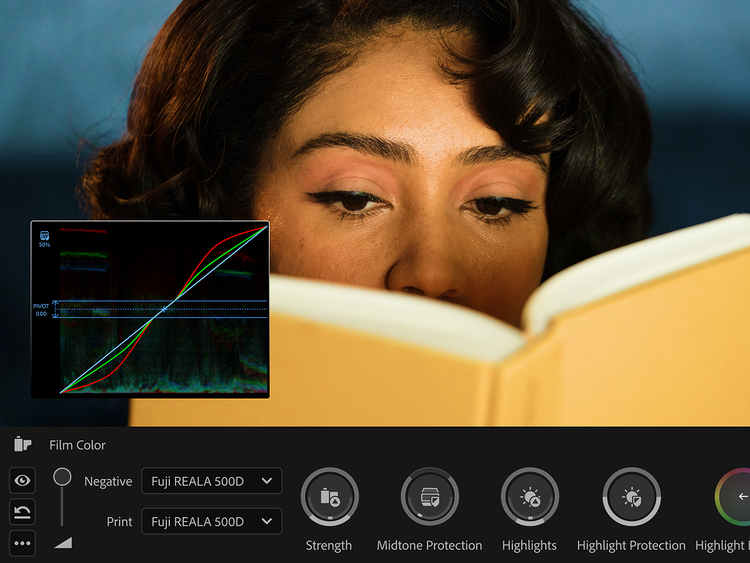
Styles are complete cinematic looks you can apply in one click, then customize endlessly. Built from Modules — individual color effects powered by real color science — every Style is nondestructive, fully editable, and stackable. Start with dozens of built-in film emulations and looks, or build your own from scratch.
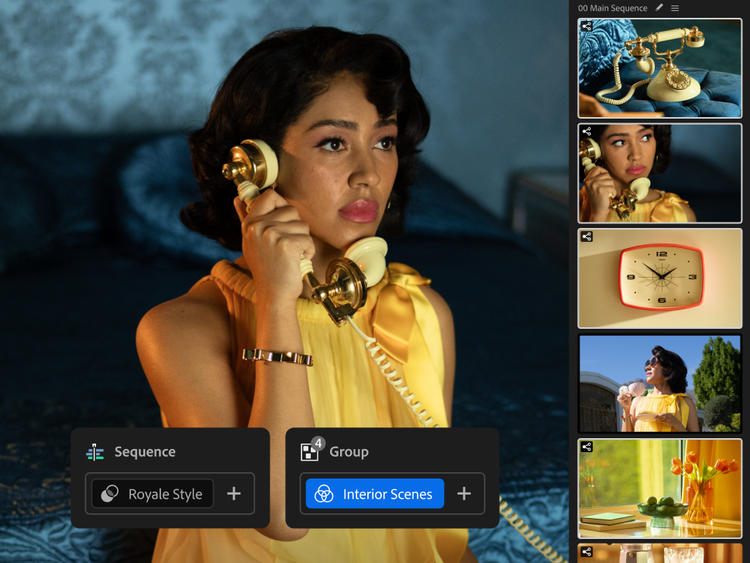
Operations are a new way to organize and move color across your edit. Grade one clip, a custom group, or your entire sequence — then move and reorganize by dragging and dropping. No layers. No more copying and pasting attributes. Actually understand how color is flowing through your timeline.
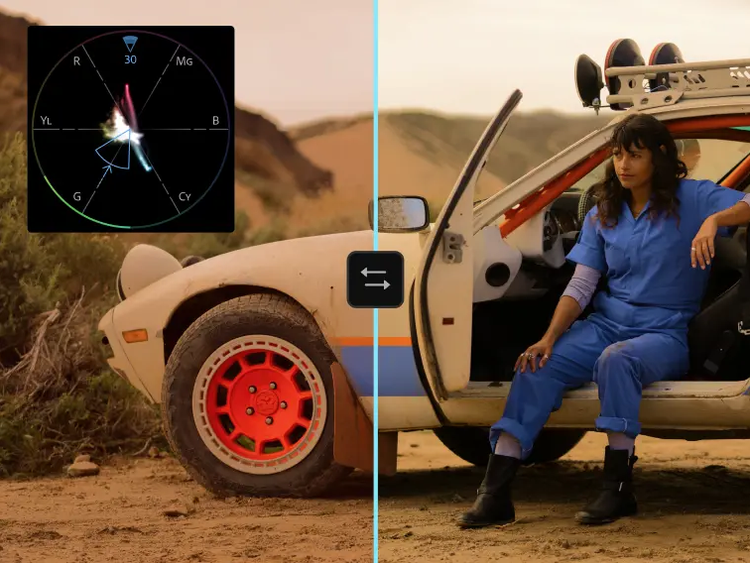
Most Color Mode controls are bi-directional. Move your mouse up and down for one control, left and right for the other. Or press shift for precise single-axis adjustments. Each control activates a unique heads-up display with scopes, numeric info, and real-time animated feedback that guides your creativity with confidence and clarity.
Adjust contrast and pivot for customized, fluid balance between shadows and highlights.

Adjust exposure and black level to control brightness and fine shadow detail.

Move up and down for temperature, left and right for tint.

Shift color balance in any direction to correct or add creative tone.

Add or subtract the strength of color in your clips.

Adjust global, single, or multi-band texture detail.

Add fine sharpness or blur to your clips with radius and threshold controls.

Grade your entire image at once.

Create multiple preset or custom shadow zones to isolate your grades to dark areas of your image.

Create multiple preset and custom highlight zones to isolate your grades to bright areas of your image.

Make specific hues more or less saturated with bi-directional controls to edit the amount and correction of hues.

Color Mode automatically surfaces the most prominent hues of any image for faster grading. Or use an eyedropper along with the complete RGB spectrum to find the right color to edit.

Change the direction of a specific hue with bi-directional controls to edit the amount and correction of hue.

Change the brightness of a specific hue with bi-directional controls to edit the amount and correction of a hue.

Simulate and customize dozens of combinations of authentic film emulations with bi-directional control over color and contrast strength along with shadow/highlight protection and tone.

Recreate subtle or bold contrast density curves that make it easy to craft real film contrast.

Advanced shadow controls with Bezier curves that are easy to use.

Multiple cinematic look developments with pre-graded modules. Take them as they are or customize.

Style presets exploring warm and cool temperature ranges.

Style presets optimized for different lighting conditions and environments.

Style presets with creative saturation treatments.

Black and white style presets with nuanced tonal control.

Combine modules (with many more coming soon) to create your own styles from scratch.
We built Color Mode with feedback from hundreds of editors across the globe. Here's what they have to say.

Matt Johnson
YouTube Creator, @WhoIsMatt
"Adobe Premiere's new Color Mode feels like the largest update to the app has ever received! Color grading has only grown in importance over the years. Having an editor-first color grading system that reimagines how to easily achieve professional color is truly a game changer."

Kelsey Brannan
YouTube Creator, @PremiereGal
“Premiere’s new Color Mode is a complete redesign that makes color correction and grading feel dramatically more intuitive while raising the level of professional control advanced editors expect. The refreshed layout and tools streamline the entire workflow, making it faster and more fluid to move from quick fixes to precise grading without breaking creative momentum.”
Drex Lee
Global Creator Sensation
“In my world of epic one-shots, you only get one chance to capture the soul of a moment. Color Mode in Premiere is how I make that moment immortal, giving me the emotional depth to tell stories that resonate with millions. It is the bridge between a raw vision and a cinematic masterpiece."

Josh Olufemii
Filmmaker, Educator @Olufemmi
“Literally been waiting for this day for yeeears. Premiere’s new Color Mode feels like a long-awaited refresh to the way color works in the app. The interface is cleaner, the tools are easier to access, and it’s much quicker to move from basic corrections to more precise grading. It’s a thoughtful redesign that makes the whole process feel smoother. LOVE IT.”

Lila Traka
Filmmaker, @LilafromYouTube
"Premiere's new Color Mode works the way my brain works. The icon-based controls, grading with zones, and the Styles system make the whole process so intuitive. It just makes sense."

Chris Grubisa
Video Creator, Video Strategist, Entrepreneur
“Most software evolves by stacking features on top of old architecture. Adobe did the harder thing. They completely tore out the ‘old way’ and rebuilt it from the ground up. For editors, having a grading experience that’s faster, cleaner, and far more precise is everything. Color Mode is a reset for what color grading software should be.”