
Create as many as 20 split PDF files
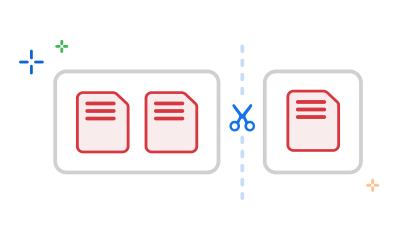
The Acrobat PDF splitter tool lets you swiftly separate PDF pages into up to 20 files. Add as many as 19 divider lines to create specific page ranges.
Adobe’s online tool makes it easy to separate PDF pages or split a PDF into single files in just a few clicks. Here’s how it works:
Packed with features, and fully secure. Learn how Adobe Acrobat online makes your PDF projects easier.
The Acrobat PDF splitter tool lets you swiftly separate PDF pages into up to 20 files. Add as many as 19 divider lines to create specific page ranges.

Once you've signed in, you can easily highlight any page thumbnails you want to delete. When you’ve finished selecting these files, just click the dustbin icon in the top toolbar.

Now you’ve split your PDF, it’s time to get organised. Replace, reorder, delete or extract PDF pages to get your document just right.

Mix and match pages from other split PDF documents, or separate PDF pages to customise your file with all the form fields, comments and links included. Leave unwanted content in your original file or just delete it.

All files are encrypted during upload, processing, and download, ensuring your data stays private. With GDPR-compliant safeguards in place, you can split a PDF into multiple files with complete confidence.

After you’ve finished creating your split PDFs, downloading and sharing is simple. In just a few clicks, you can share your separate documents with friends or colleagues and even view their comments within a single document. It’s an easy way to collaborate and keep track of feedback.

Adobe invented the PDF file format. Use the impressive online tools to split PDFs with ease and keep your projects moving from anywhere. With the Acrobat Reader mobile app, you’ve got a PDF tool that can reorder, delete, insert or rotate PDF pages right from your mobile device.

As the originator of the PDF file format, you can be certain that Adobe’s tools are fit for purpose. Try Adobe’s impressive online tools to split PDF files and get the most out of your documents.
Adobe’s free online PDF splitter has a few usage limits. You can split a single PDF that is up to 1 GB in size and contains no more than 1,500 pages. Each split action allows you to create up to 20 separate PDF files, using a maximum of 19 divider lines per session.
For users who need to work with larger files, more complex document workflows, or additional PDF tools, it’s worth checking Adobe Acrobat subscription plans, which may offer expanded capabilities depending on the plan.
Yes, there are several subscription plans available, offering more advanced features than our free Acrobat tools. Free Adobe Acrobat tools (including Acrobat Reader and Acrobat online) cover basic PDF viewing, editing, commenting, and sharing. Our premium plans (Standard, Pro, and Studio) expand your capabilities with enhanced editing, password protection, redaction, AI features, and more.
Compare plans to see the full range.



