Adobe Acrobat

Convert PDF to Excel

Drag and drop a PDF file to use our PDF to Microsoft Excel converter.

Convert PDF to Excel

{{verb-widget-legal}}

Looking to convert from Excel to PDF? Try the Excel to PDF converter here.

Excel to PDF Converter

How to convert a PDF to Excel online

Learn how to convert a PDF file to an editable Excel spreadsheet using the Acrobat convert tool:

https://main--dc--adobecom.aem.page/dc-shared/assets/images/frictionless/how-to-images/pdf-to-excel-how-to.svg | An icon shows how Acrobat can export PDF to excel using simple document conversion technology.

  • Click the "Select a file" button above or drag and drop a PDF into the drop zone.
  • Select the PDF you want to convert to the XLSX file format.
  • Adobe Acrobat’s PDF to Excel tool will automatically extract tables and data from the PDF and convert them into an Excel file.
  • Now, you can download the converted file or sign in to share it.

Try the free PDF to Excel converter online

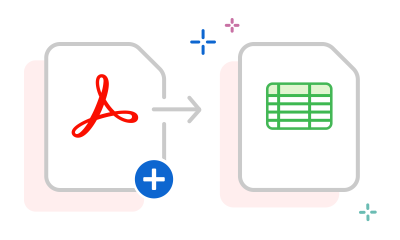
https://main--dc--adobecom.aem.page/dc-shared/assets/images/shared-images/frictionless/seo-icons/excel-pdf-converting.svg | An Acrobat PDF and a spreadsheet with arrows showing how you can convert PDF to Excel online

Convert PDFs into editable Excels instantly

With Adobe Acrobat online services, turn PDFs into editable Excel files in seconds. Simply drag and drop your PDF and download the converted Excel file effortlessly.

https://main--dc--adobecom.aem.page/dc-shared/assets/images/shared-images/frictionless/seo-icons/edit-excel.svg | A spreadsheet with a pen demonstrating how you can edit your Excel file

Edit your Excel file for free

After you convert your PDF document to XLSX, you can refine and format the file in Microsoft Excel online directly from Acrobat. All you have to do is sign in.

https://main--dc--adobecom.aem.page/dc-shared/assets/images/shared-images/frictionless/seo-icons/download-and-share.svg | A download arrow with a cloud showing how you can download and share converted Excel files

Easily download or share

Download your new Excel spreadsheet onto your desktop or share it with a friend or colleague after signing in. You can also collect everyone’s feedback in a single file online.

https://main--dc--adobecom.aem.page/dc-shared/assets/images/shared-images/frictionless/seo-icons/work-on-any-device.svg | A desktop with an Acrobat PDF and a mobile device showing how you can convert PDFs to Excel on any device

Cross device compatibility

You can convert PDFs into Excel documents using any web browser and device. The conversion process also works on any operating system, including Mac, Windows, Linux, iOS and Android.

https://main--dc--adobecom.aem.page/dc-shared/assets/images/shared-images/frictionless/seo-icons/best-pdf.svg | An Acrobat PDF ready to be converted to Excel

Effortlessly convert financial data to Excel

Convert PDFs like bank statements, receipts, and invoices into structured and editable Excel sheets for easy analysis and modification using Adobe Acrobat’s PDF to XLS converter tool.

PDF to Excel FAQs.

Will the converted Excel file show the content from my original PDF?

Yes. As the inventor of the PDF file format, Adobe makes sure that the Acrobat PDF to Excel converter tool creates a high-quality file you can work with on Mac or Windows. The Acrobat functionality transfers your PDF data and content right into an editable Excel spreadsheet, where you can edit the rows and columns.

You can also try Adobe Acrobat Pro for free for seven days to convert images like PNG files, edit PDFs with optical character recognition (OCR technology), add annotations, split PDFs, reduce file sizes, convert Microsoft 365 files to PDF and export PDFs to Microsoft Word documents and PowerPoint presentations.

What’s the difference between XLS and XLSX?

The XLS and XLSX file formats are file extensions used by Microsoft Excel.

XLS file format:

  • An older format used by Microsoft Excel 2003 and earlier.

XLSX file format:

  • Introduced with Microsoft Excel 2007.
  • Based on the Open XML (Extensible Mark-up Language) standard.

If you have Microsoft Excel 2003 or earlier, you’ll need to download the free Microsoft Office Compatibility Pack to open, edit and save XLSX files.

How do I open my file after converting from PDF to Excel?
It’s easy to open converted files. After the PDF to Excel conversion, download your new workbook. Then launch Microsoft Excel, choose Open from the File menu and select the converted file. You can also sign in to Acrobat online services to save your converted Excel document to Adobe cloud storage for quick online access from anywhere or to edit it using Microsoft Excel for the web.
How do I convert a scanned image to Excel?
Using Optical Character Recognition (OCR), Acrobat can convert a scanned image to an editable Excel file. Alternatively, you can first convert the image to a PDF, and then convert scanned PDFs into an Excel spreadsheet using Adobe Acrobat online services.
Does Adobe Acrobat integrate with Microsoft Office?
Yes, Adobe Acrobat integrates directly with Microsoft Office. You can open the PDF files in Microsoft Office and convert them to Excel spreadsheets, saving time and effort.

More resources

Content as a Service v2 - compress-pdf - Wednesday 17 July 2024 at 13:18

Verb
pdf-to-excel

Try these Acrobat online tools

Convert from PDF

Convert to PDF

Reduce file size

Edit

Sign & Protect

Generative AI

Convert from PDF
Convert to PDF
Reduce file size
Edit
Sign & Protect
Generative AI
