Bring professional depth to your audio projects with sound effects in Adobe Audition. From videos to podcasting, choose from hundreds of royalty-free sound effects that let you bring new tones, moods, or a touch of comedy to your recordings.
Go beyond simple recordings with the robust digital audio workstation that makes it easy to get a layered sound. Get access to over 12K free sound effects with Adobe Audition and explore how this library can help you elevate your work.
style
grid width 6, static links
Keep it comical.
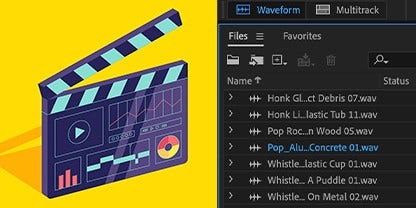
Give your audio an animated tone with over 250 cartoon and comic sound effects from booing to wolf howls.
Navigate Audition’s collection of searchable, high-definition sound effects to discover exactly what you’re looking for.
style
grid width 6
background
#F5F5F5
Don’t worry about duds.
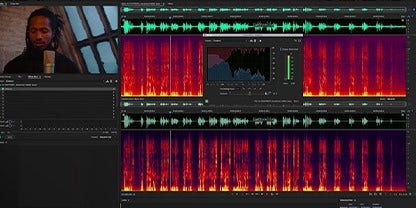
Audition’s sound effects are always royalty-free, fully uncompressed files that ensure crisp, rich sound perfect for podcasting and video production.
Always easy to find.
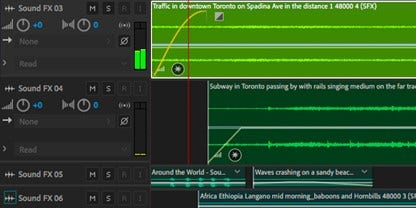
Sound effects in Audition are tagged thoroughly so you can find what you need fast. Plus, you can group similar styles together and download them all at once.
style
grid width 6, two up
background
#F5F5F5
How to use sound effects.
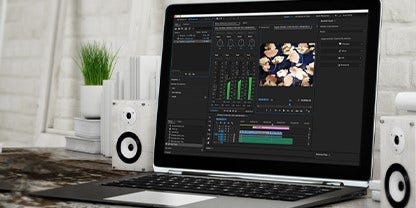
Discover how to make the most of Audition’s free library of sound effects in YouTube videos, podcasts, or even a DJ’s soundboard.
style
grid width 6
Pick the best effects.
Get guidance finding and applying the right sound effect for every situation, from horror to cartoon genres and even video games.
Regularly at 77,99€/moAlternatively at 38,98€/moincl. VAT. Annual, billed monthly
Join over 7 million Creative Cloud Pro subscribers worldwide. Save 50% for the first 3 months on the full version of Audition and 20+ apps plus Adobe Firefly creative AI. Pay 38,98€/moincl. VAT for the first 3 months and 77,99€/moincl. VAT after that. New subscribers only. See terms | See what's included
You can control how Adobe websites use cookies and similar technologies by making choices below. But note that if you disable cookies and similar technologies entirely, Adobe websites may not function properly.
Cookies are small text files stored by your web browser when you use websites. There are also other technologies that can be used for similar purposes like HTML5 Local Storage and local shared objects, web beacons, and embedded scripts. These technologies help us do things like remembering you and your preferences when you return to our sites, measure how you use the website, conduct market research, and gather information about the ads you see and interact with.
You can make choices in the menu below about what cookies and other technologies you want us to use on Adobe sites when you visit them from this browser. You can always change those choices later by clicking on the Cookie Preferences link at the bottom of the page.
If enabled:
We can improve your experience by tailoring the site and the content to things we think might be of interest
We can better keep track of your preferences — like what language you prefer to use
We will better understand your likely interests so we can provide you more relevant Adobe ads and content on non-Adobe websites and in non-Adobe apps
It will help us improve the performance of our website and those of our partners who use the Adobe Experience Cloud
If disabled:
We won’t be able to remember you from session to session so the experience may not be tailored to your interests
You’ll still have access to the content of the site but certain features that depend on cookies may not function
You’ll still see ads, they just may not be as relevant to you
General information
You can control how Adobe websites use cookies and similar technologies by making choices below. But note that if you disable cookies and similar technologies entirely, Adobe websites may not function properly.
Cookies are small text files stored by your web browser when you use websites. There are also other technologies that can be used for similar purposes like HTML5 Local Storage, web beacons, and embedded scripts. These technologies help us do things like remembering you and your preferences when you return to our sites, measure how you use the website, conduct market research, and gather information about the ads you see and interact with.
You can make choices in the menu below about what cookies and other technologies you want us to use on Adobe sites when you visit them from this browser. You can always change those choices later by clicking on the Cookie Preferences link at the bottom of the page.
If enabled:
We can improve your experience by tailoring the site and the content to things we think might be of interest
We can better keep track of your preferences — like what language you prefer to use
We will better understand your likely interests so we can provide you more relevant Adobe ads and content on non-Adobe websites and in non-Adobe apps
It will help us improve the performance of our website and those of our partners who use the Adobe Experience Cloud
If disabled:
We won’t be able to remember you from session to session so the experience may not be tailored to your interests
We’ll still count your use of our site and services
You’ll still have access to the content of the site but certain features that depend on cookies may not function
You’ll still see ads, they just may not be as relevant to you
Operate the site and core servicesOperate site and measure engagement
Always active
These cookies are required, and they are used to enable the site and related services core functionality. Without them the site could not operate, so they cannot be disabled.
These cookies enable the site and related services’ core functionality and collect statistics about user engagement, such as counting active use to help us understand trends. These cookies cannot be disabled.
Measure performance
These cookies are used to analyze site usage to measure and improve performance. Without them Adobe cannot know what content is most valued and how often unique visitors return to the site, making it hard to improve information we offer to you.
These cookies are used to analyze site usage to measure and improve performance. Without them Adobe cannot know what content is most valued, making it hard to improve information we offer to you.
Extend functionality
These cookies are used to enhance the functionality of Adobe sites such as remembering your settings and preferences to deliver a personalized experience; for example, your username, your repeated visits, preferred language, your country, or any other saved preference.
Personalize advertising
These cookies are used to enable Adobe and our partners to serve ads more relevant to your interests. Without them you will still see ads, but they might not be as relevant to you.