.

InDesign features

Create striking flyer designs.

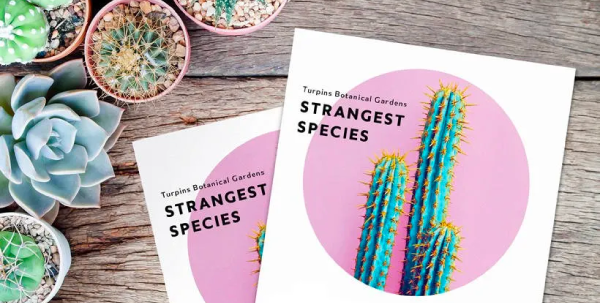
Make a flyer that stands out with Adobe InDesign. Using tools and design templates, create and adjust your own flyer quickly — InDesign helps you take your ideas from the desktop to the print shop.
Free trial Buy now

Build flyers faster with the right design tools.

Get your ideas out there with InDesign, the industry’s top flyer maker. Learn how this design software helps you create high-quality, eye-catching flyers.

Get a headstart.

Access to 30K+ fonts, 1 million+ free photos and drawings, and thousands of free templates so you can get rolling quickly and then design and modify to perfection.

Add images with ease.

Get the ideal crop on photos or stock images with Content-Aware Fit. It intelligently centers the most important part of the image in a frame.

Go beyond words.

Elevate text with emoji fonts and graphical characters. Or create your own composite glyphs, from designing flags to adding diversity to emoji skin tones.

Adapt designs quickly.

Resize page layout designs on the fly with the Adjust Layout tool. If you need to change the size of a flyer, it will automatically rescale layout elements for you.

Create great flyers with great tools.

Do more than bring your flyer design to life — make an impression. With Adobe Creative Cloud integrations, access to Adobe Fonts, and syncing to Adobe Stock, you’ll have the right tools in your flyer design software to fuel your creativity.

Work seamlessly.

Integrate assets like a seasoned graphic designer from Adobe Photoshop, Illustrator, Express, and more. And even convert PDFs into InDesign documents.

Discover more inspiration.

Ideate with generative AI or explore a world of creative assets with access to Adobe Fonts and Adobe Stock. Generate, customize, and sync to the cloud, so you can create freely and bring every flyer idea to life.

How to make a flyer.

Begin with the basics and create stunning flyers to help you connect with new people or potential customers.

  1. Kick it off:
    Get started by opening a new document in InDesign.
  2. Set it up:
    Define your flyer’s margin width to prevent cutoff during printing.
  3. Lay it out:
    Place images and use Content-Aware Fit to keep key parts of images inside the frame.
  4. Write it up:
    Craft your copy, then enhance your words with text effects using visual font browsing.
  5. Share it:
    Export the flyer in your desired format for printing or as a PDF. You can also publish the flyer on the web using the Publish Online feature.

Quick flyer design tutorials.

Making a good flyer is within your reach. Get some help from InDesign tutorials and go from newbie to stylish flyer creator in no time.

Explore free flyer templates.

Get the word out with stunning, professionally designed flyer templates for InDesign.

Find the Creative Cloud plan that’s right for you.

Adobe InDesign Single App
US$22.99/mo

Get InDesign as part of Creative Cloud.

Creative Cloud Pro
US$69.99/mo

Annual, billed monthly

Get 20+ Creative Cloud apps, including InDesign.

See what's included | Learn more

Students and teachers
US$24.99/mo

Annual, billed monthly

Save over 64% on Creative Cloud Pro.

See terms | Learn more

Business
US$99.99/moper license

Industry-leading creative apps with simple license management.

Learn more