Make your cut with the go-to for pro video. Edit with precision and control — and move faster with AI workflows so you can take on bigger projects, further your craft, and show what you’re made of.
Limited-time offer: Students, get Premiere in Creative Cloud Pro and save 77% for the first year. Regularly at CAD $91.99/moCAD $20.79/mo. Annual, billed monthly. Ends Sep 2. See terms.
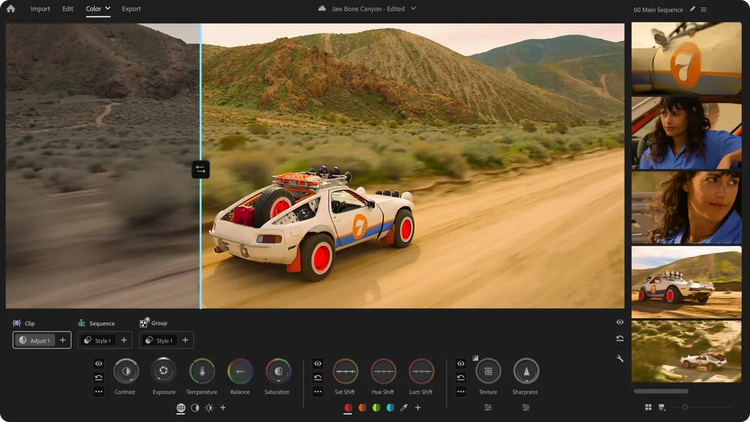
Experience a first-of-its-kind color grading system — purpose-built for editors — in Premiere (beta). Shape precisely, explore confidently, and push your look without ever leaving your edit.
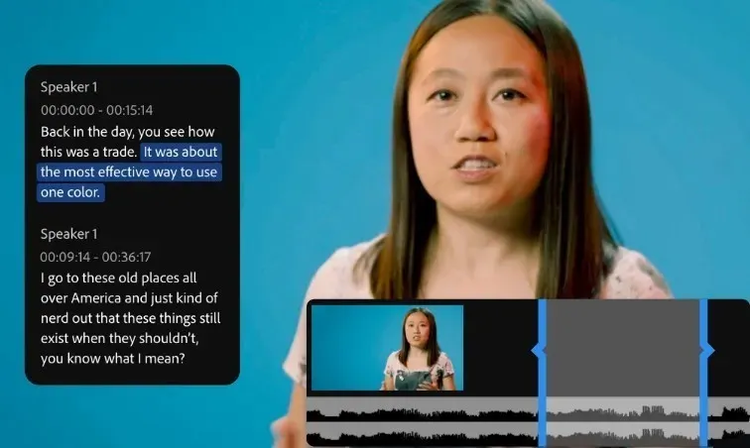
Use industry-standard video editing tools and timesaving AI features to get to the right cut fast. Hone your narrative with three-point editing. Try Text-Based Editing to refine, reorder, and trim clips just like you’d edit a text doc. And quickly search your footage with AI-powered Media Intelligence to identify objects, locations, framing, and other details.
Color
Balance color and set the tone.
Get the right look for your video with powerful color correction and grading tools. Drop footage from nearly any camera into your timeline instantly and transform your raw and log footage on import without LUTs. Balance color fast with AI, use professional color wheels and curve controls, and check your results with built-in video scopes.
Audio
Mix audio for a memorable soundtrack.
Reduce noise and enhance dialogue with pro audio tools, and add advanced effects as you master sound design. Browse music tracks, use AI to auto-fit them to your clips, and license them — all within Premiere.
Effects
Add eye-catching effects.
Choose from hundreds of cinematic effects and transitions — or get started with professionally designed templates, then adjust them to create looks that are all your own. And with redesigned shape masks in Premiere (beta), you can easily tackle precise effects with absolute control.
Titles
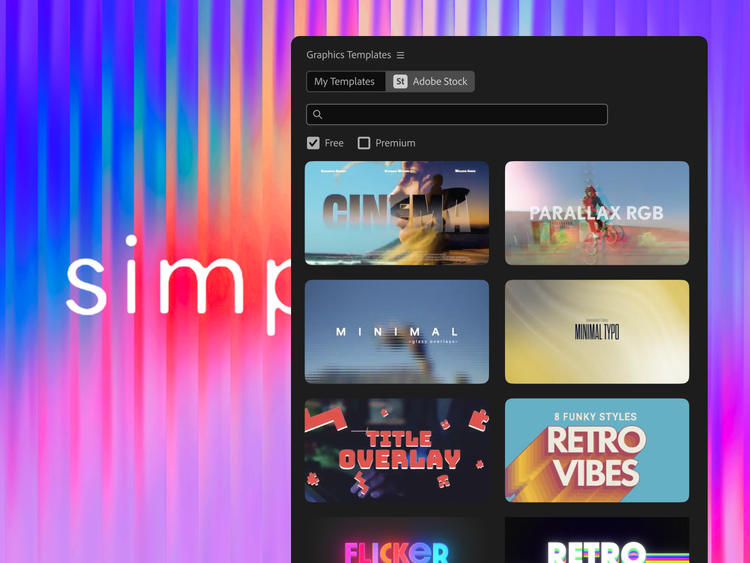
Create animated titles.
Design polished, professional-quality titles, captions, and graphics fast with templates. Customize them to fit the feel of your video directly inside Premiere. And quickly translate captions in 18 languages.
Explore Adobe Premiere features.
Bring your vision to life with AI and best-in-class video editing features.
Fast track how you mask with AI.
Say hello to Object Mask and goodbye to hours of painful rotoscoping. Just hover over your subject, click, and watch as AI accurately masks and tracks it.
carousel
Carousel container
Magically extend your clips with Generative Extend.
Extend clips, add frames, generate missing ambient sound — experience the power of Adobe Firefly generative AI in Premiere. Explore Generative Extend now.
carousel
Carousel container
Describe it and find it.
Meet Media Intelligence, powering your new Search panel in Premiere. Just describe any clip you need to find — using everyday language — and find it fast.
carousel
Carousel container
Work faster with Text-Based Editing.
Use AI to automatically transcribe your video on import, and then create a rough cut fast simply by copying and pasting text.
carousel
Carousel container
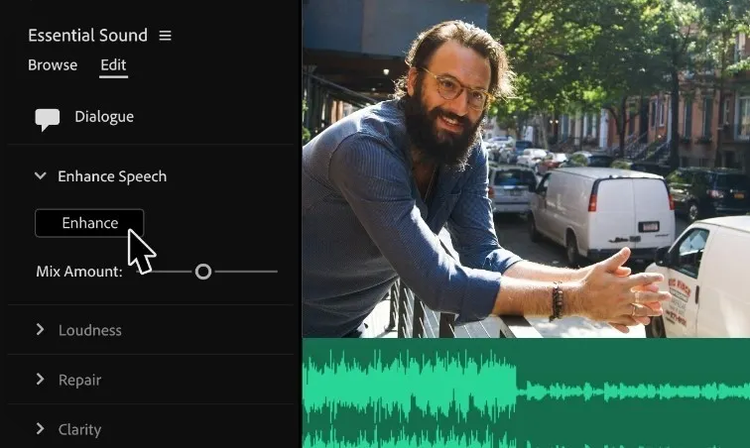
Add clarity with Enhance Speech.
Get crystal-clear dialogue with AI. Improve audio quality, remove background noise, and make every word sound crisp.
carousel
Carousel container
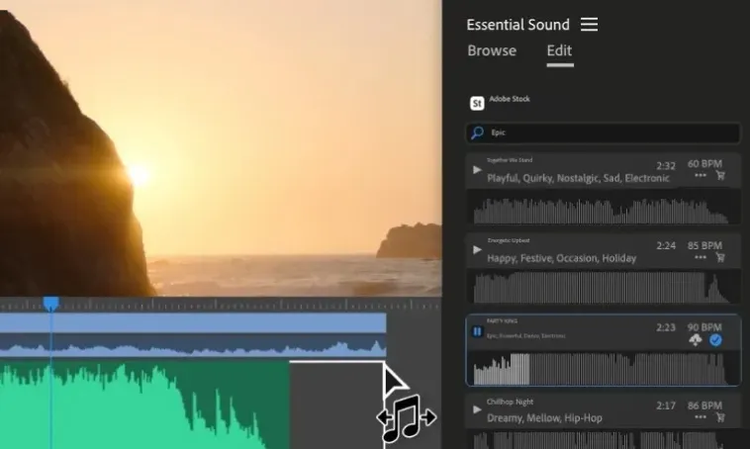
Sync music to edited clips.
Tap into AI to automatically retime your music to match the length of your edited video with Remix.
Regularly at CAD $91.99/moAlternatively at CAD $45.99/moAnnual, billed monthly
See what’s included:
Premiere for video editing, title animation, effects, sound mixing, and more
20+ apps for photo, design, and video
Unlimited access to standard creative AI image and vector features like Text to Image and Generative Fill
4,000 monthly generative credits for premium creative AI video and audio features like Text to Video
Unlimited access to Firefly Boards for exploring ideas and developing storyboards
Access to non-Adobe Generative AI models in Firefly
Adobe Express Premium, Frame.io for Creative Cloud, tutorials, fonts, templates, and 100GB of cloud storage
Join over 7 million Creative Cloud Pro subscribers worldwide. Save 50% for the first 3 months on the full version of Adobe Premiere, plus Adobe Firefly creative AI. Pay CAD $45.99/mo for the first 3 months and CAD $91.99/mo after that. New subscribers only.
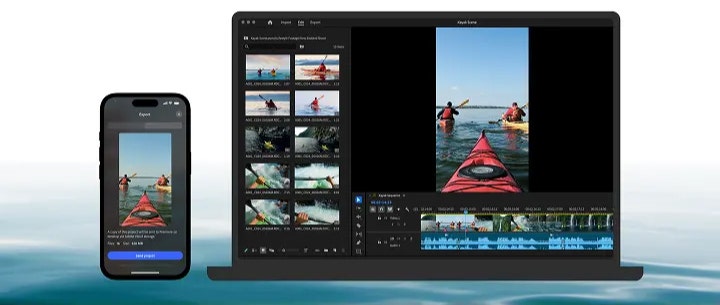
Move seamlessly across the family of Premiere apps.
If you have a paid membership to Premiere on desktop, you can kick off a project on mobile and then pick where you left off in the desktop app to polish things up with advanced tools and creative control.
center
center
Questions? We have answers.
The cost of Premiere depends on the plan you choose. The Premiere single app plan starts at CAD $29.99/mo for Annual, billed monthly. You can also get Premiere in the Creative Cloud Pro plan, which comes with 20+ additional creative apps like Photoshop and After Effects. You can start with a seven-day free trial of Premiere, or see plans and pricing. Adobe Stock and Adobe Firefly content may require additional costs.
Adobe Premiere on iPhone is available as a free, standalone video editing app. Generative AI features powered by Adobe Firefly use generative credits which can be purchased with a subscription or are included as part of existing Adobe Creative Cloud plans. To download and install the app, visit the Apple App Store on your device.
Adobe Premiere supports a wide range of file formats including H.264, H.265 (HEVC), Apple ProRes, MPEG-2, MPEG-4, AVCHD, and native camera formats like Canon and Sony RAW, as well as a wide variety of codecs in a QuickTime (MOV) or MXF container. See all supported formats.
No. Adobe Premiere is available only as a membership, with options for a monthly or an annual commitment.
Yes, Adobe Premiere includes free transitions, templates, and animated titles to level up your content.
Students and teachers can get the Annual, billed monthly Adobe Creative Cloud Pro plan, including Adobe Premiere, for CAD $25.99/mo for the first year and CAD $51.99/mo after that. Learn more.
Adobe provides free training guides to help you master every feature in Adobe Premiere through our Premiere Training Portal, or directly within the app. For more in-depth training with a certified instructor, you can also access our Video Training Courses.
Adobe Premiere Pro is now simply called Adobe Premiere to represent the family of apps, spanning desktop and mobile (iPhone). The desktop app still offers the same cutting-edge tools and pro-grade workflows. And with the new Adobe Premiere on iPhone app, you can edit videos anywhere without missing a beat.
style
Static links
style
M spacing
Discover your best work yet.
Create videos that are always a cut above, from anywhere. Experience the power of Premiere on desktop and iPhone with a single subscription.
Speed up your video workflows with Adobe Firefly generative AI.
Visualize shots and effects ahead of the shoot, generate assets missed in production to complement your edit, and eliminate tedious tasks to stay focused on your creative ideas.
You can control how Adobe websites use cookies and similar technologies by making choices below. But note that if you disable cookies and similar technologies entirely, Adobe websites may not function properly.
Cookies are small text files stored by your web browser when you use websites. There are also other technologies that can be used for similar purposes like HTML5 Local Storage and local shared objects, web beacons, and embedded scripts. These technologies help us do things like remembering you and your preferences when you return to our sites, measure how you use the website, conduct market research, and gather information about the ads you see and interact with.
You can make choices in the menu below about what cookies and other technologies you want us to use on Adobe sites when you visit them from this browser. You can always change those choices later by clicking on the Cookie Preferences link at the bottom of the page.
If enabled:
We can improve your experience by tailoring the site and the content to things we think might be of interest
We can better keep track of your preferences — like what language you prefer to use
We will better understand your likely interests so we can provide you more relevant Adobe ads and content on non-Adobe websites and in non-Adobe apps
It will help us improve the performance of our website and those of our partners who use the Adobe Experience Cloud
If disabled:
We won’t be able to remember you from session to session so the experience may not be tailored to your interests
You’ll still have access to the content of the site but certain features that depend on cookies may not function
You’ll still see ads, they just may not be as relevant to you
General information
You can control how Adobe websites use cookies and similar technologies by making choices below. But note that if you disable cookies and similar technologies entirely, Adobe websites may not function properly.
Cookies are small text files stored by your web browser when you use websites. There are also other technologies that can be used for similar purposes like HTML5 Local Storage, web beacons, and embedded scripts. These technologies help us do things like remembering you and your preferences when you return to our sites, measure how you use the website, conduct market research, and gather information about the ads you see and interact with.
You can make choices in the menu below about what cookies and other technologies you want us to use on Adobe sites when you visit them from this browser. You can always change those choices later by clicking on the Cookie Preferences link at the bottom of the page.
If enabled:
We can improve your experience by tailoring the site and the content to things we think might be of interest
We can better keep track of your preferences — like what language you prefer to use
We will better understand your likely interests so we can provide you more relevant Adobe ads and content on non-Adobe websites and in non-Adobe apps
It will help us improve the performance of our website and those of our partners who use the Adobe Experience Cloud
If disabled:
We won’t be able to remember you from session to session so the experience may not be tailored to your interests
We’ll still count your use of our site and services
You’ll still have access to the content of the site but certain features that depend on cookies may not function
You’ll still see ads, they just may not be as relevant to you
Operate the site and core servicesOperate site and measure engagement
Always active
These cookies are required, and they are used to enable the site and related services core functionality. Without them the site could not operate, so they cannot be disabled.
These cookies enable the site and related services’ core functionality and collect statistics about user engagement, such as counting active use to help us understand trends. These cookies cannot be disabled.
Measure performance
These cookies are used to analyze site usage to measure and improve performance. Without them Adobe cannot know what content is most valued and how often unique visitors return to the site, making it hard to improve information we offer to you.
These cookies are used to analyze site usage to measure and improve performance. Without them Adobe cannot know what content is most valued, making it hard to improve information we offer to you.
Extend functionality
These cookies are used to enhance the functionality of Adobe sites such as remembering your settings and preferences to deliver a personalized experience; for example, your username, your repeated visits, preferred language, your country, or any other saved preference.
Personalize advertising
These cookies are used to enable Adobe and our partners to serve ads more relevant to your interests. Without them you will still see ads, but they might not be as relevant to you.