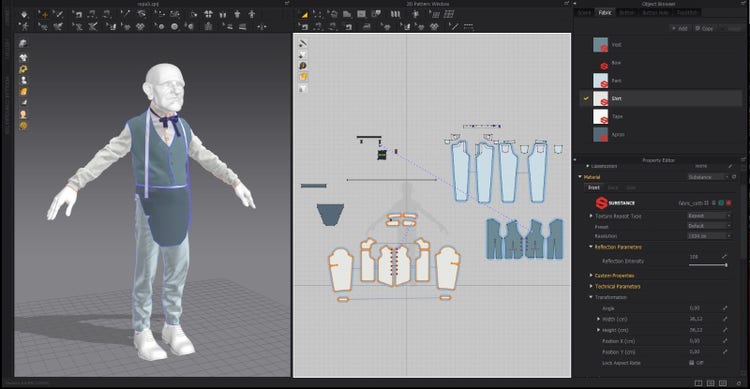
While I’m creating the different parts of the outfit, I distribute them by layers; this helps to avoid any intersection or flickering problems. Once the outfit is complete, I use the Substance in Marvelous Designer plugin to rapidly view different textures over the cloth adapted to the character. For this, I use my personal predefined materials in Painter and adapt the scale and roughness. This allows me to move ahead in the workflow, and makes the texturing process in Painter easier.
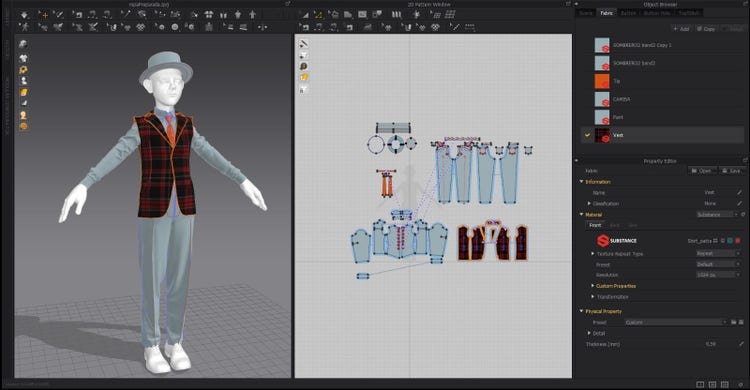
When I’ve finished the clothing, and I’m happy with the final result, I use the Create and Edit Topology tool; I find this adds a lot of speed to the Marvelous Designer workflow. This allows me to create the topology directly, and automatically adapt it into the simulated clothes. Again, I find it’s easier to adapt, create, edit, and visualize the topology this way rather than by using other software. Once the topology is done, I add final touches in Maya. Then I add the clothes to the rest of the project, organize all the UVs, and then I transfer everything into ZBrush once again.
Back in ZBrush, I try to achieve the same wrinkle style as Leyendecker’s, but in 3D. This was undoubtedly the most complicated part of this project. To make this easier, I use the Transpose Master tool; this allows you to unify all the subtools at once, so that we can move, modify, and pose the model as needed with masks . While doing this, I also add wrinkles, and detail them. Finally, when the high-poly model is finished, it’s time to export two versions of the scene, one low-poly, another high-poly with decimation carried out. This allows us to have two different versions to bake in Painter.