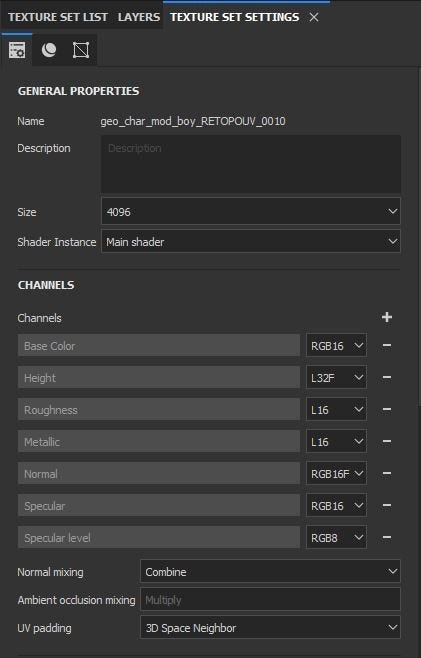
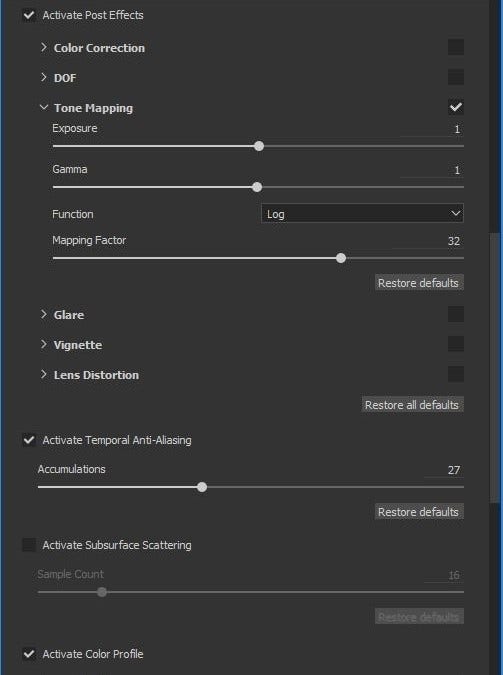
I modify the post-processing and texture configuration to adapt it to my workflow with the ACES color profile. ACES allows me to present a visual aspect that’s closer to the range of perception of color of the human eye. I highly recommend the ACES color profile, because it can greatly improve your projects.
First of all I open the Display Settings menu and modify the color profile, by adding this specific file, ACES LUT for Substance Painter.
Then, in the Post-Effects tab, I activate Tone Mapping and change the Function to Log. As a last step I modify the Channels of the textures in Texture Set Settings with this configuration: