


With the low-poly and the high-poly model exported from ZBrush, I create a new project in Painter, then import the mesh, and bake it with the resolution that seems most appropriate. My workflow usually requires the option to work between different UDIMs, which provides more freedom and ease when it comes to texturing. When I have to choose materials and Smart Materials, I usually do a preliminary study of what kind of material each asset is composed of, which can be really tricky sometimes. In the case of the fabrics for this project, I have to investigate which ones were used at that time (Leyendecker’s image was first published in 1916) and the exact type of material each piece of clothing was made of in order to represent the 3D modeling as faithfully and authentically as possible to the original work.
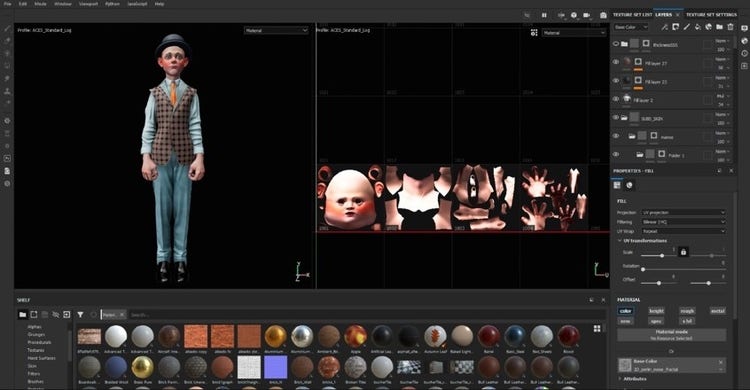
I create the distinctive pattern of the boy’s vest with a predefined sample file, ‘Tiling material,’ that comes by default in Painter. It’s a sample that I’m used to working with in order to create tileable textures quickly. Also, when I work in Substance I add post-processing effects; those I use a lot include the Iray renderer with my own HDRI. Like this, I can see how the project will look in the final render.
Materials and Textures
