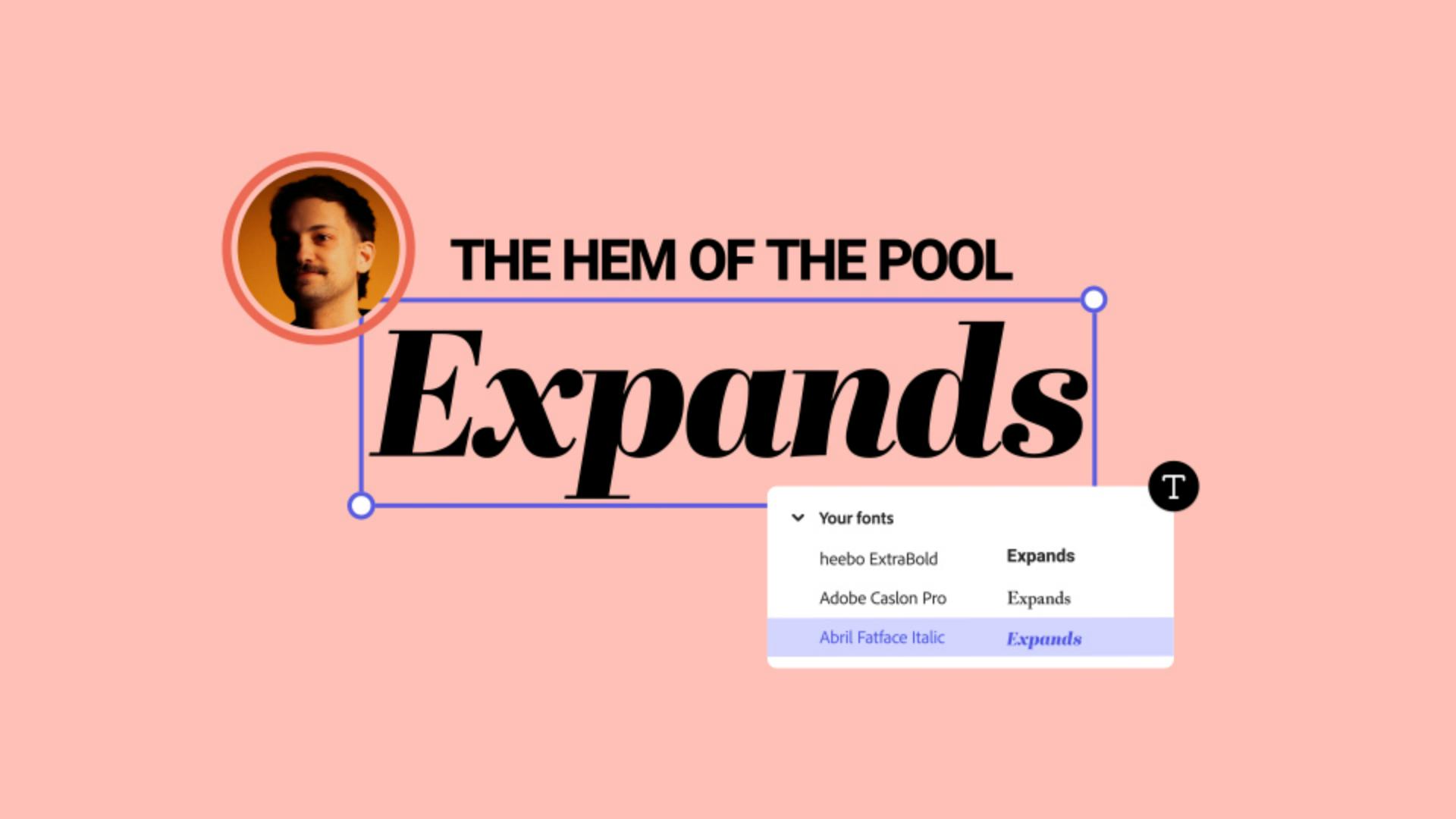
In this course, Brooklyn-based musician, designer, and DJ, Andrey Azizov will talk about why font pairing matters, how to choose the right font for your project or brand, and even some of his favorite tools in Adobe Express to make font pairing easier than ever.
Why font pairing matters
Establishes visual hierarchy
When headings, subheadings, and body copy are differentiated from one another it makes it easier for viewers to understand the content they’re seeing and reading.
Increases readability
Hierarchy is only one element that makes content easier to read, choosing legible fonts is also super important.
Reflects your brand’s personality
Consistency with font pairing helps to establish and maintain your brand’s identity.
Font pairing allows you to set and maintain the tone in your designs.
All of these things work together to increase recognition of your brand. Think of your favorite brands, the fonts they use play as crucial of a role in recognition as the colors and brand name itself.
Choosing fonts that match your brand
As we’ve established, fonts are an important part of your brand’s identity. They help you convey the personality of your brand as well as inform and set the tone for other design elements you may create.
Have you already established your brand’s personality? If you have, what is it? Refer back to your brand book and take notes of the words you use to describe your brand. You can use these same words to search for font ideas to get you started. Try searching on your favorite sites to get inspired (Behance, Pinterest, TikTok, etc.) for fonts that are:
Playful
Modern
Serious
Professional
Retro
Practical tips for pairing font
Mind the mood
Make sure fonts match the mood
you’re going for. If a font is too serious it can convey completely the wrong message. Make sure they match!
Limit the number of fonts you use
You’ve heard this advice before, but using too many fonts can make a design feel chaotic. Limit yourself to two or three fonts. A good rule of thumb is to choose one font for the header text, one for the subheader text (this can also be called an “accent font”), and one font for the body text.
Check for readability
Choosing fonts that are artistic and fun is important, but so is legibility of the fonts you choose. An easy way to approach this balance is by leveraging hierarchy to your advantage. By using the loudest font as your header font and a more simple font as your main body text you maintain readability and have fun.
Conclusion
Strategic font pairing can help you establish mood, personality, and hierarchy in your designs and in your brand overall.
The fonts you choose can make or break the legibility in your brand: don’t choose fonts that are pretty to look at if they’re hard to read. Think about your font in context of your designs.
Take a look at some of Andrey’s favorite Adobe Font pairings in the conclusion video above to get you started.

What you’ll need
Practice in the app
August 8, 2024
Try these tutorials with Adobe Express
Create web pages, social media graphics, and videos.
You can control how Adobe websites use cookies and similar technologies by making choices below. But note that if you disable cookies and similar technologies entirely, Adobe websites may not function properly.
Cookies are small text files stored by your web browser when you use websites. There are also other technologies that can be used for similar purposes like HTML5 Local Storage and local shared objects, web beacons, and embedded scripts. These technologies help us do things like remembering you and your preferences when you return to our sites, measure how you use the website, conduct market research, and gather information about the ads you see and interact with.
You can make choices in the menu below about what cookies and other technologies you want us to use on Adobe sites when you visit them from this browser. You can always change those choices later by clicking on the Cookie Preferences link at the bottom of the page.
If enabled:
We can improve your experience by tailoring the site and the content to things we think might be of interest
We can better keep track of your preferences — like what language you prefer to use
We will better understand your likely interests so we can provide you more relevant Adobe ads and content on non-Adobe websites and in non-Adobe apps
It will help us improve the performance of our website and those of our partners who use the Adobe Experience Cloud
If disabled:
We won’t be able to remember you from session to session so the experience may not be tailored to your interests
You’ll still have access to the content of the site but certain features that depend on cookies may not function
You’ll still see ads, they just may not be as relevant to you
General information
You can control how Adobe websites use cookies and similar technologies by making choices below. But note that if you disable cookies and similar technologies entirely, Adobe websites may not function properly.
Cookies are small text files stored by your web browser when you use websites. There are also other technologies that can be used for similar purposes like HTML5 Local Storage, web beacons, and embedded scripts. These technologies help us do things like remembering you and your preferences when you return to our sites, measure how you use the website, conduct market research, and gather information about the ads you see and interact with.
You can make choices in the menu below about what cookies and other technologies you want us to use on Adobe sites when you visit them from this browser. You can always change those choices later by clicking on the Cookie Preferences link at the bottom of the page.
If enabled:
We can improve your experience by tailoring the site and the content to things we think might be of interest
We can better keep track of your preferences — like what language you prefer to use
We will better understand your likely interests so we can provide you more relevant Adobe ads and content on non-Adobe websites and in non-Adobe apps
It will help us improve the performance of our website and those of our partners who use the Adobe Experience Cloud
If disabled:
We won’t be able to remember you from session to session so the experience may not be tailored to your interests
We’ll still count your use of our site and services
You’ll still have access to the content of the site but certain features that depend on cookies may not function
You’ll still see ads, they just may not be as relevant to you
Operate the site and core servicesOperate site and measure engagement
Always active
These cookies are required, and they are used to enable the site and related services core functionality. Without them the site could not operate, so they cannot be disabled.
These cookies enable the site and related services’ core functionality and collect statistics about user engagement, such as counting active use to help us understand trends. These cookies cannot be disabled.
Measure performance
These cookies are used to analyze site usage to measure and improve performance. Without them Adobe cannot know what content is most valued and how often unique visitors return to the site, making it hard to improve information we offer to you.
These cookies are used to analyze site usage to measure and improve performance. Without them Adobe cannot know what content is most valued, making it hard to improve information we offer to you.
Extend functionality
These cookies are used to enhance the functionality of Adobe sites such as remembering your settings and preferences to deliver a personalized experience; for example, your username, your repeated visits, preferred language, your country, or any other saved preference.
Personalize advertising
These cookies are used to enable Adobe and our partners to serve ads more relevant to your interests. Without them you will still see ads, but they might not be as relevant to you.
Personalize advertising
These cookies are used to enable Adobe and our partners to serve ads more relevant to your interests. Without them you will still see ads, but they might not be as relevant to you.