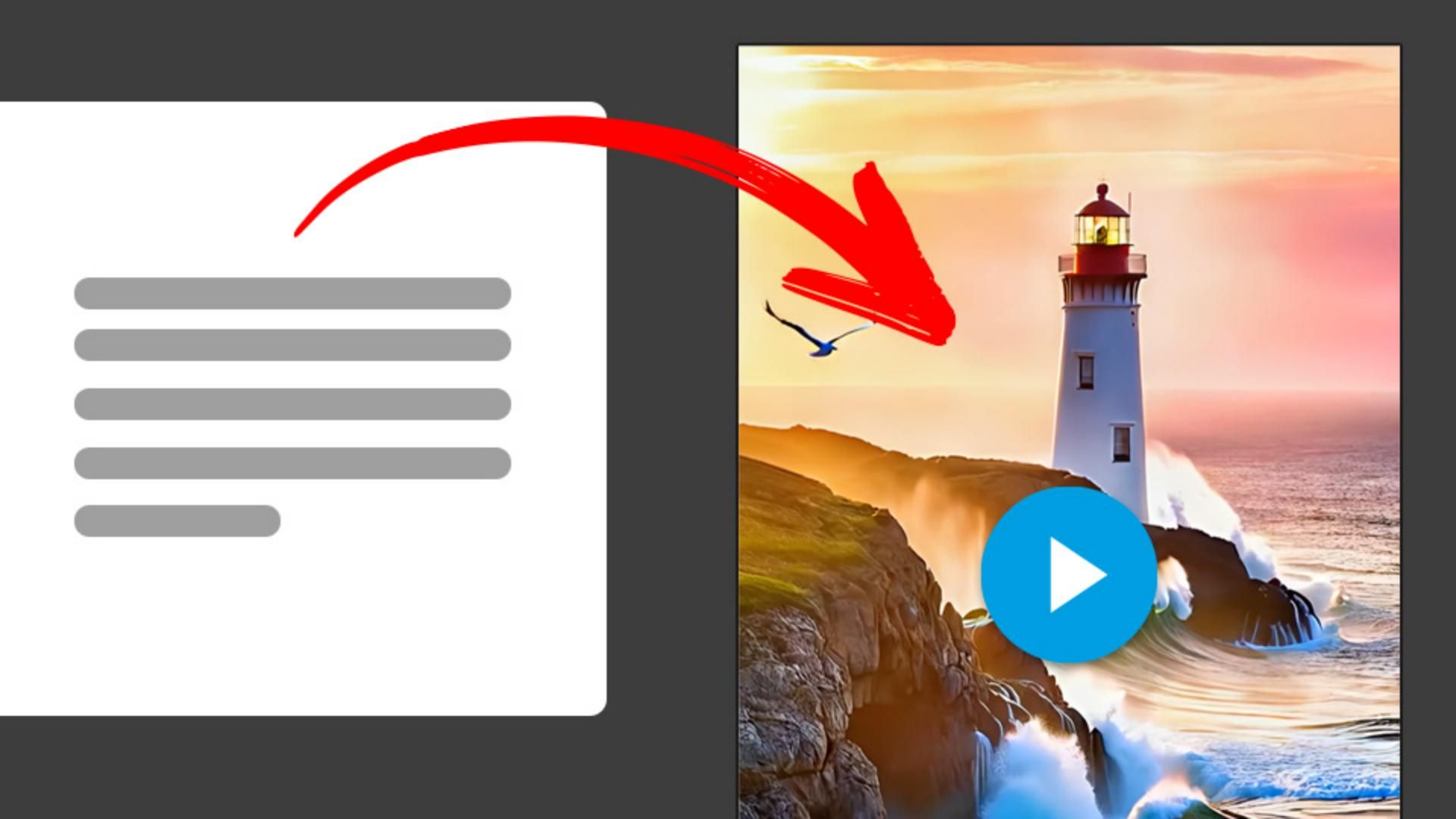
Discover how to generate expressive B-roll using references to objects, locations, aesthetics, and mood.
Published
Introduction
Have you ever needed to create B-roll for a project you're working on?
My name is Brian Wood.
I'm a content strategist for the Adobe MAX Creativity Conference.
I've got a video project I'm working on, and I need some B-roll to show at the beginning.
I need some atmospheric shots of the scene I'm thinking of, and I want to include some camera motion along with any objects moving.
Firefly gives us that control.
Setting up text to video and initial prompt
Starting on the Firefly homepage, I'll select Video, then Text to video (beta).
And if you want to start the video by giving it an image for your first frame, you can do that.
That's called Frame right down here.
I'm just going to use a Prompt.
I'll start by setting a few options, one of them being the Aspect ratio.
I use this B-roll for a travel video or a vlog and it's going to be viewed on a device, so I'll use 9:16.
Then I'll start by adding a Prompt.
I want to create a scene and convey a specific type of motion, camera angle and different things.
I'm going to try a simpler Prompt to start with and then iterate on it.
I'll start with 'Giant waves crashing on rocks below a lighthouse'.
Right here, instead of just a generic lighthouse, you can actually reference a known object or a geographical location.
The results will be accurate.
This can make it even more perfect for a B-roll if you need accurate imagery.
And then Generate to see what we get.
Refining prompts for motion, detail, and realism
After playing the video, I know I want to take this further, so I'm going to try adding more detail to the Prompt and Generate as I add to it to see what I get.
So, things like the shot type description, what action is going on, what's the aesthetic, etc. - more detail.
I might want to change the Shot size, maybe like a Long shot.
I can change the Camera angle and I can actually add movement.
I want the shot to Zoom out.
And once again, Generate to see what we get.
I like this video.
I might tweak the Prompt to change the flight of the bird because it's a little distracting.
Using advanced settings and seed for variations
One thing I want to point out, if you look down here at Advanced settings, you're going to see what's called Seed.
Every time, if I go back in history here a little bit, every time you go and Generate based on changes you've made, that Seed stays consistent.
So, if I come back to the final here, if you don't want the video to be based on the previous generation, you can actually remove that Seed, Generate again, and it pretty much starts from scratch.
Adjusting camera settings and generating final clips
I like that one.
Now what we can do is we can go in and from that one, try changing up the shot.
Maybe by changing the Shot size, Camera angle, and the type of Motion.
If I want to generate from this one, I keep the Seed there and Generate.
Now what I can do is go to each of these and Download and I've got some B-roll.
Once I get all my B-roll, I can head over to my editor of choice, like Adobe Express, and add them to my project.
Now it's time for you to create your own B-roll.
Get yourself a Prompt, start iterating on it, change things up, and see what you come up with.
What you’ll learn
Get started with Text to Video (beta)
Choose an aspect ratio and type a simple prompt to start generating your video.
Take your video further
Add details like shot type, action, aesthetic, and mood. Adjust shot size — like a long shot — and add camera moves like zoom in, tilt up, or static framing for the look you want. For more prompting tips, see Writing effective text prompts for video generation.
Build up your B-roll library
Download your best video generations and edit them in Adobe Express or your favorite video editor.
You can control how Adobe websites use cookies and similar technologies by making choices below. But note that if you disable cookies and similar technologies entirely, Adobe websites may not function properly.
Cookies are small text files stored by your web browser when you use websites. There are also other technologies that can be used for similar purposes like HTML5 Local Storage and local shared objects, web beacons, and embedded scripts. These technologies help us do things like remembering you and your preferences when you return to our sites, measure how you use the website, conduct market research, and gather information about the ads you see and interact with.
You can make choices in the menu below about what cookies and other technologies you want us to use on Adobe sites when you visit them from this browser. You can always change those choices later by clicking on the Cookie Preferences link at the bottom of the page.
If enabled:
We can improve your experience by tailoring the site and the content to things we think might be of interest
We can better keep track of your preferences — like what language you prefer to use
We will better understand your likely interests so we can provide you more relevant Adobe ads and content on non-Adobe websites and in non-Adobe apps
It will help us improve the performance of our website and those of our partners who use the Adobe Experience Cloud
If disabled:
We won’t be able to remember you from session to session so the experience may not be tailored to your interests
You’ll still have access to the content of the site but certain features that depend on cookies may not function
You’ll still see ads, they just may not be as relevant to you
General information
You can control how Adobe websites use cookies and similar technologies by making choices below. But note that if you disable cookies and similar technologies entirely, Adobe websites may not function properly.
Cookies are small text files stored by your web browser when you use websites. There are also other technologies that can be used for similar purposes like HTML5 Local Storage, web beacons, and embedded scripts. These technologies help us do things like remembering you and your preferences when you return to our sites, measure how you use the website, conduct market research, and gather information about the ads you see and interact with.
You can make choices in the menu below about what cookies and other technologies you want us to use on Adobe sites when you visit them from this browser. You can always change those choices later by clicking on the Cookie Preferences link at the bottom of the page.
If enabled:
We can improve your experience by tailoring the site and the content to things we think might be of interest
We can better keep track of your preferences — like what language you prefer to use
We will better understand your likely interests so we can provide you more relevant Adobe ads and content on non-Adobe websites and in non-Adobe apps
It will help us improve the performance of our website and those of our partners who use the Adobe Experience Cloud
If disabled:
We won’t be able to remember you from session to session so the experience may not be tailored to your interests
We’ll still count your use of our site and services
You’ll still have access to the content of the site but certain features that depend on cookies may not function
You’ll still see ads, they just may not be as relevant to you
Operate the site and core servicesOperate site and measure engagement
Always active
These cookies are required, and they are used to enable the site and related services core functionality. Without them the site could not operate, so they cannot be disabled.
These cookies enable the site and related services’ core functionality and collect statistics about user engagement, such as counting active use to help us understand trends. These cookies cannot be disabled.
Measure performance
These cookies are used to analyze site usage to measure and improve performance. Without them Adobe cannot know what content is most valued and how often unique visitors return to the site, making it hard to improve information we offer to you.
These cookies are used to analyze site usage to measure and improve performance. Without them Adobe cannot know what content is most valued, making it hard to improve information we offer to you.
Extend functionality
These cookies are used to enhance the functionality of Adobe sites such as remembering your settings and preferences to deliver a personalized experience; for example, your username, your repeated visits, preferred language, your country, or any other saved preference.
Personalize advertising
These cookies are used to enable Adobe and our partners to serve ads more relevant to your interests. Without them you will still see ads, but they might not be as relevant to you.
Personalize advertising
These cookies are used to enable Adobe and our partners to serve ads more relevant to your interests. Without them you will still see ads, but they might not be as relevant to you.