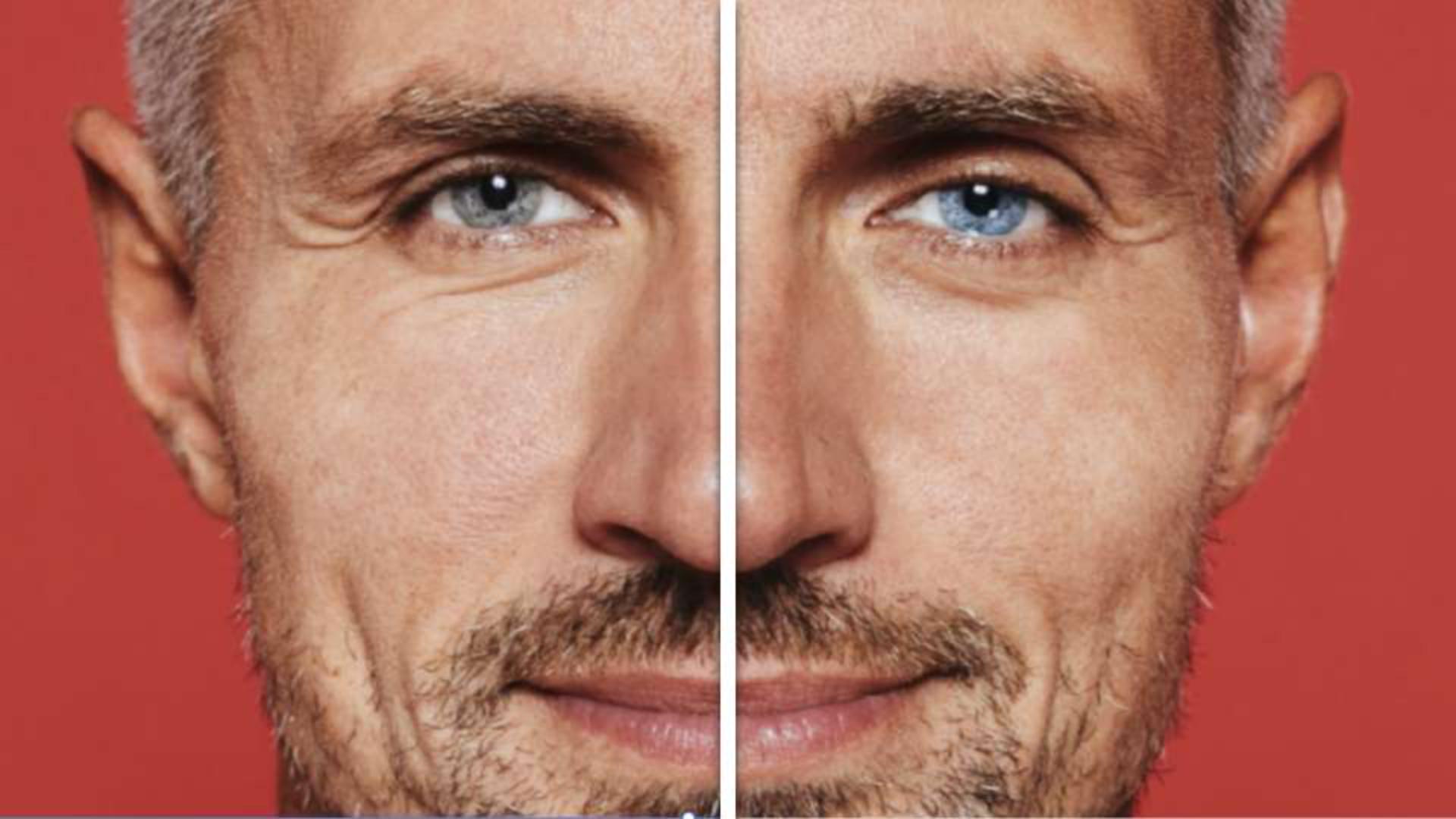
Let me show you how to quickly make your eyes pop using Photoshop on the web.
Let's start off by creating a basic selection using the Elliptical Marquee tool.
Draw out an oval over the first iris and don't worry if it extends outside the eye.
We'll fix this in a moment.
With the first selected, hold down your Shift key to add to your selection and draw out another oval over top of the next iris.
Perfect.
Now, knowing that selections by default are sharp around the edges, let's quickly hop into Refined Edge.
And here we'll want to focus on the feather value, which will soften out our edges.
With our softer selection applied, let's add the Hue and Saturation adjustment layer, which will let us tweak the eye color.
For very subtle changes, shifting the Hue and Saturation sliders could give us the result you're looking for, but for more drastic changes, turning on the Colorized toggle may work best.
Now, as the Hue slider is shifted, we're left with a more uniform color adjustment.
So most of this is looking pretty decent, but we still have a bit of a problem.
To help deal with the overflow from our initial selection, let's turn to our Layer Mask to hide portions of our adjustment.
Making sure the mask is active by clicking on its thumbnail to reveal the blue outline, your contextual taskbar will update with new options specific to Masking.
Clicking subtract from Mask will automatically select our Brush tool and set the foreground color to black.
We can now paint over the areas we wish to hide, leaving us with a much better looking result.
And as a quick tip, you can increase or decrease the size of your brush using the left and right square bracket keys.
Finally, if you're hoping to brighten your eyes as well, a second adjustment like Brightness and Contrast can be added.
Initially, the new adjustment will be applied to the entire image, but you can easily copy the Layer Mask from our initial adjustment by holding down your ALT or OPT key and dragging it on over.
And that's how to make your eyes pop using Photoshop on the web.